7. SYSTEM SETTINGS
147
• Error
Turn on or off the error display in the upper right of the measurement screen.
[See also] 5.6, “Measurement Screen Description”
Off / On
• Date
Select the display format of the date. y is the Gregorian year, m is the month, and d is the
day.
This setting is valid when a DATE item is placed in the layout.
Off / y/m/d / m/d/y / d/m/y
• Time
Select the display format of the time.
This setting is valid when a TIME item or Time option is placed in the layout, in the clear
screen log of the picture display, and in the event log of the status display.
Off / Real Time / LTC / VITC / D-VITC
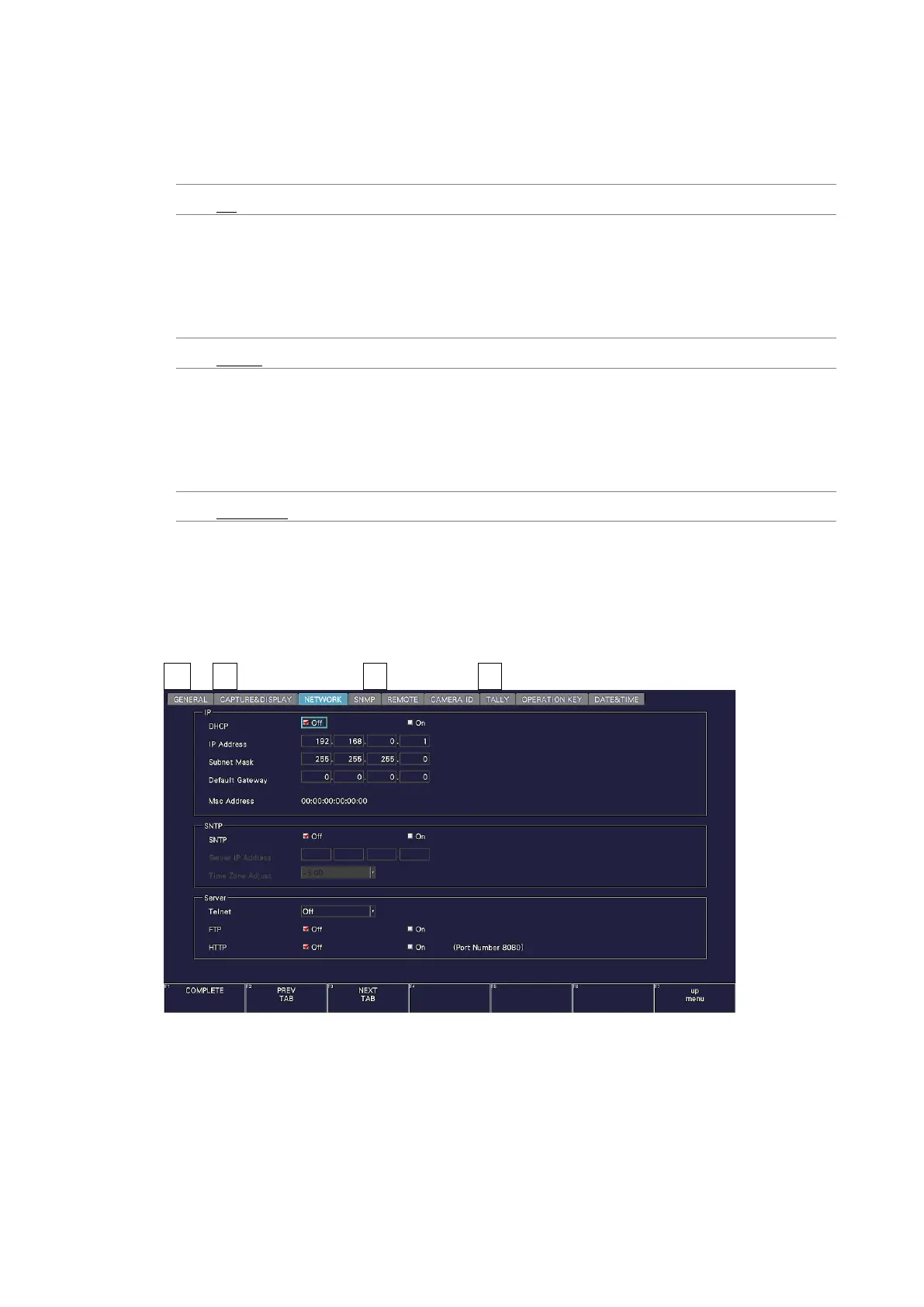
7.2.6 Setting the Network IP
Use IP on the NETWORK tab to configure network IP settings and view the MAC address.
The settings that you specify here will not be initialized even if you initialize the instrument.
In addition, they are not recorded to presets.
SYS → F•2 SYSTEM SETUP → F•2 PREV TAB or F•3 NEXT TAB →
Figure 7-15 NETWORK tab



 To Next Page