19. Network Control
462
19.4.3 How to Use
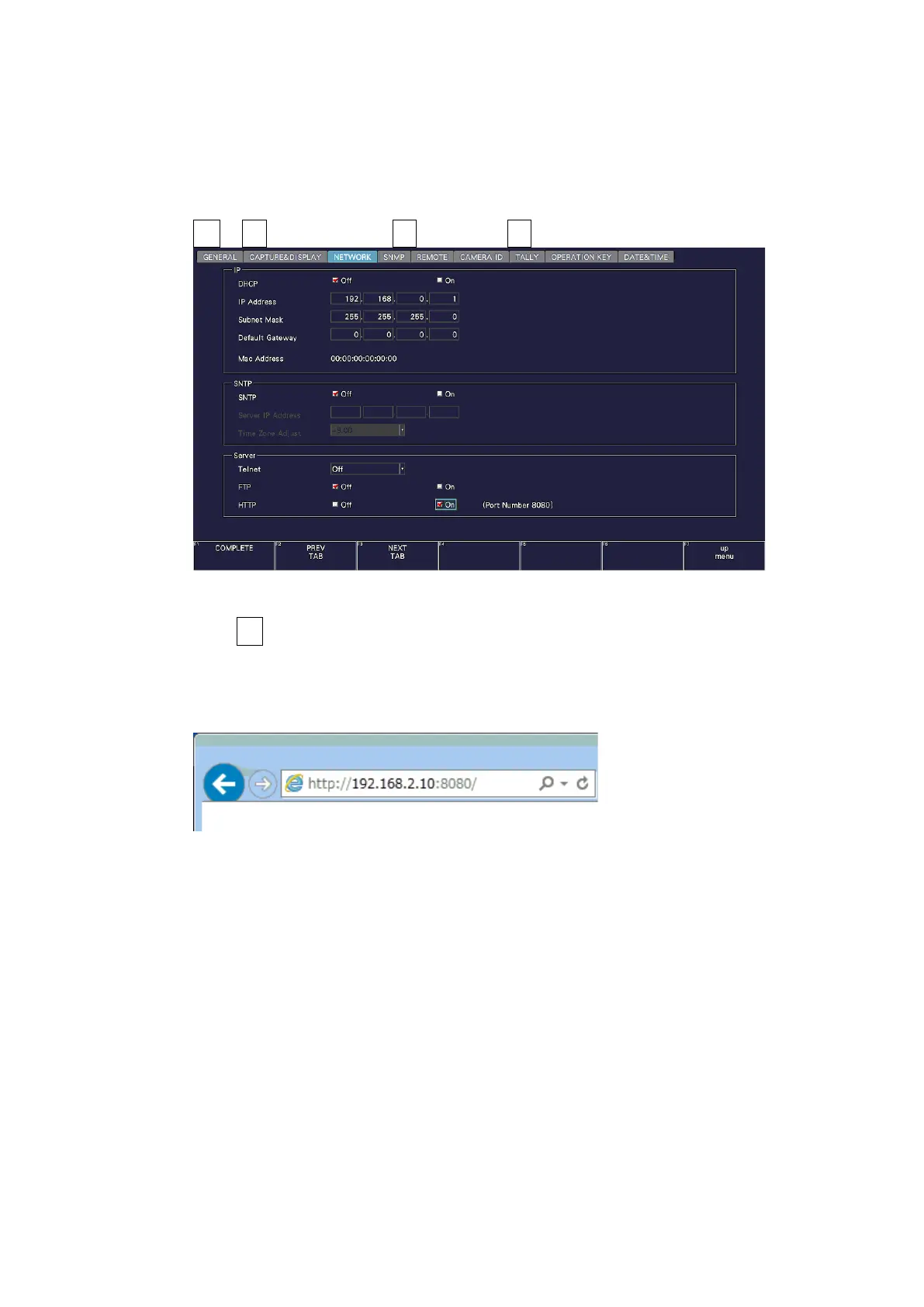
1. Configure the Ethernet settings on the NETWORK tab of the SYS menu.
Set the IP address, and set HTTP to ON.
[See also] 7.2.8, “Configuring the Server”
SYS → F•2 SYSTEM SETUP → F•2 PREV TAB or F•3 NEXT TAB →
Figure 19-4 NETWORK tab
2. Press F•1 COMPLETE.
3. Connect the instrument’s Ethernet port to the external network device.
4. Start the web browser on your PC.
5. In the address box, enter “http://(the IP address that you set in step 1):8080.”
Figure 19-5 Entering the IP address



 To Next Page