13. Picture Screen
275
13.6.3 %DISPLAY Screen Description
To set % DISPLAY, press F•1 CINELITE DISPLAY to select % DISPLAY and then press F•2 %
DISPLAY SETUP.
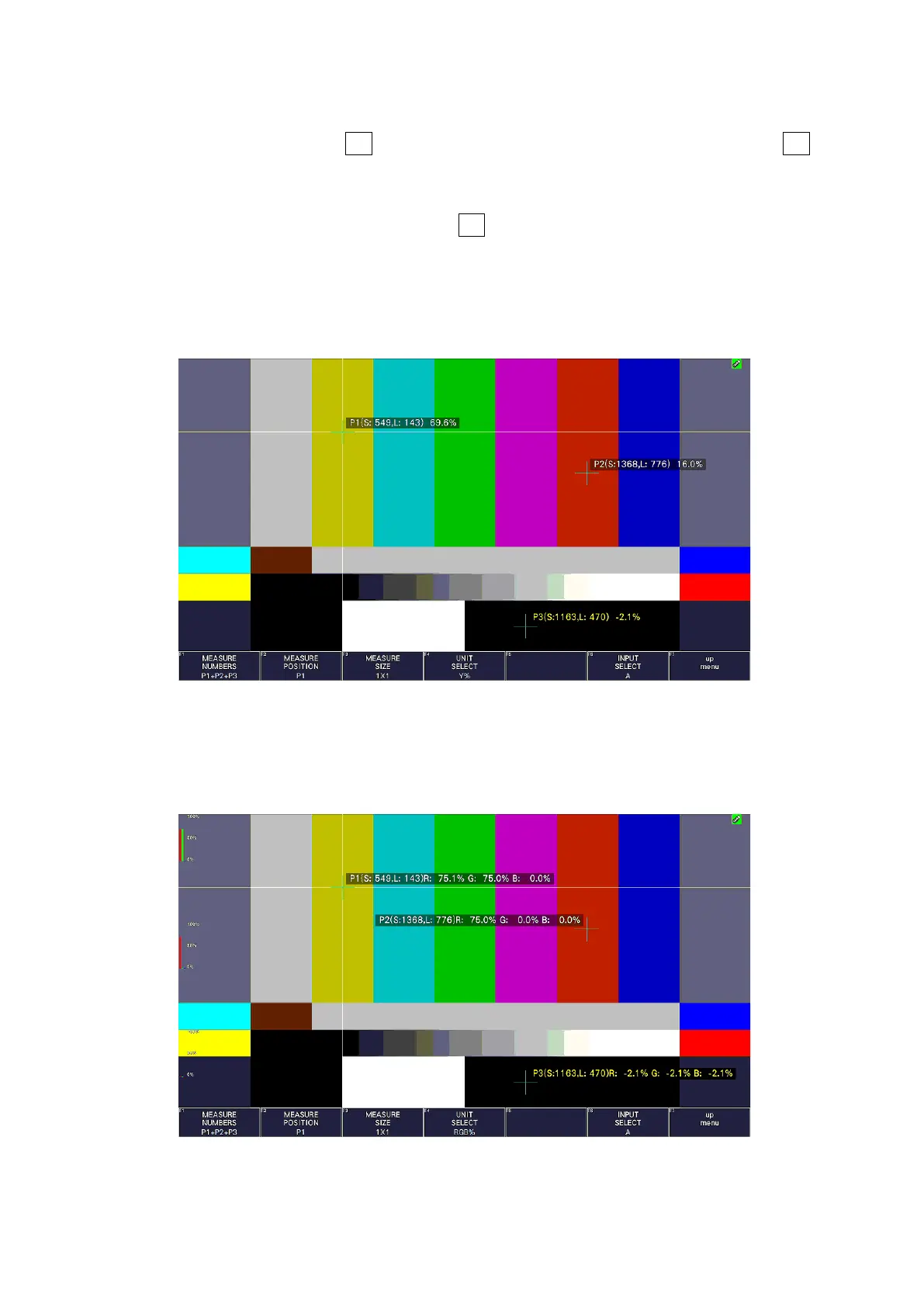
On the %DISPLAY screen, you can display luminance levels using Y%, RGB%, RGB255,
CODE VALUE, or CODE VALUE DEC. Use F•4 UNIT SELECT to select the display format.
The measured values are typically displayed in white, but they are displayed in yellow when
the luminance level at a measurement point is 80 % or more or 0 % or less.
• Y% Display
Luminance levels are indicated as percentages.
Figure 13-21 Y% display
• RGB% Display
Each of the R, G, and B levels is indicated using a percentage. The levels are also
indicated using bars on the left side of the display (the order is R, G, and then B).
Figure 13-22 RGB% display



 To Next Page