11. VECTOR DISPLAY
235
11.12.2 Selecting the Display Order
To select the 5-bar display order, follow the procedure shown below.
Procedure
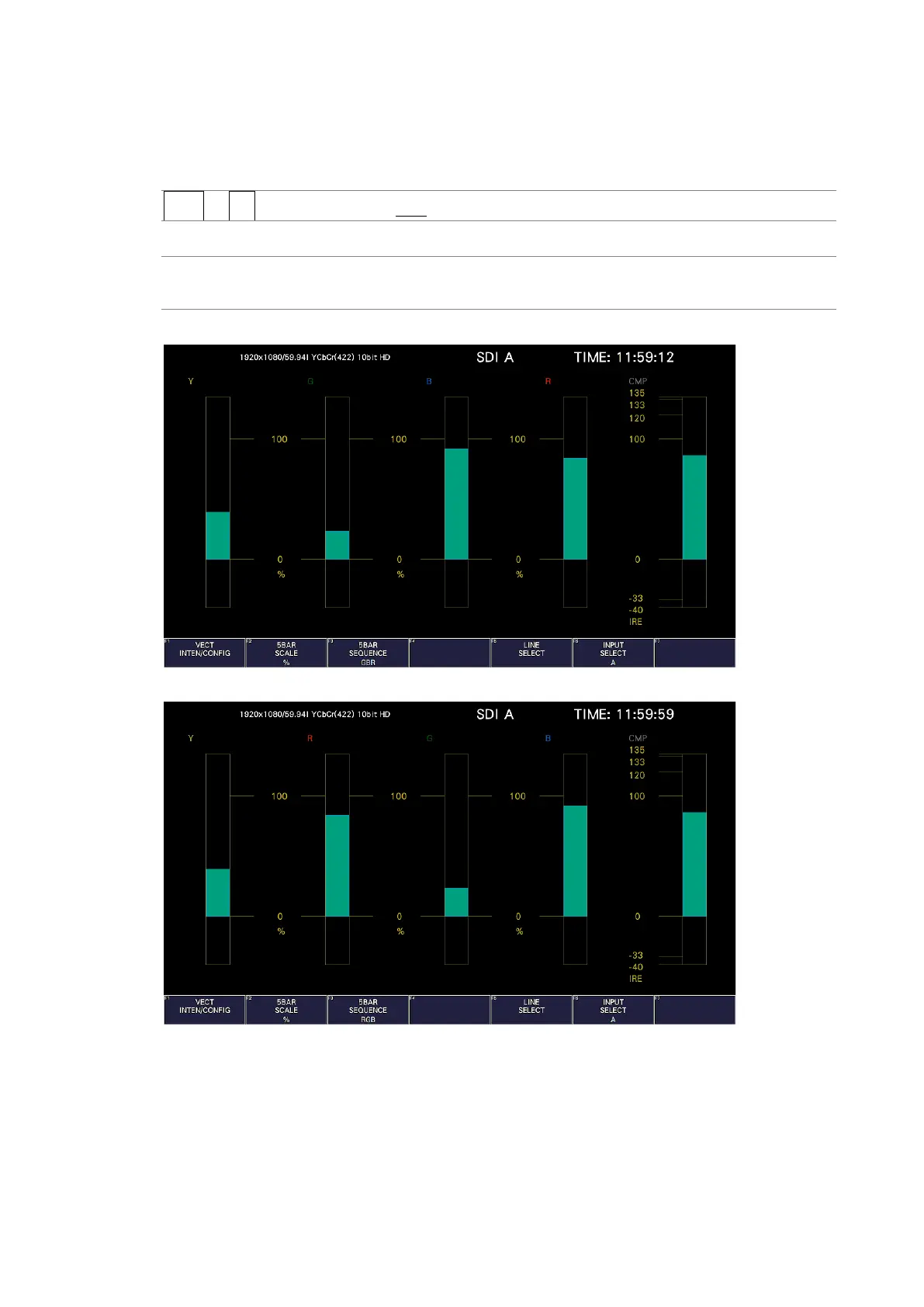
VECT → F•3 5BAR SEQUENCE: GBR / RGB
Settings
GBR: From the left, the signals are displayed in this order: Y, G, B, R, CMP.
RGB: From the left, the signals are displayed in this order: Y, R, G, B, CMP.
5BAR SEQUENCE = GBR
5BAR SEQUENCE = RGB
Figure 11-25 Selecting the display order



 To Next Page