19. Network Control
467
19.5 SNMP
By using SNMP (Simple Network Management Protocol), you can control the instrument from
SNMP managers. Additionally, you can notify the SNMP managers of errors that the instrument
generates.
This product supports SNMPv2.
If you are using the LV5350 or LV7300, read LV5300 and lv5300 as LV5350 and lv5350 or
LV7300 and lv7300.
The descriptions in this section follow the instrument or the option menu structure. Some of
the descriptions do not apply depending on the installed options or the current settings.
19.5.1 SMI Definitions
INPORTS
MODULE-IDENTITY, OBJECT-TYPE, NOTIFICATION-TYPE, enterprises
FROM SNMPv2-SMI
DisplayString
FROM SNMPv2-TC
OBJECT-GROUP, MODULE-COMPLIANCE
FROM SNMPv2-CONF;
19.5.2 How to Use
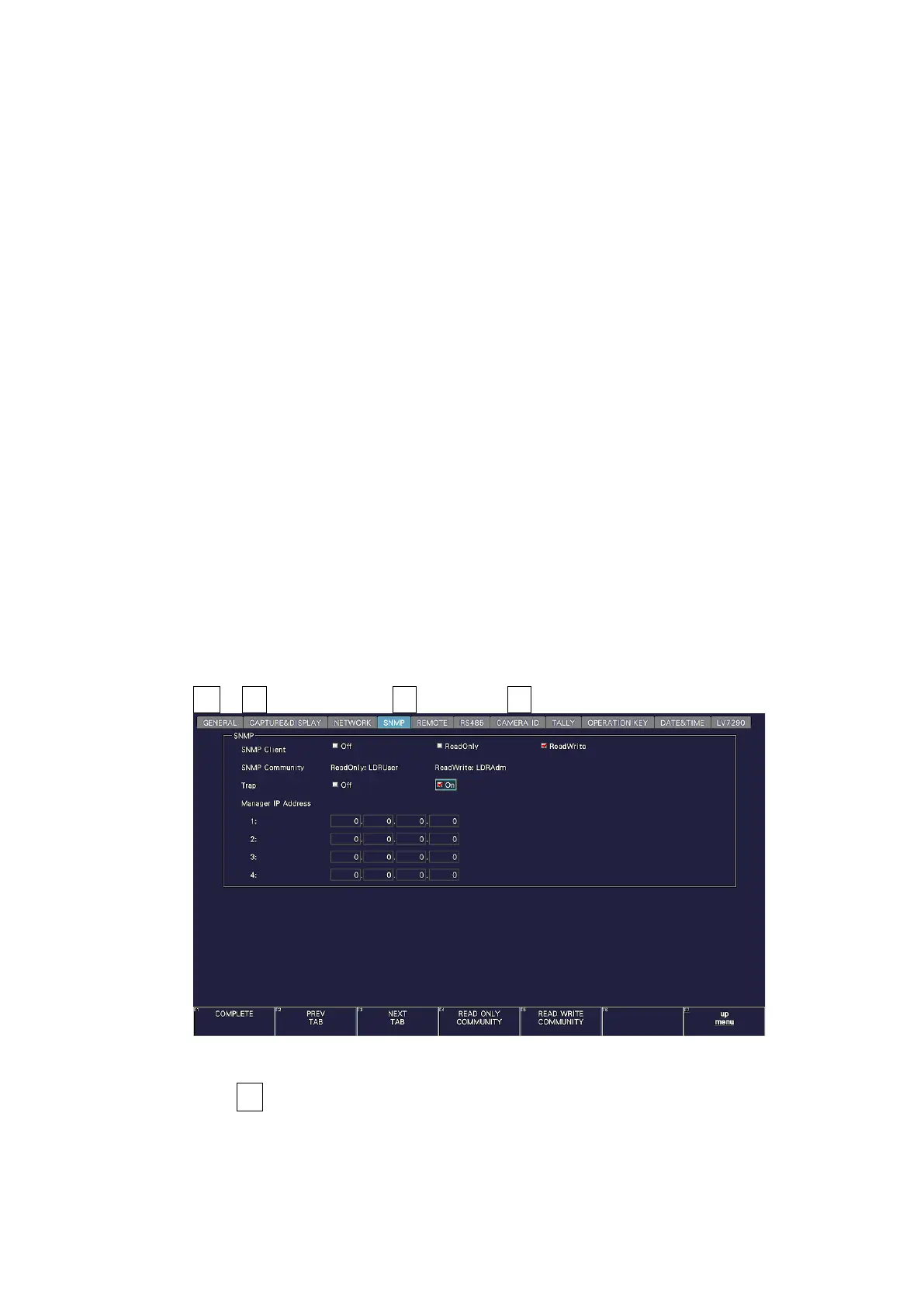
1. Configure the SNMP settings on the SNMP tab of the SYS menu.
Set the IP Address, and set SNMP Client to ReadWrite and SNMP Trap to ON.
[See also] 7.2.9, “Configuring SNMP”
SYS → F•2 SYSTEM SETUP → F•2 PREV TAB or F•3 NEXT TAB →
Figure 19-10 SNMP tab
2. Press F•1 COMPLETE.
3. Connect the instrument's Ethernet port to the external network device.



 To Next Page