17. Eye Pattern Display (LV5300/LV5300A/LV7300-SER02)
395
17. EYE PATTERN DISPLAY (LV5300/LV5300A/LV7300-SER02)
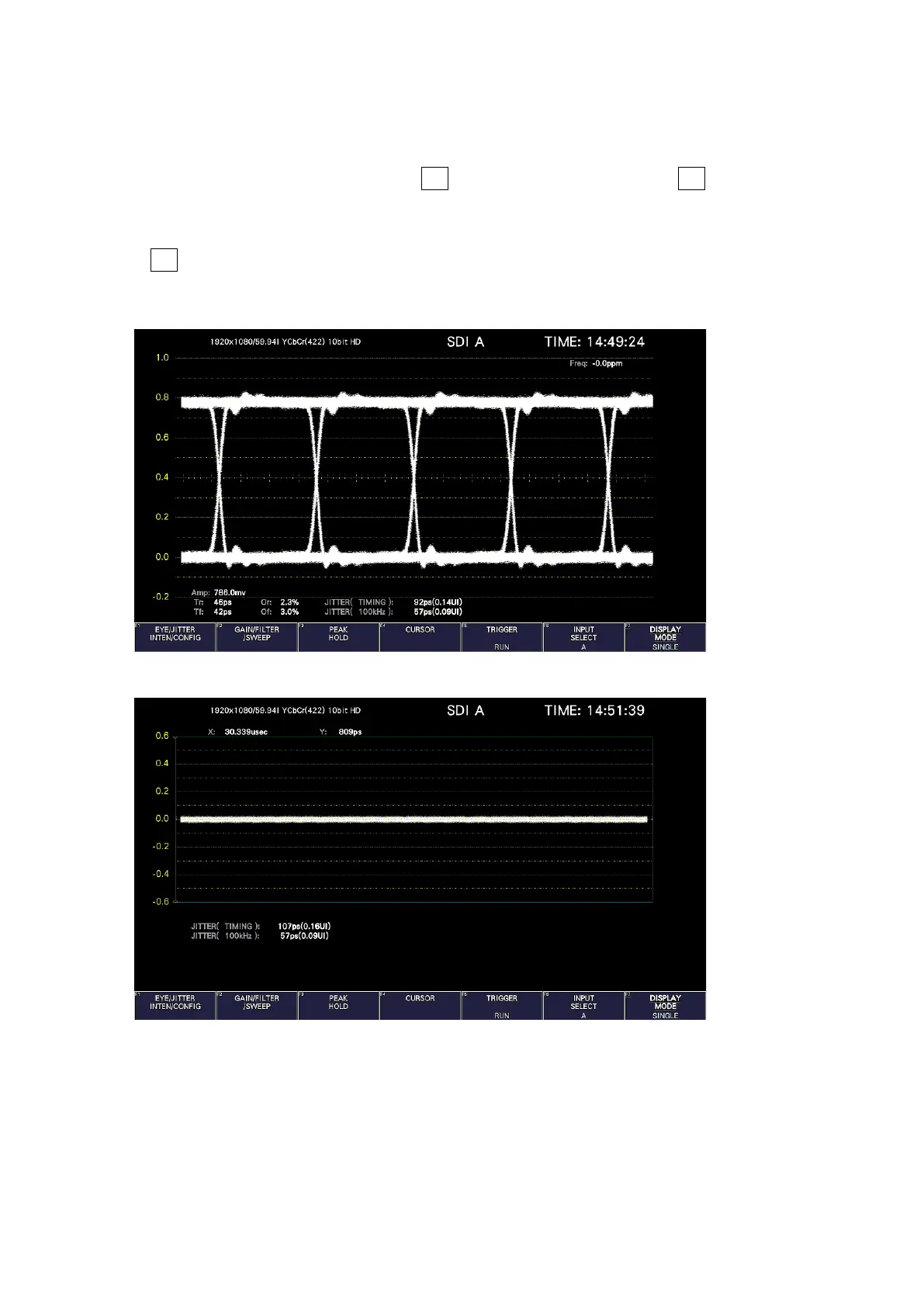
To display the eye pattern, press EYE.
On the eye pattern display you can use F•1 EYE/JITTER INTEN/CONFIG → F•1 EYE/JITTER
MODE to display the eye pattern or jitter.
The SDI signal applied to SDI INPUT 1 is displayed.
If F•6 INPUT SELECT is set to a signal other than what is applied to SDI INPUT 1, the message
“Not Supported” appears, and the eye pattern nor jitter is displayed. Simul mode is not
supported.
Figure 17-1 Eye pattern display
Figure 17-2 Jitter display



 To Next Page