12. CIE Chromaticity Diagram Display (SER22)
245
12.2 Setting the Chromaticity Diagram Mode
To set the chromaticity diagram mode, press F•3 CIE DIAGRAM SETTING on the VECT menu.
VECT → F•3 CIE DIAGRAM SETTING →
Figure 12-8 CIE DIAGRAM SETTING menu
12.2.1 Selecting the Display Mode
To select the display mode, follow the procedure below.
Procedure
VECT → F•3 CIE DIAGRAM SETTING → F•1 DISPLAY MODE: DIAGRAM / TEMP
Settings
DIAGRAM: The chromaticity diagram is displayed.
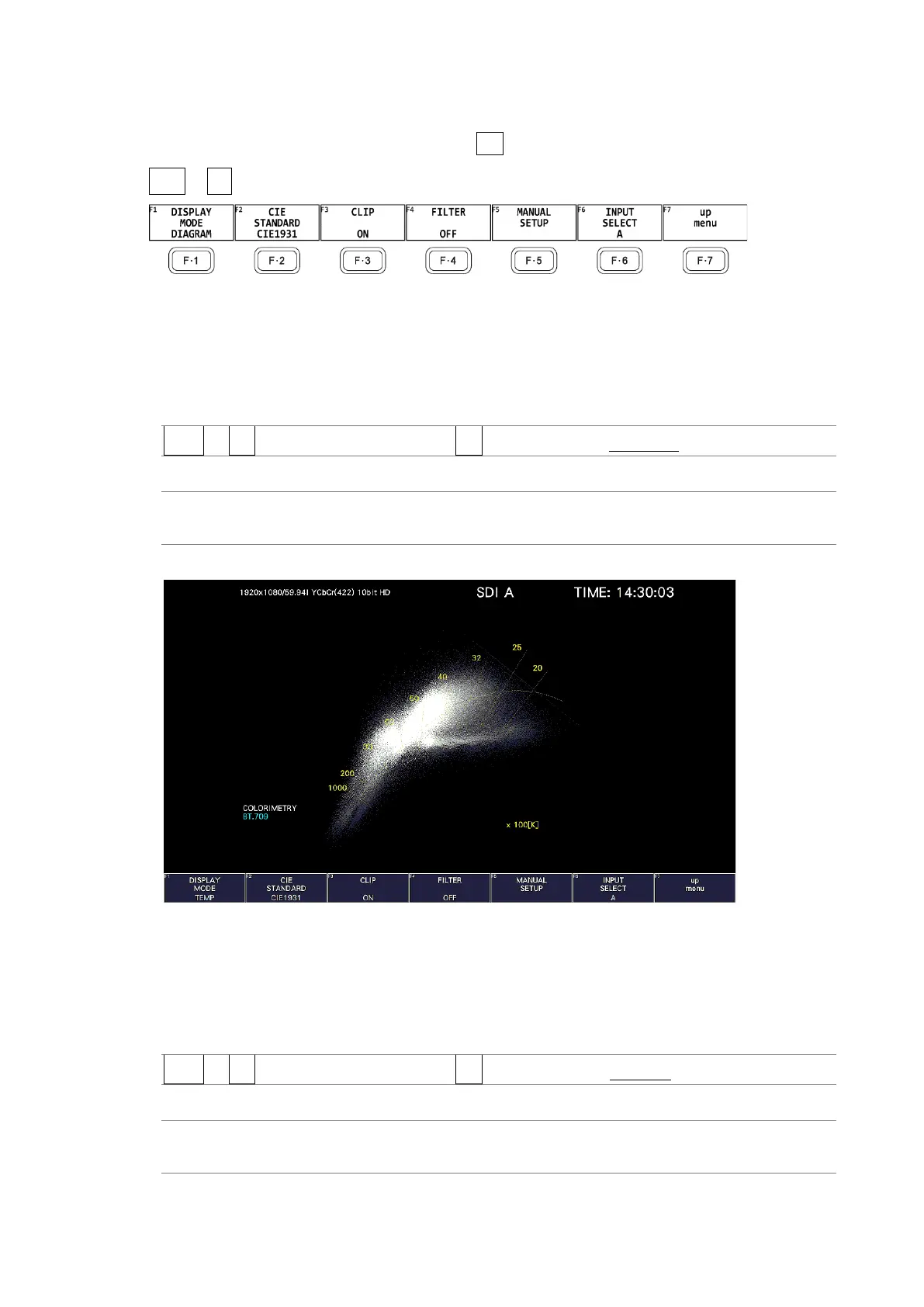
TEMP: The color temperature is displayed.
DISPLAY MODE = TEMP
Figure 12-9 Selecting the display mode
12.2.2 Selecting the Display Standard
To select the display standard, follow the procedure below.
Procedure
VECT → F•3 CIE DIAGRAM SETTING → F•2 CIE STANDARD: CIE1931 / CIE1976
Settings
CIE1931: Chromaticity diagram based on CIE 1931 is displayed.
CIE1976: Chromaticity diagram based on CIE 1976 is displayed.



 To Next Page