5. BEFORE YOU BEGIN MEASURING
72
5.5.4 Tab Menu Operations
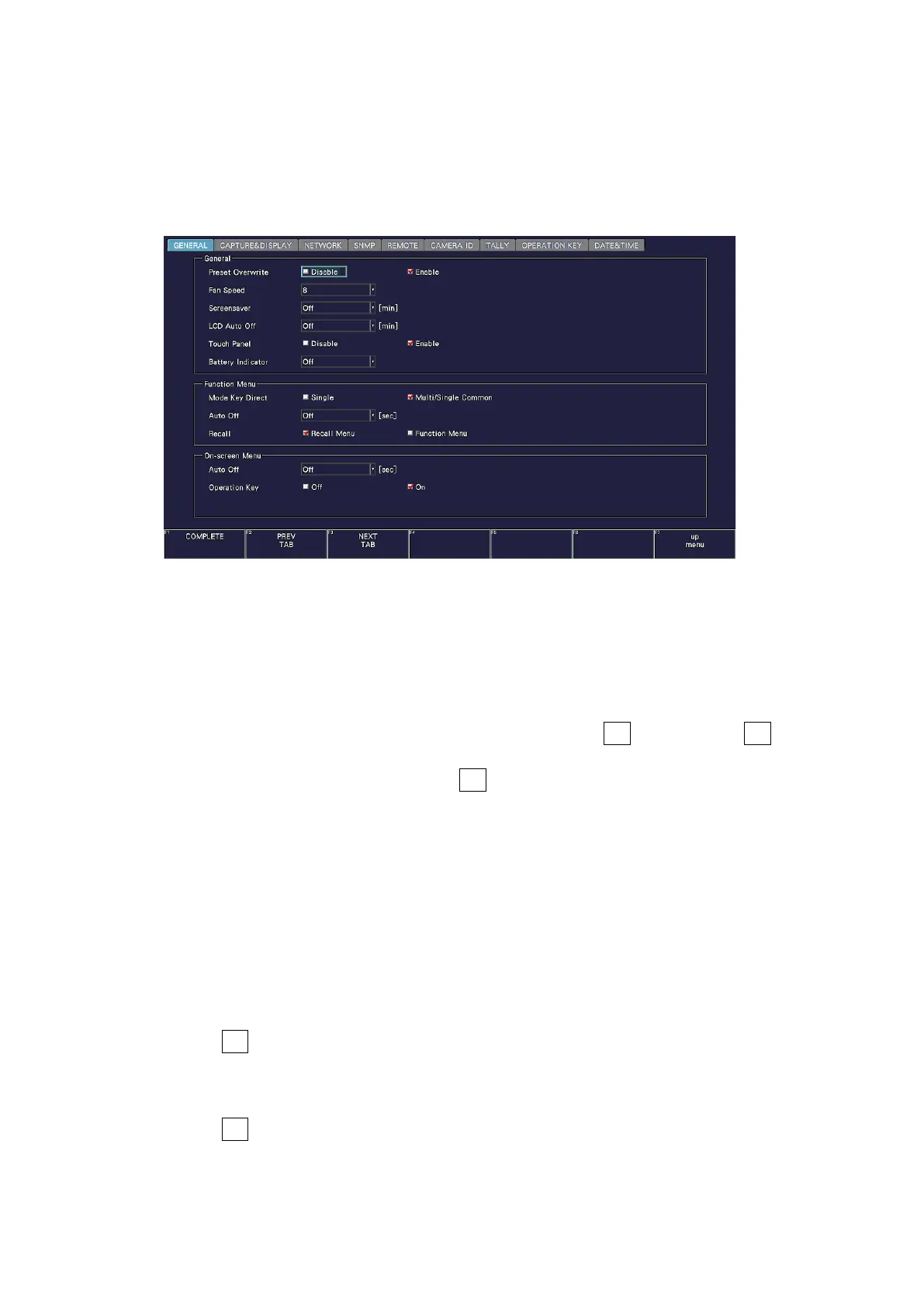
Normally, the function menus are used to configure the various settings. However, tab
menus—such as that shown below—are displayed in some situations.
This section explains how to operate the tab menu, using the GENERAL tab menu as an
example.
Figure 5-11 Tab menu operations
• Moving Cursors
To move the cursor, turn the function dial (F•D). Depending on what you are setting,
there are some items in which you cannot move the cursor.
• Switching Tabs
When there are multiple tabs, such as in the figure above, F•2 PREV TAB and F•3 NEXT
TAB to change between tabs. If you switch to another tab, the settings are retained, but
they are not confirmed until you press F•1 COMPLETE.
• Selecting a Check Box
Move the cursor to the check box that you want to select, and press the function dial
(F•D).
• Entering Values
Move the cursor to the item that you want to enter the value for, and press the function
dial (F•D). Turn the function dial (F•D) to set the value. To confirm the value that you
have set, press the function dial (F•D) again.
• Confirming Settings
Press F•1 COMPLETE to apply the settings from all the tabs and return to the screen that
is one level up.
• Canceling Settings
Press F•7 up menu to cancel the settings from all the tabs and return to the screen that is
one level up.



 To Next Page