12. CIE Chromaticity Diagram Display (SER22)
240
12.1.1 Selecting the Color Scale
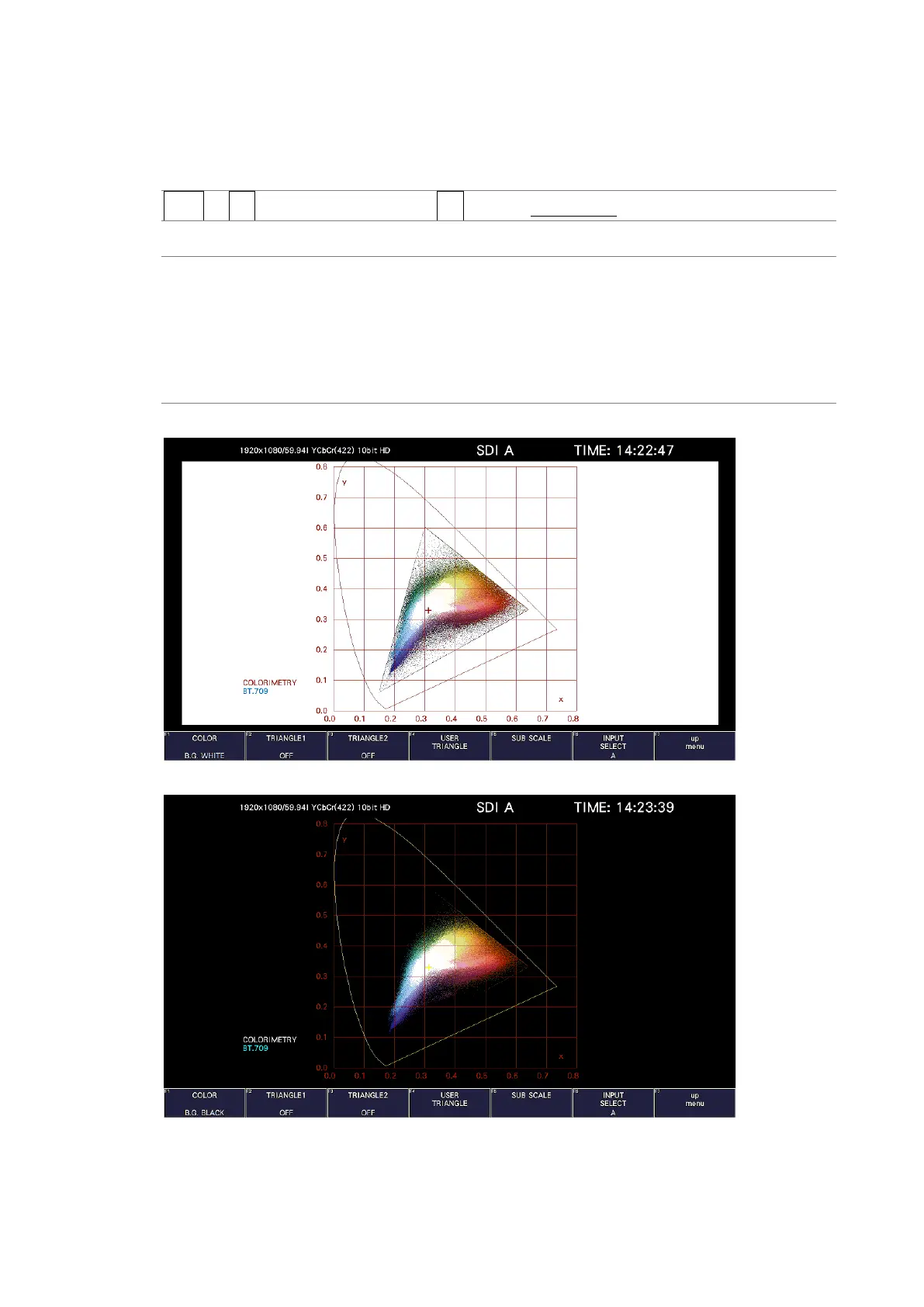
To select the horseshoe-shaped color scale, follow the procedure below.
Procedure
VECT → F•2 CIE DIAGRAM SCALE → F•1 COLOR: B.G. COLOR / B.G. WHITE / B.G. BLACK
Settings
B.G. COLOR: The color scale is displayed. The background is black, and the waveform
is displayed according to the luminance level.
B.G. WHITE: The color scale is not displayed. The background is white, and the
waveform is displayed according to the picture color.
B.G. BLACK: The color scale is not displayed. The background is black, and the
waveform is displayed according to the picture color.
COLOR = B.G. WHITE
COLOR = B.G. BLACK
Figure 12-3 Selecting the color scale



 To Next Page