7. SYSTEM SETTINGS
128
7.1.3 Setting the Payload ID
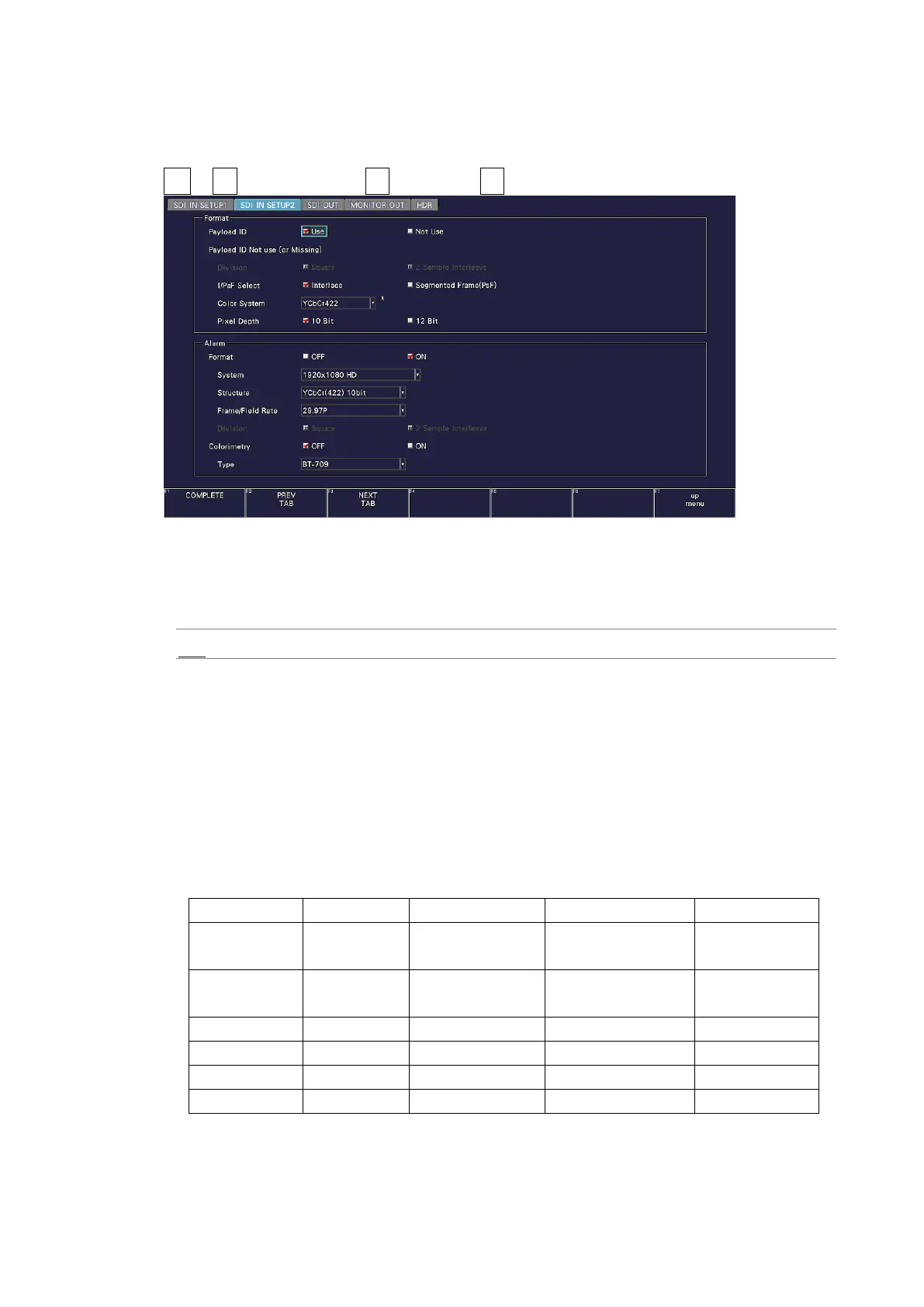
User Format on the SDI IN SETUP2 tab to set the payload ID parameters.
SYS → F•1 SIGNAL IN OUT → F•2 PREV TAB or F•3 NEXT TAB →
Figure 7-4 SDI IN SETUP2 tab
• Payload ID
Select whether to use the payload ID for input format identification.
Use / Not Use
If you select Not Use, set the items marked with a Y in
Table 7-1. The instrument will operate using the specified settings.
If you select Use, the items marked with a Y will be detected from the payload ID. There
is no need to set these items, but if you set them and a payload ID is not embedded in the
input signal, the instrument will operate using the specified settings.
Regardless of whether you select Use or Not Use, items such as scanning and frame
frequency will be detected from the TRS.
Table 7-1 Payload ID settings.



 To Next Page