7. SYSTEM SETTINGS
148
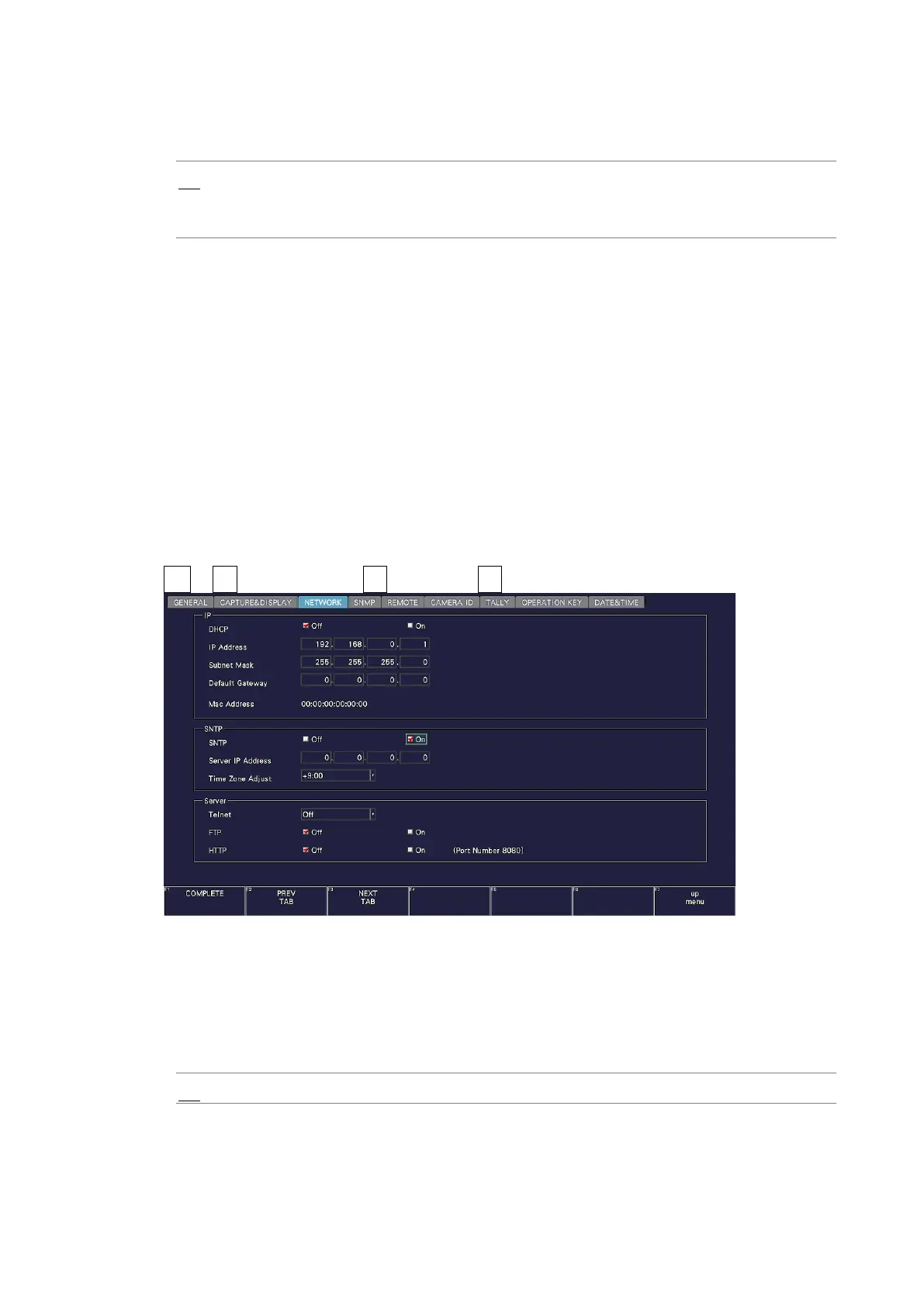
• DHCP
Select how to set the IP address.
Off: Enter the IP address, subnet mask, and default gateway manually.
On: The IP address, subnet mask, and default gateway are set
automatically.
• IP Address
• Subnet Mask
• Default Gateway
Set the IP address, subnet mask, and default gateway.
• MAC Address
Displays the MAC address.
7.2.7 Configuring SNTP
Use SNTP on the NETWORK tab to configure the SNTP parameters.
The settings that you specify here will not be initialized even if you initialize the instrument.
In addition, they are not recorded to presets.
SYS → F•2 SYSTEM SETUP → F•2 PREV TAB or F•3 NEXT TAB →
Figure 7-16 NETWORK tab
• SNTP
Select whether to enable the SNTP client function.
When set to On, enter the NTP server IP address in Server IP Address and the time
adjustment value in Time Zone Adjust.
Off / On



 To Next Page