5. BEFORE YOU BEGIN MEASURING
69
5.5 Operation Basics
5.5.1 Displaying the Function Menu
Use the function menu to change the various settings.
Normally the function menu is displayed, but it can be cleared by pressing the mode key
that is currently selected. You can also set it to disappear automatically on the GENERAL tab
of the SYS menu.
[See also] GENERAL tab → 7.2.1, “General Settings”
If the measurement menu disappears, carry out one of the following operations to display it
again. When you perform this operation, the menu is displayed at the level that was
displayed before it disappeared.
• Displaying the Menu by Pressing the Mode Key
Press the currently selected mode key (WFM, VECT, PIC, AUDIO, STATUS, or EYE) to
display the menu again.
In multi-screen display, you can select whether to switch the measurement screen with
the mode keys (WFM, VECT, PIC, AUDIO, STATUS, and EYE) on the GENERAL tab of the
SYS menu.
[See also] GENERAL tab → 7.2.1, “General Settings”
• Pressing a Function Key to Display a Menu
Press one of the function keys to display the menu again.
5.5.2 Function Menu Operations
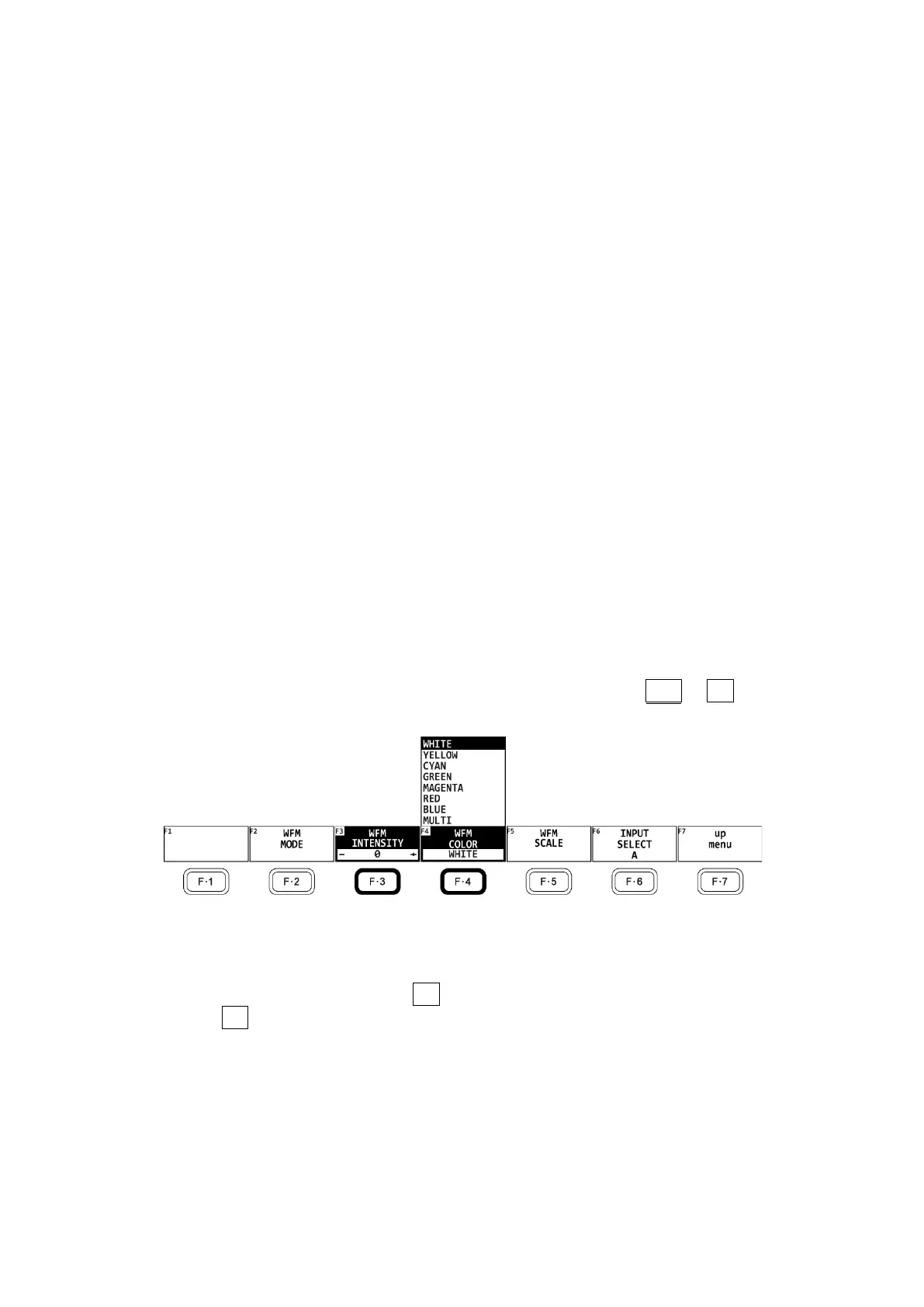
This section explains how to operate the function menu, using the WFM → F•1 WFM
INTEN/CONFIG menu as an example.
Figure 5-9 Function menu operations
• Specifying Values
To set the value of a setting like F•3 WFM INTENSITY, which is shown in the figure above,
press F•3, and then turn the function dial (F•D). You can reset most settings to their
default values by pressing the function dial (F•D).



 To Next Page