13. Picture Screen
262
13.4.7 Setting User Markers
By setting F•1 SAFE ACTION to USER1 and F•2 SAFE TITLE to USER2, you can display up
to two user-defined markers.
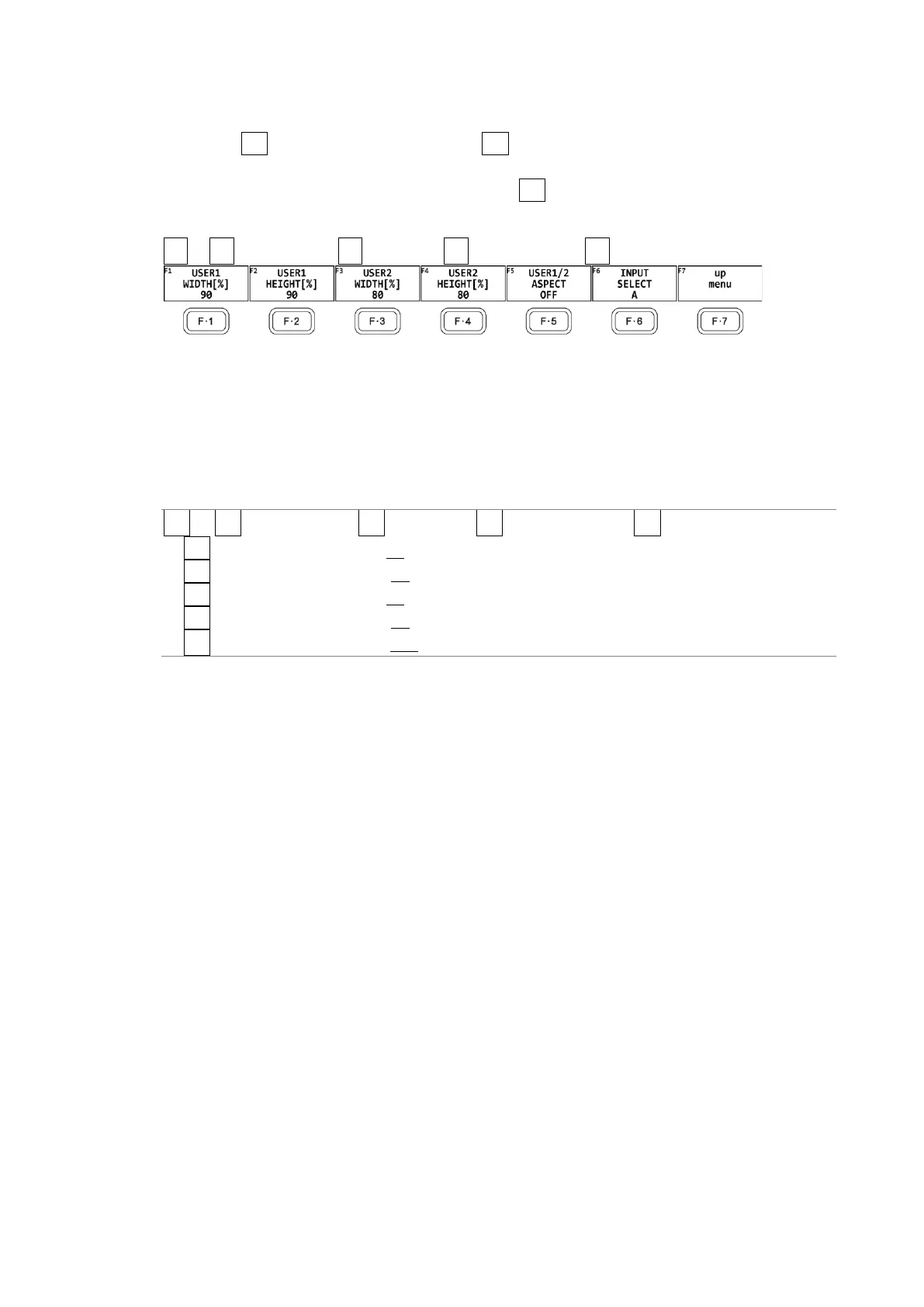
To configure user-defined marker settings, press F•3 USER1/2 SET on the SAFETY ZONE
menu.
PIC → F•1 PIC CONFIG → F•4 MARKER → F•5 SAFETY ZONE → F•3 USER1/2 SET →
Figure 13-14 USER1/2 SET menu
To set the width and height of a user marker and turn the aspect ratio display on and off,
follow one of the procedures below.
Press the function dial (F•D) to return the width and height settings to their default value.
The aspect ratio display on/off setting applies both to USER1 and USER2.
Procedure
PIC → F•1 PIC CONFIG → F•4 MARKER → F•5 SAFETY ZONE → F•3 USER1/2 SET
→ F•1 USER1 WIDTH[%]: 0 - 90 - 100
→ F•2 USER1 HEIGHT[%]: 0 - 90 - 100
→ F•3 USER2 WIDTH[%]: 0 - 80 - 100
→ F•4 USER2 HEIGHT[%]: 0 - 80 – 100
→ F•5 USER1/2 ASPECT: ON / OFF



 To Next Page