16. Status Display
360
16.6 Configuring Phase Difference Measurement Settings
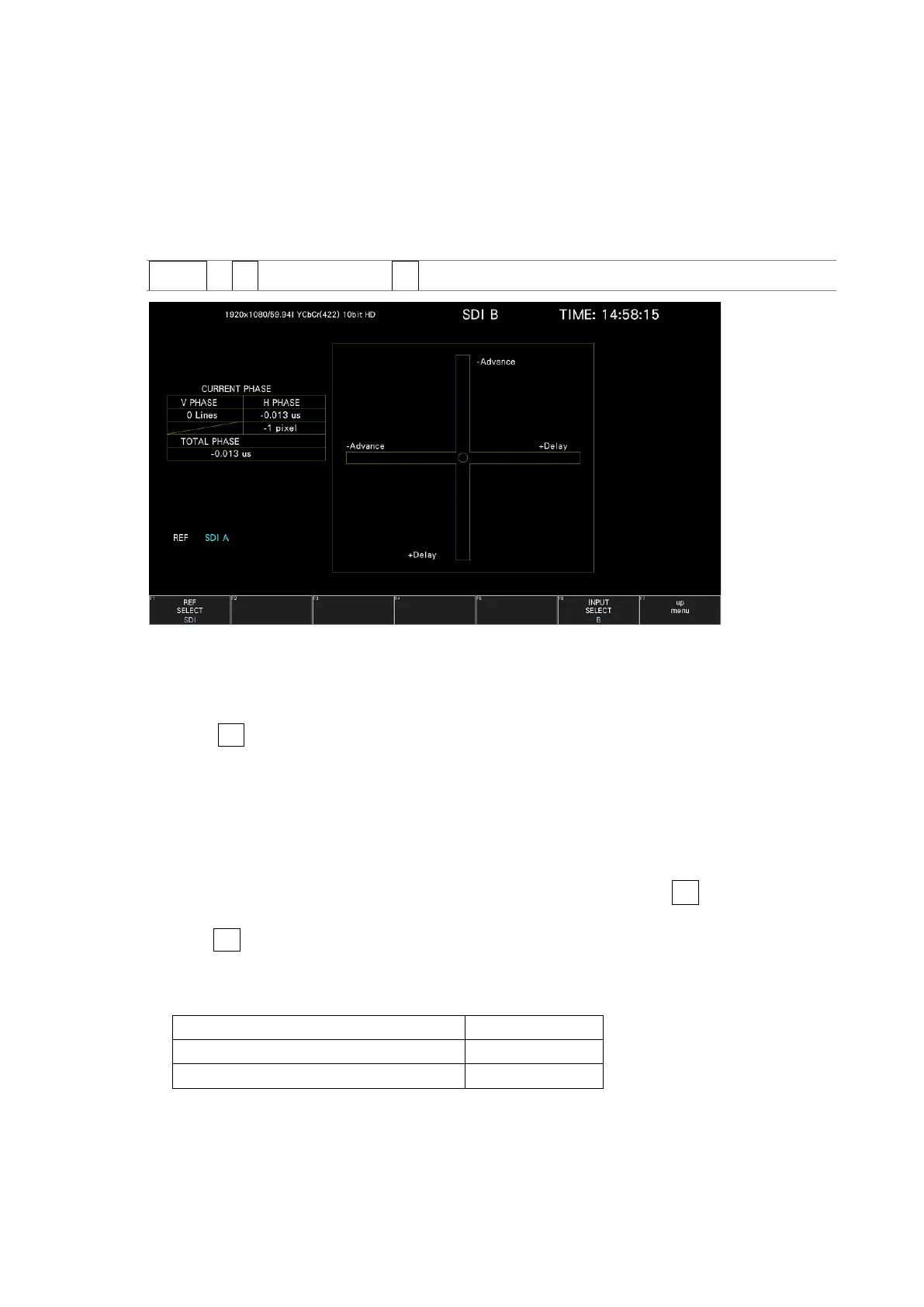
To show the phase difference measurement display, follow the procedure below.
You can use the phase difference measurement display to measure the phase difference
between an SDI signal and an external sync signal or the phase difference between a pair of
SDI signals.
Procedure
STATUS → F•2 SDI ANALYSIS → F•2 EXT REF PHASE
Figure 16-12 Phase difference measurement screen
• Measuring the Phase Difference between an SDI Signal and an External Sync Signal
You can measure the phase difference between an SDI signal and an external sync signal by
setting F•1 REF SELECT to EXT. Apply the external sync signal.
Note that the following input formats are not supported.
• 3G 720/30P, 720/29.97P, 720/25P, 720/24P, 720/23.98P
• Frame frequency 48P, 47.95P
• Measuring the Phase Difference between SDI Signals
You can measure the phase difference between SDI signals by setting F•1 REF SELECT to
SDI. This measurement is not possible when SDI System is set to 4K 12G, or 4K 6G on the
SYS > F•1 SIGNAL IN OUT > SDI IN SETUP1 tab.
The reference signal varies depending on the input signal as shown below.
Figure 16-7 Reference signal



 To Next Page