15. Audio Display
313
• GROUP SELECT
Select the audio group.
Also select the input channel in simul mode.
G1: 1 to 4ch, G2: 5 to 8ch, G3: 9 to 12ch, G4: 13 to 16ch
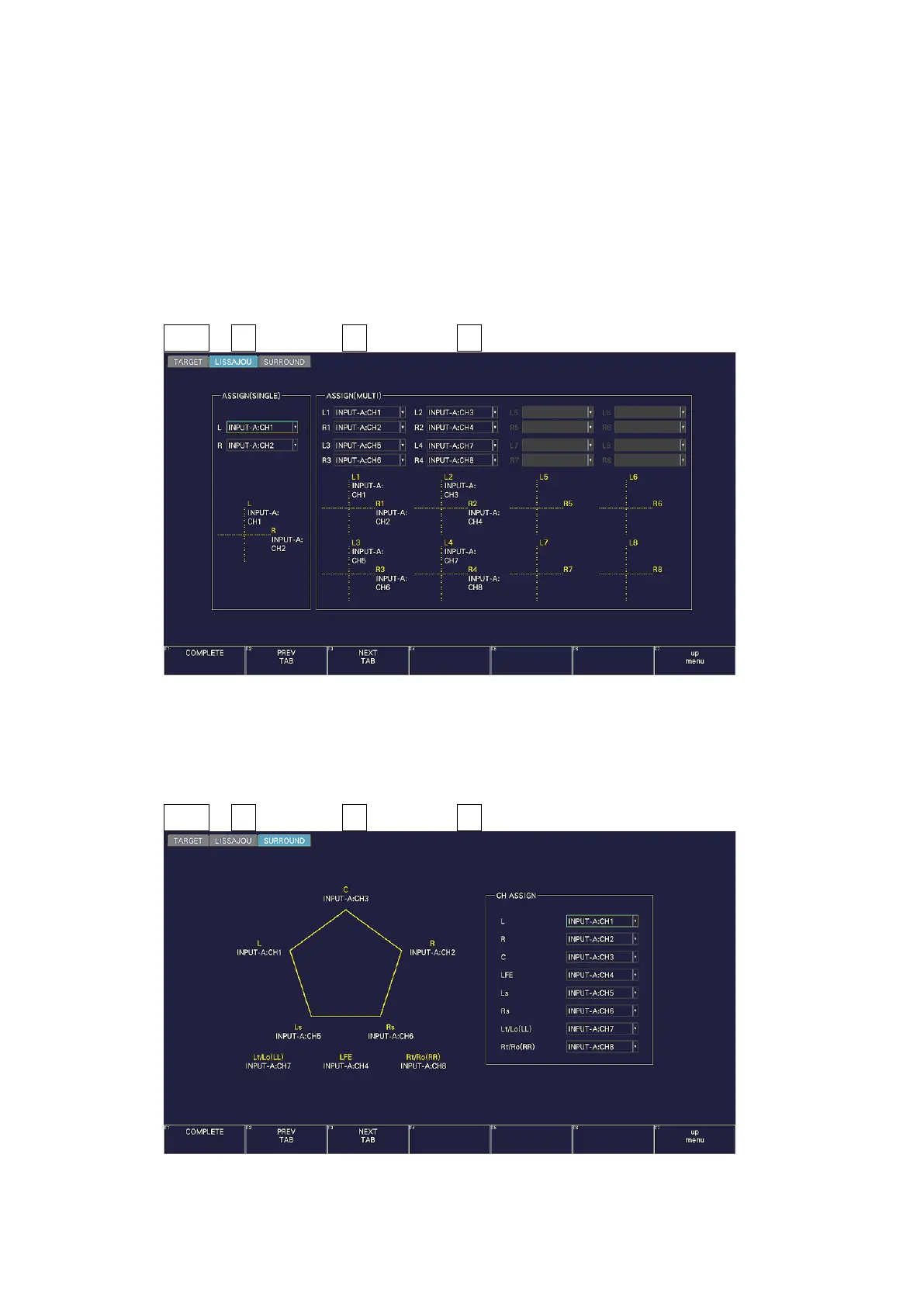
15.1.2 Channel Assignment for the Lissajous Display (SER20)
On the LISSAJOU tab, assign channels from the audio group selected with GROUP SELECT
and Lt and Rt (excluding some channels).
AUDIO → F•7 MAPPING → F•2 PREV TAB or F•3 NEXT TAB →
Figure 15-3 LISSAJOU tab
15.1.3 Channel Assignment for the Surround Display
On the SURROUND tab, assign channels from the audio group selected with GROUP SELECT.
AUDIO → F•7 MAPPING → F•2 PREV TAB or F•3 NEXT TAB →
Figure 15-4 SURROUND tab



 To Next Page