17. Eye Pattern Display (LV5300/LV5300A/LV7300-SER02)
400
Measured values are normally displayed in white, but they are displayed in red if they
exceed the values that you have specified in the error setup. If 10.00 UI is exceeded,
“OVER” is displayed.
[See also] Reference 17.8, “Configuring Error Detection Settings”
17.3 Setting the Waveform Display Position
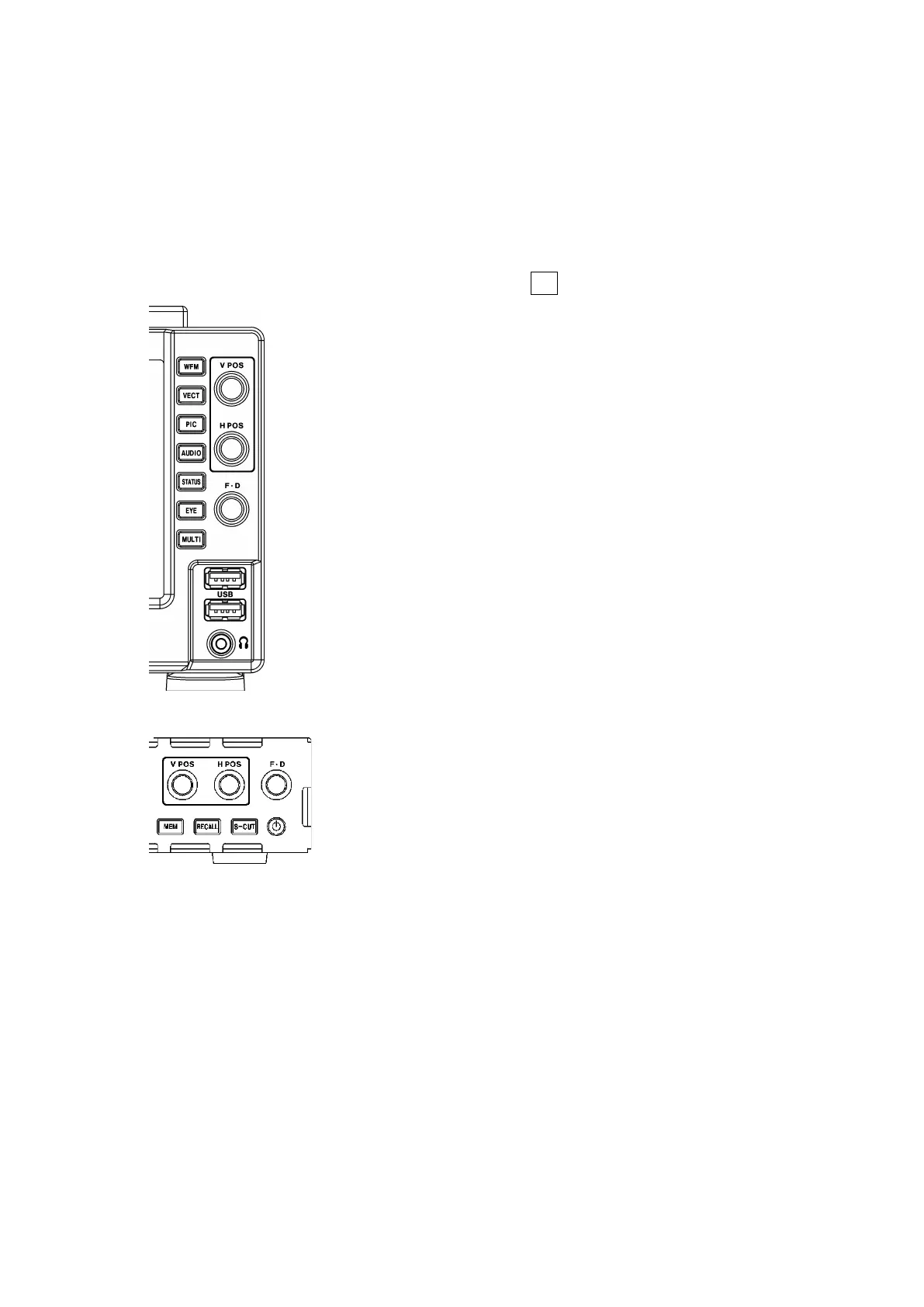
Use the V POS and H POS knobs to adjust the display position of the waveform.
On the multi display, these are valid when you press F•7 MULTI EYE on the MULTI menu.
Figure 17-6 LV5300/LV5300A, LV5350 V POS and H POS knobs
Figure 17-7 LV7300 V POS and H POS knobs
• V POS Knob
Adjusts the vertical position of the waveform.
Pressing the knob returns the waveform to its default position.
• H POS Knob
Adjusts the horizontal position of the waveform.
Pressing the knob returns the waveform to its default position.



 To Next Page