7. SYSTEM SETTINGS
130
7.1.4 Setting the Format Alarm
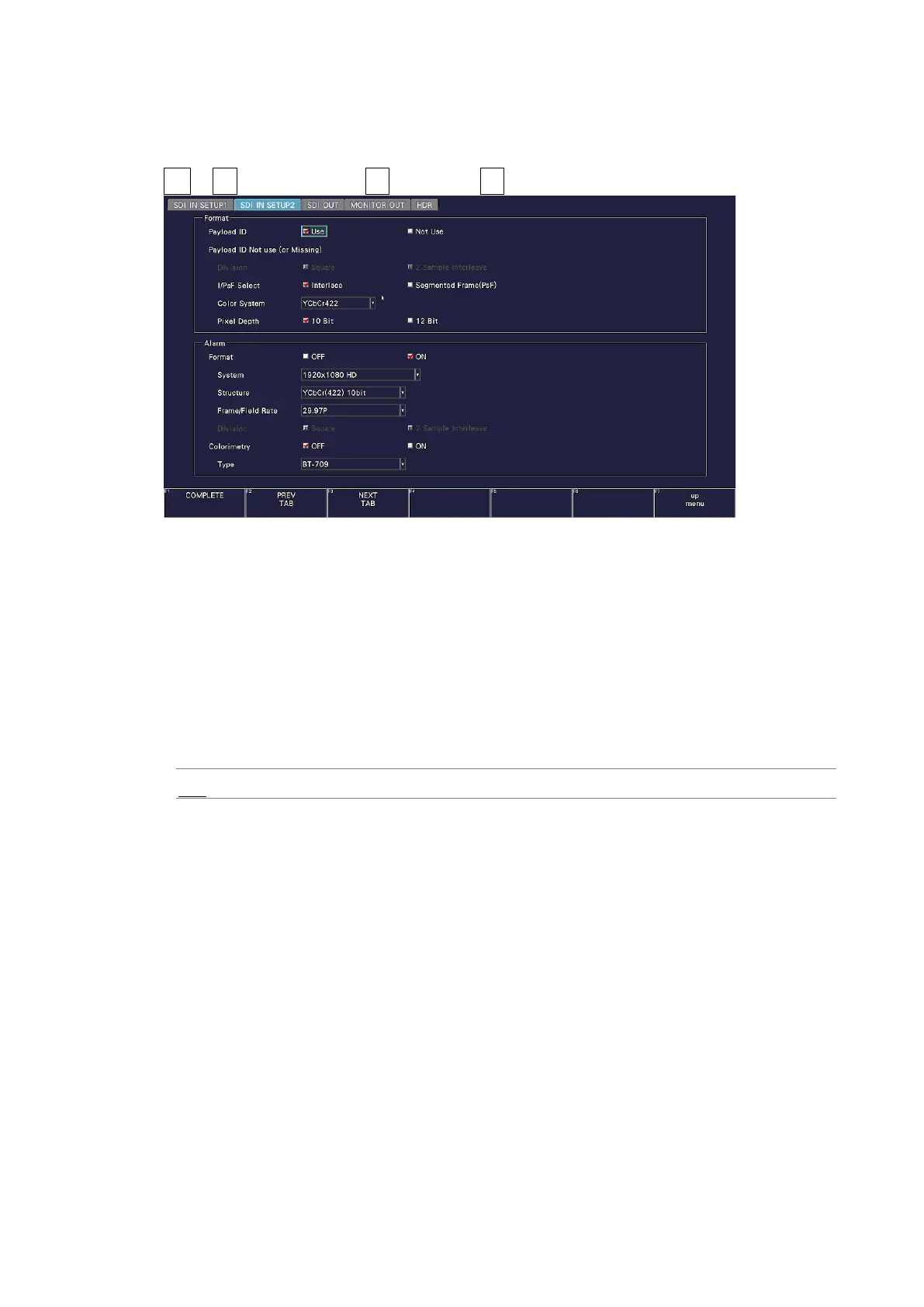
User Alarm on the SDI IN SETUP2 tab to set the format alarm parameters.
SYS → F•1 SIGNAL IN OUT → F•2 PREV TAB or F•3 NEXT TAB →
Figure 7-5 SDI IN SETUP2 tab
• Format
Turn on and off the format alarm detection.
If alarm detection is set to ON and a format other than the format specified with Format is
received, the instrument operates in the following manner.
• Displays the format in yellow
• Displays errors in the event log of the status display
• Displays “ERROR” in the upper right of the display.
• Transmits a signal from the alarm output remote terminal
OFF / ON



 To Next Page