17. Eye Pattern Display (LV5300/LV5300A/LV7300-SER02)
402
17.6 Setting the Intensity
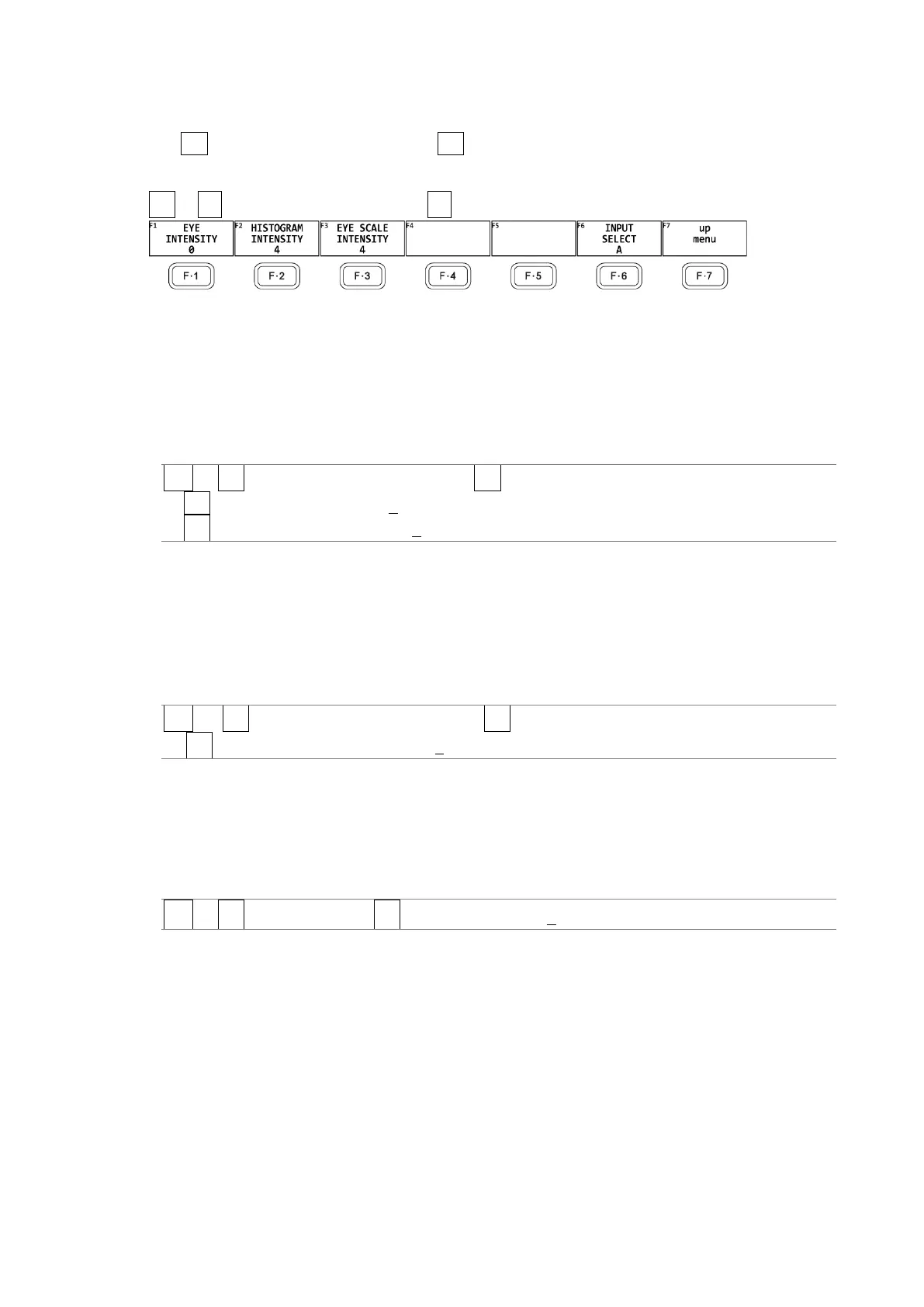
Use F•1 EYE/JITTER INTEN/CONFIG → F•3 INTENSITY on the EYE menu to set the intensity.
You can configure these settings separately for the eye pattern, histogram and jitter.
EYE → F•1 EYE/JITTER INTEN/CONFIG → F•3 INTENSITY →
Figure 17-9 INTENSITY menu
17.6.1 Adjusting the Waveform Intensity
To adjust the intensity of the eye pattern and jitter, follow the procedure below.
Press the function dial (F•D) to return the setting to its default value (0).
Procedure
EYE → F•1 EYE/JITTER INTEN/CONFIG → F•3 INTENSITY
→ F•1 EYE INTENSITY: -128 - 0 - 127
→ F•1 JITTER INTENSITY: -128 - 0 - 127
17.6.2 Adjusting the Histogram Intensity
To adjust the intensity of the histogram superimposed on the eye pattern, follow the
procedure below.
Press the function dial (F•D) to return the setting to its default value (4).
Procedure
EYE → F•1 EYE/JITTER INTEN/CONFIG → F•3 INTENSITY
→ F•2 HISTOGRAM INTENSITY: -8 - 4 - 7
17.6.3 Adjusting the Scale Intensity
To adjust the scale intensity, follow the procedure below.
Press the function dial (F•D) to return the setting to its default value (4).
Procedure
EYE → F•1 INTEN/SCALE → F•3 SCALE INTEN: -8 - 4 - 7



 To Next Page