13. Picture Screen
273
13.6.1 f Stop Display Description
To set f Stop, press F•1 CINELITE DISPLAY to select f Stop and then press F•2 f STOP
SETUP.
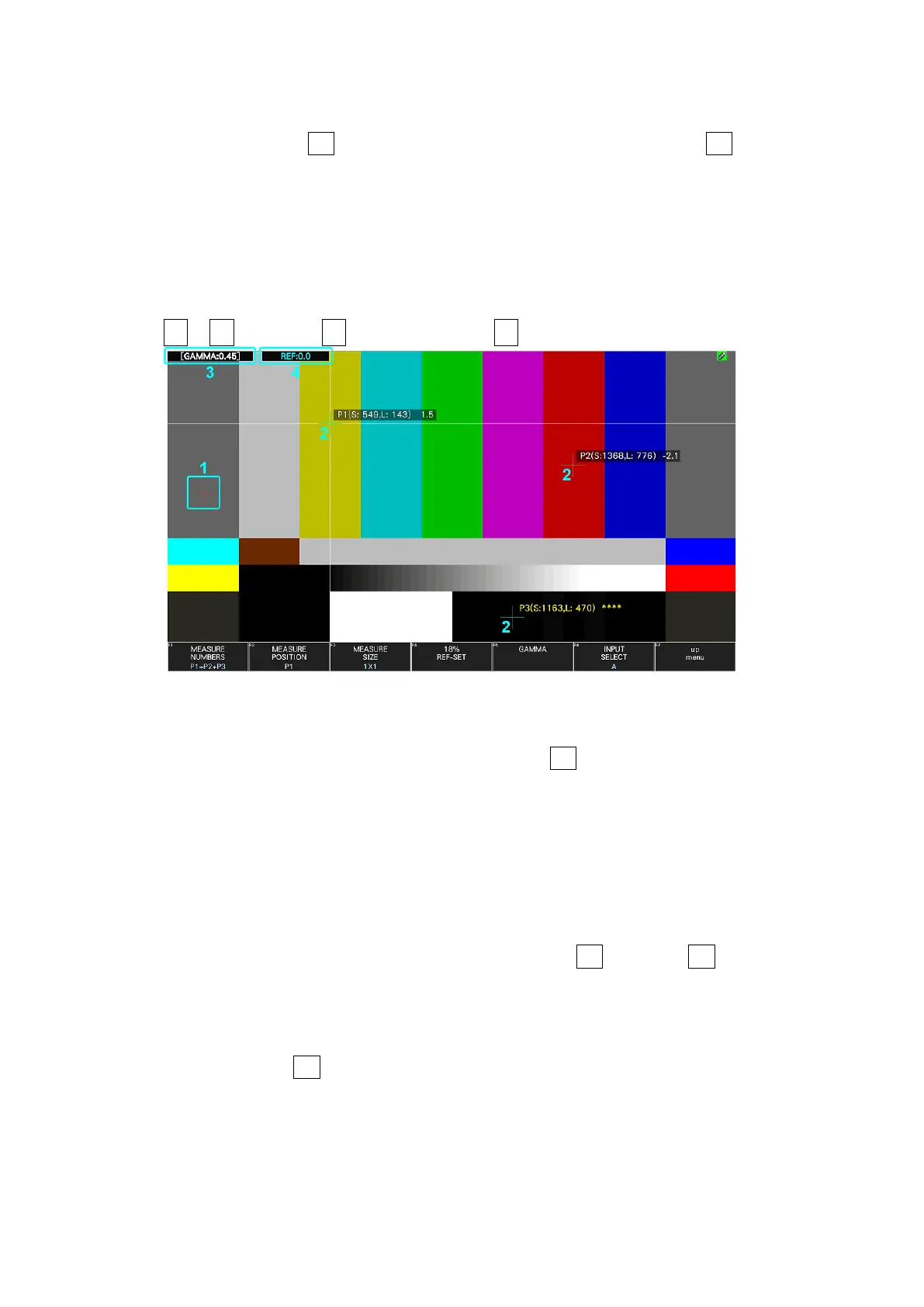
On the f Stop display, luminance levels are displayed using f-stop (exposure) values.
The measured f Stop value for a group of measured points is typically displayed using white,
but it will be displayed using yellow when it corresponds to a luminance level of 80 % or
more. Additionally, f Stop values that correspond to luminance levels equal to or less than
0 % cannot be measured. They are displayed in yellow as "****."
PIC → F•2 CINELITE → F•1 CINELITE DISPLAY → F•2 f Stop SETUP
Figure 13-20 f Stop display
1 Reference Position
The position where the cursors intersected when F•4 18% REF SET was pressed is
displayed in red. This is the reference position for f-stop measurement.
2 Cursor
Up to three cursors can be set. The cursor coordinates are indicated using sample
numbers and line numbers. The f Stop value relative to the reference point is displayed
at each point.
3 Gamma Correction Value
The gamma correction value that you selected using F•5 GAMMA → F•1 GAMMA
SELECT is displayed.
4 Reference display
The f Stop value at the reference position is displayed. The value immediately after you
have pressed F•4 18% REF-SET is zero, but it will change when the picture changes.



 To Next Page