16. Status Display
390
16.9.17 Displaying the SCTE-104 Detection screen
• TEXT Display
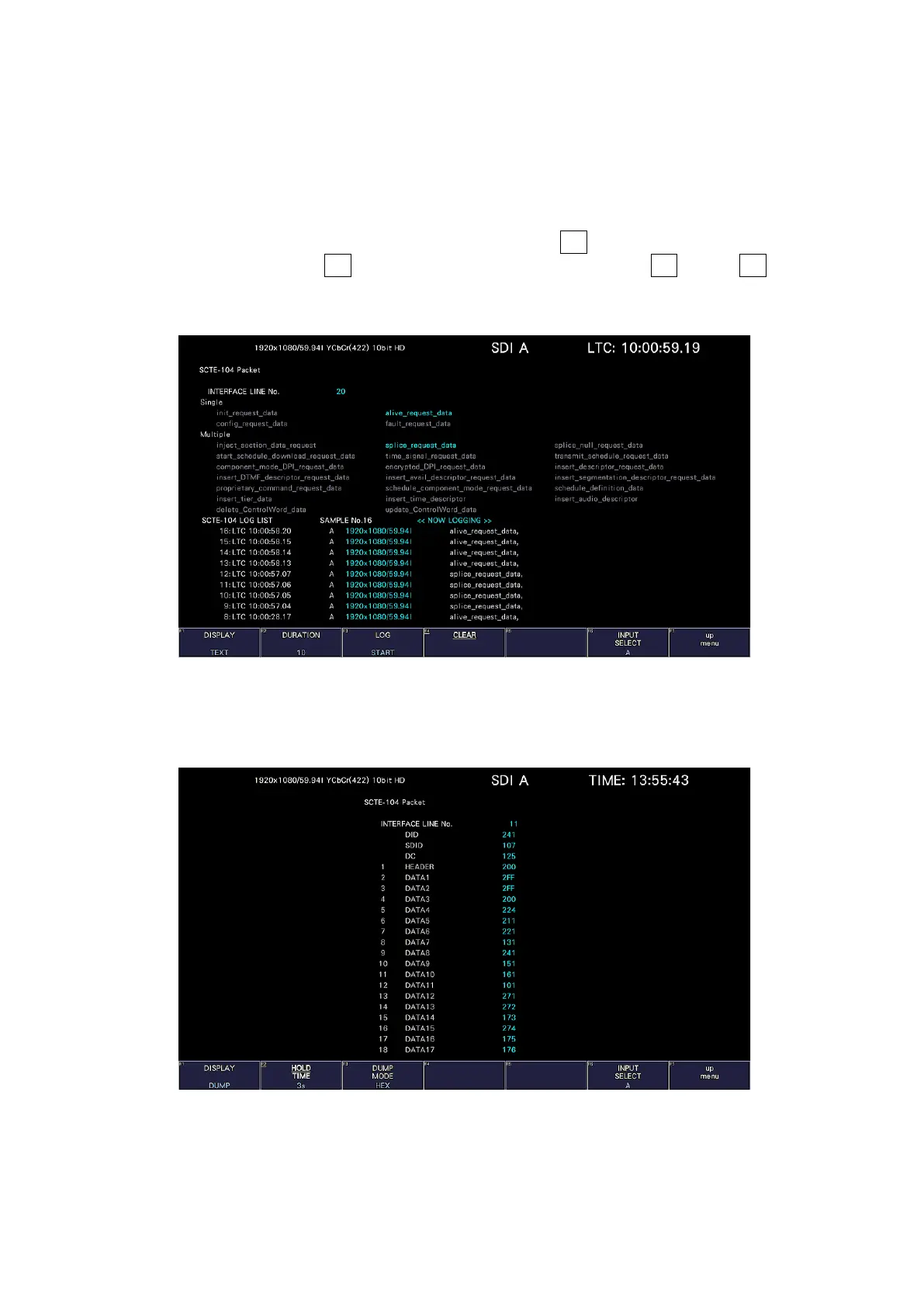
When a SCTE-104 message is detected, the message is displayed in blue. The message
display time is displayed only for the time set in Duration, and if no message is detected
during the set time, all detected messages are grayed out.
You can also log up to 1000 detected messages. Set F•3 LOG to START to start logging.
To stop logging, set F•3 LOG to STOP, and to clear the log, press F•4 CLEAR. F•3 LOG
START / STOP is linked to the SPLICE display. You can output the log as a file by inserting
the USB memory device.
Figure 16-36 SCTE-104 detection screen (TEXT display)
• DUMP Display
When a SCTE-104 message is detected, the dump data of the message is displayed.
Figure 16-37 SCTE-104 detection screen (DUMP display)



 To Next Page