16. Status Display
391
• SPLICE Display
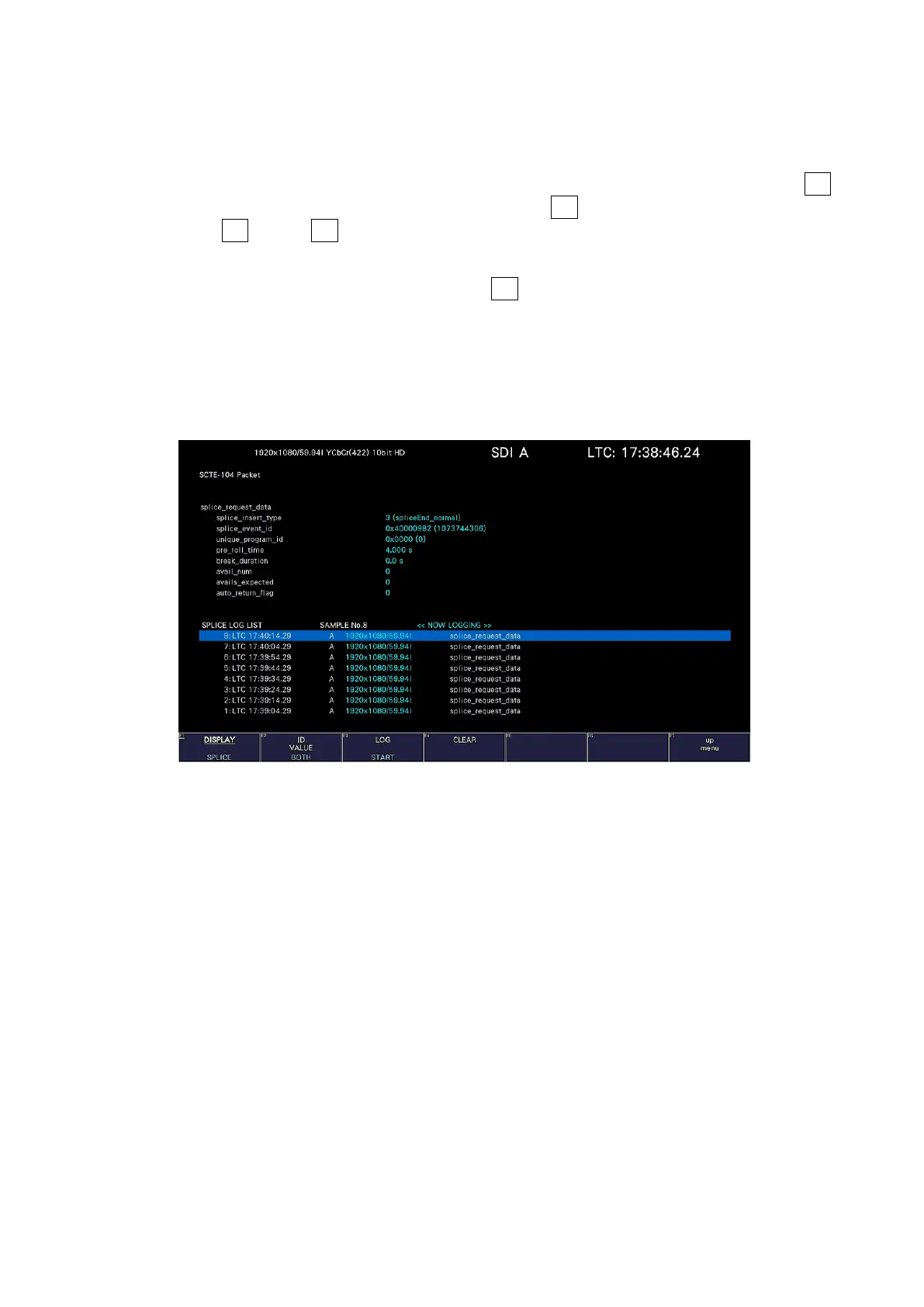
When a splice_request_data message is detected, the message is displayed.
You can log up to 1000 detected the splice_request_data messages. To display the
detailes of the message, turn the function dial (F•D) to select the target message. Set F•3
LOG to START to start logging. To stop logging, set F•3 LOG to STOP, and to clear the log,
press F•4 CLEAR. F•3 LOG START / STOP is linked to the TEXT display. You can output
the log as a file by inserting the USB memory device.
You can change the ID display setting with F•2 ID Value. It is linked with the ID Value on
the SCTE-104 SETUP tab of the picture screen. When ID Value is set to BOTH,
splice_event_id and unique_program_id are displayed simultaneously in hexadecimal and
decimal numbers as shown below.
splice_event_id Hexadecimal (decimal)
unique_program_id Hexadecimal (decimal)
Figure 16-38 SCTE-104 detection screen (SPLICE display)



 To Next Page