14. HDR Display (SER23)
305
14.3 Picture Screen
The picture display can show CINELITE, CINEZONE, MAX FALL, and MAX CLL for HDR signals.
During HDR measurement F•2 CINELITE of the PIC menu changes to F•2 CINELITE/HDR. You
can use this to show CINELITE, CINEZONE, MAX FALL, and MAX CLL.
PIC → F•2 CINELITE/HDR →
Figure 14-7 CINELITE/HDR menu
14.3.1 CINELITE and CINEZONE Displays
To switch to the CINELITE or CINEZONE display, follow the procedure below.
Procedure
PIC → F•2 CINELITE/HDR → F•1 CINELITE DISPLAY: OFF / %DISPLAY / CINEZONE
Settings
OFF: CINELITE and CINEZONE is not displayed.
%DISPLAY: The %DISPLAY screen is displayed.
CINEZONE: The CINEZONE screen is displayed.
14.3.2 %DISPLAY
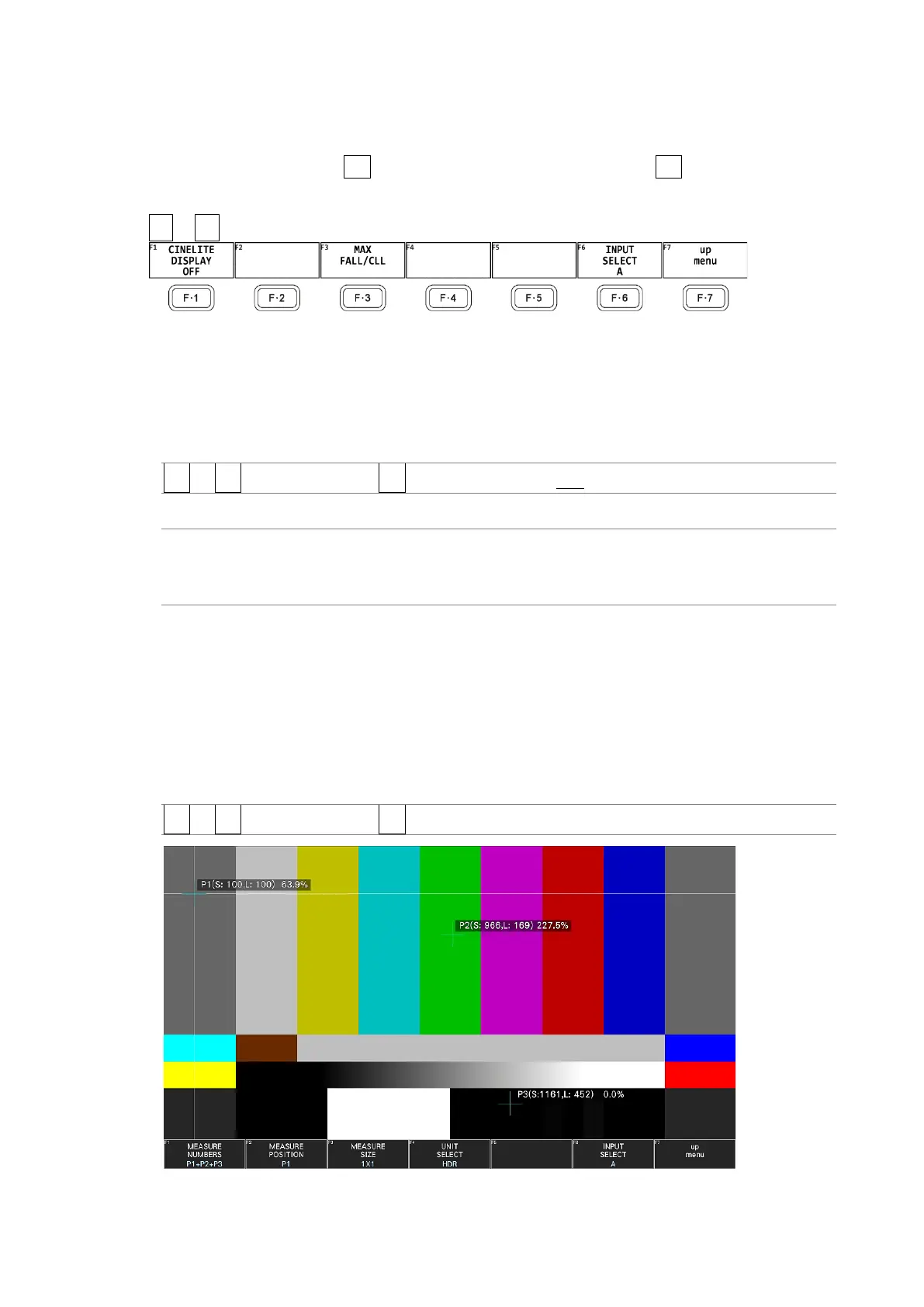
The %DISPLAY of HDR signals shows measured values for HDR signals. In addition, even if
the brightness level is 80% or higher or 0% or lower, measured values are displayed in
white, not yellow.
Use the %DISPLAY SETUP menu to configure the %DISPLAY settings.
[See also] %DISPLAY SETUP → 13.5.8, “Configuring CINELITE Settings”
PIC → F•2 CINELITE/HDR → F•2 %DISPLAY SETUP →
Figure 14-8 %DISPLAY



 To Next Page