6. BASIC OPERATION
86
6.2.4 Measuring 3G(DL)-4K Signals (SER28)
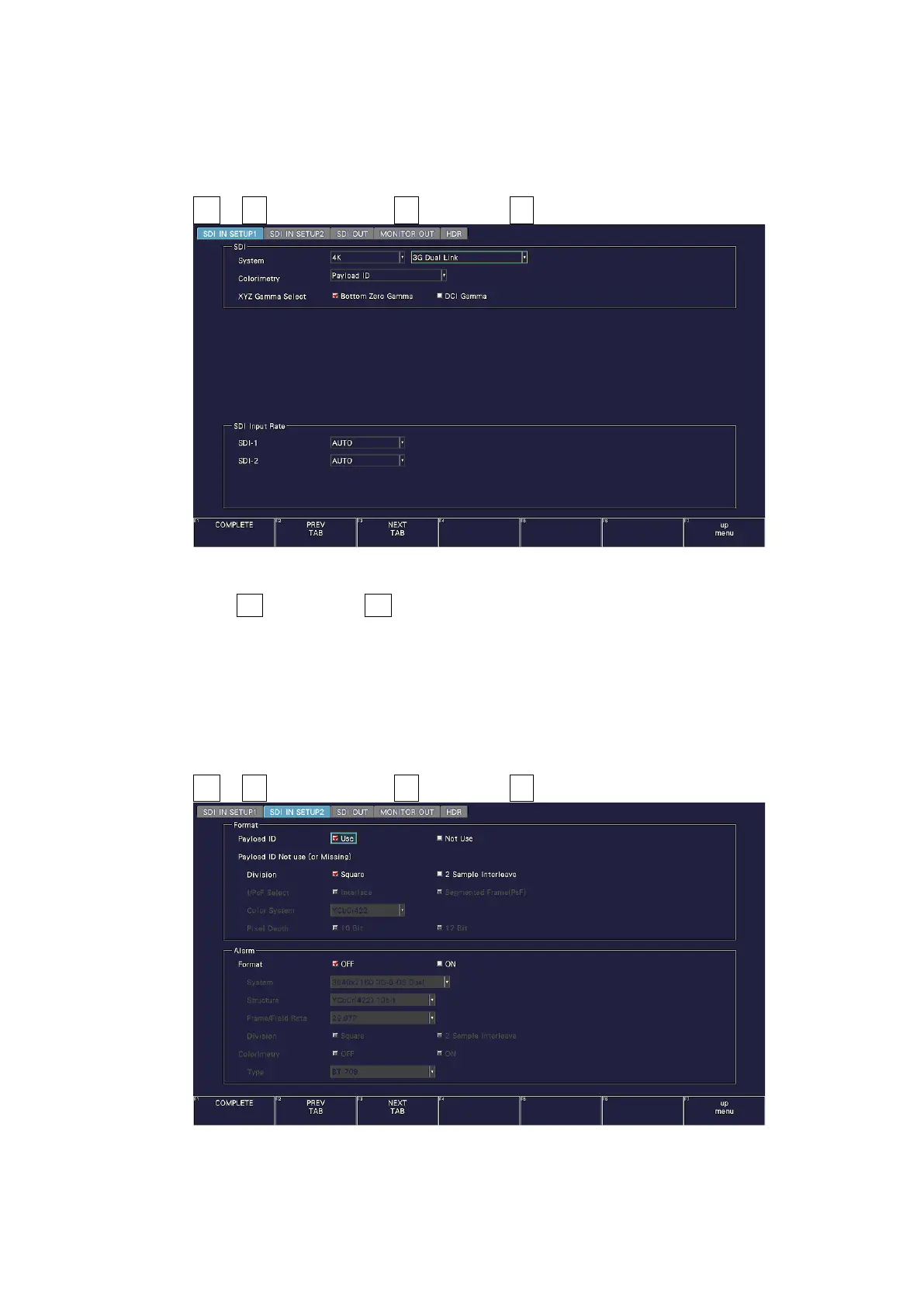
1. On the SDI IN SETUP1 tab of the SYS menu, set SDI System to 4K 3G Dual Link.
[See also] 7.1.1, “Configuring the SDI Input Connectors”
SYS → F•1 SIGNAL IN OUT → F•2 PREV TAB or F•3 NEXT TAB →
Figure 6-21 SDI IN SETUP1 tab
2. Press F•2 PREV TAB or F•3 NEXT TAB, and under SETTING on the SDI IN SETUP2 tab,
set the payload ID.
Select Use or Not Use. If you select Not Use, set Division.
The Psf format does not support 2 sample interleave.
Even if Use is selected, if a 3G-B-DL signal is applied, it will be detected as a 3G-B DS
signal.
[See also] 7.1.3, “Setting the Payload ID”
SYS → F•1 SIGNAL IN OUT → F•2 PREV TAB or F•3 NEXT TAB →
Figure 6-22 SDI IN SETUP2 tab



 To Next Page