10. Video Signal Waveform Display
186
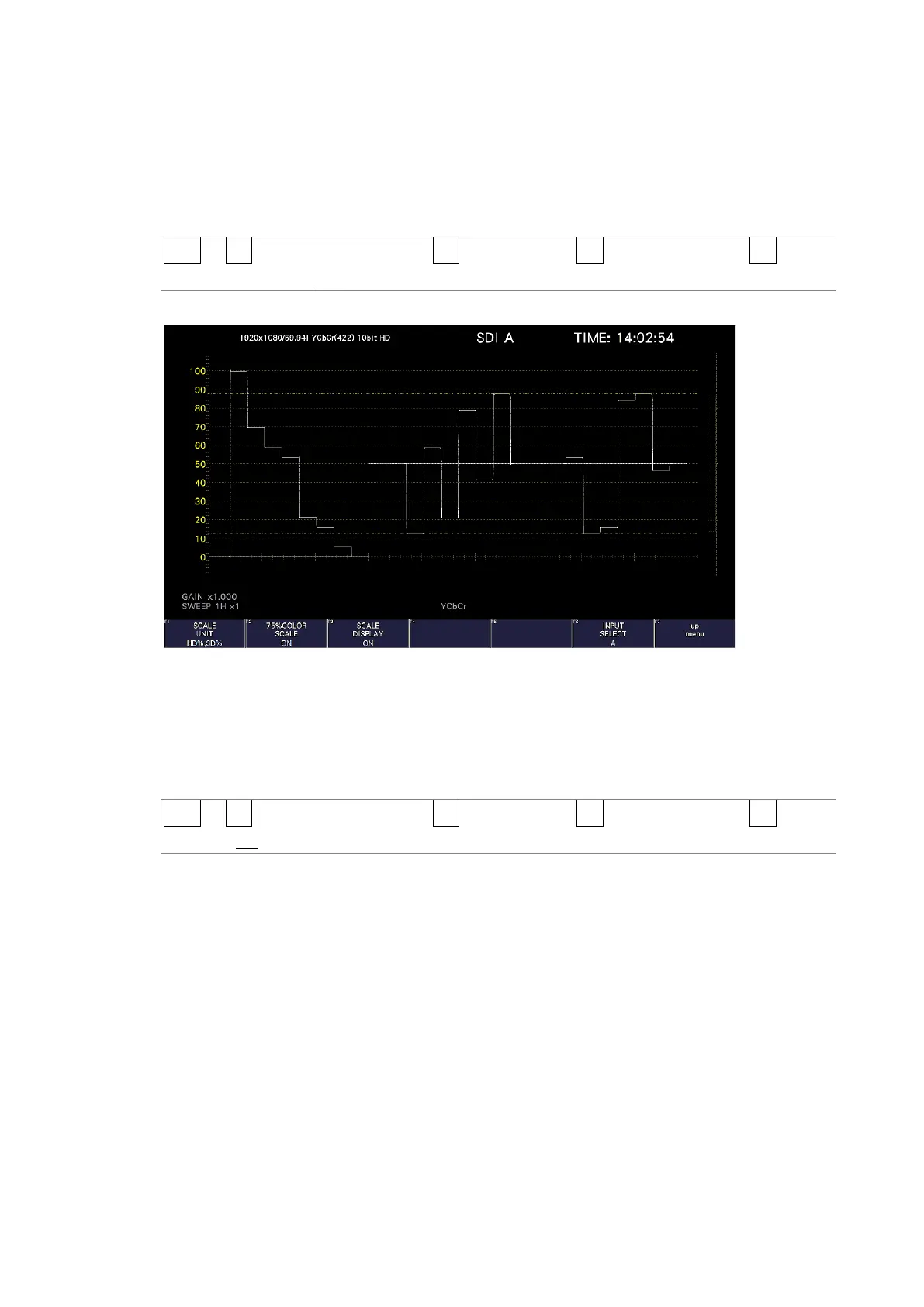
10.3.8 Displaying a Scale for 75% Color Bars
When COLOR MATRIX is set to YCbCr, to display a scale on which a 75% color bar signal
input is mapped to the peak level of the chrominance, follow the procedure below.
[See also] COLOR MATRIX → section 10.8.1, “Selecting the Color Matrix.”
Procedure
WFM → F•1 WFM INTEN/CONFIG → F•5 WFM SCALE → F•3 SCALE SETTING → F•2 75%
COLOR SCALE: ON / OFF
75%COLOR SCALE = ON
Figure 10-9 Displaying a scale for 75 % color bars
10.3.9 Displaying the Scale
To turn the scale display on and off, follow the procedure shown below.
Procedure
WFM → F•1 WFM INTEN/CONFIG → F•5 WFM SCALE → F•3 SCALE SETTING → F•3 SCALE
DISPLAY: ON / OFF



 To Next Page