9. PRESET FEATURE
173
9. PRESET FEATURE
The preset feature stores up to 60 sets of panel settings. It can be used to easily recall fixed
settings.
Also, you can use the same settings on multiple instruments by copying presets to USB memory.
However, the preset data is not compatible between the LV5300/LV5300A, LV5350, and LV7300.
All items except the items below are stored in a preset. Stored items are not deleted even if you
initialize the settings.
• Network settings (NETWORK tab)
• Remote control settings (REMOTE tab)
• Camera ID settings (CAMERA ID tab)
• Date and time settings (DATE&TIME tab)
9.1 Registering Presets
To register a selected preset, follow the procedure below.
1. Display the screen you want to register.
You can prevent overwriting presets by setting Preset Overwrite to disable on the
GENERAL tab of the SYS menu. To overwrite presets, set Preset Overwrite to Enable. Note
that even when set to Disable, registering to an empty preset is possible.
You can set the menu that appears when a preset is recalled by setting Recall on the
GENERAL SETUP tab of the SYS menu in advance.
[See also] GENERAL SETUP tab → 7.2.1, “General Settings”
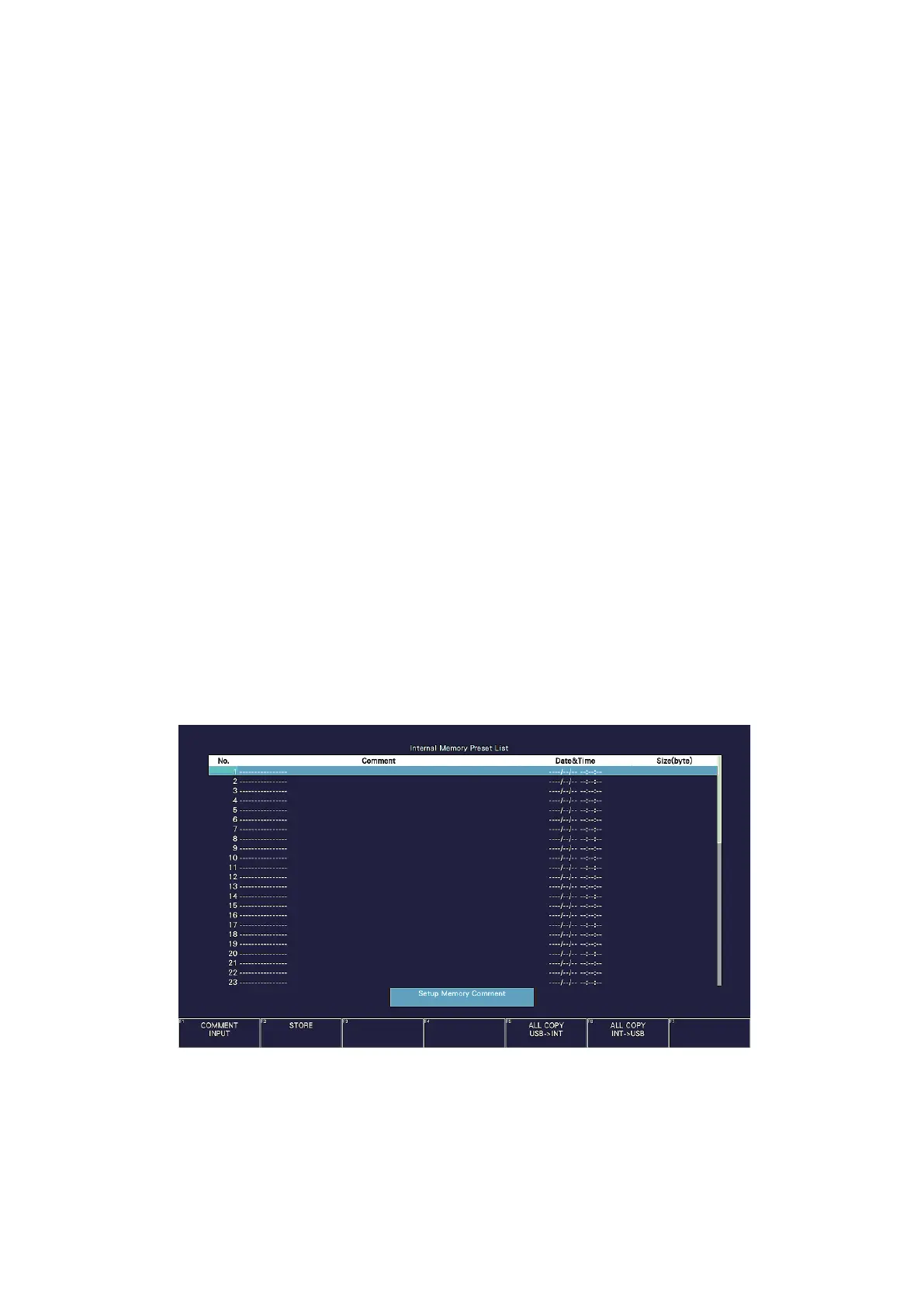
2. Press MEM.
The preset registration screen appears.
Figure 9-1 Preset registration screen



 To Next Page