9. PRESET FEATURE
174
3. Press F•1 COMMENT INPUT.
The comment input screen appears.
You can also copy a comment from a preset that already has a comment saved to it. To
copy a comment, on the preset registration display, move the cursor to the preset that
has the comment that you want to copy, and press the function dial (F•D).
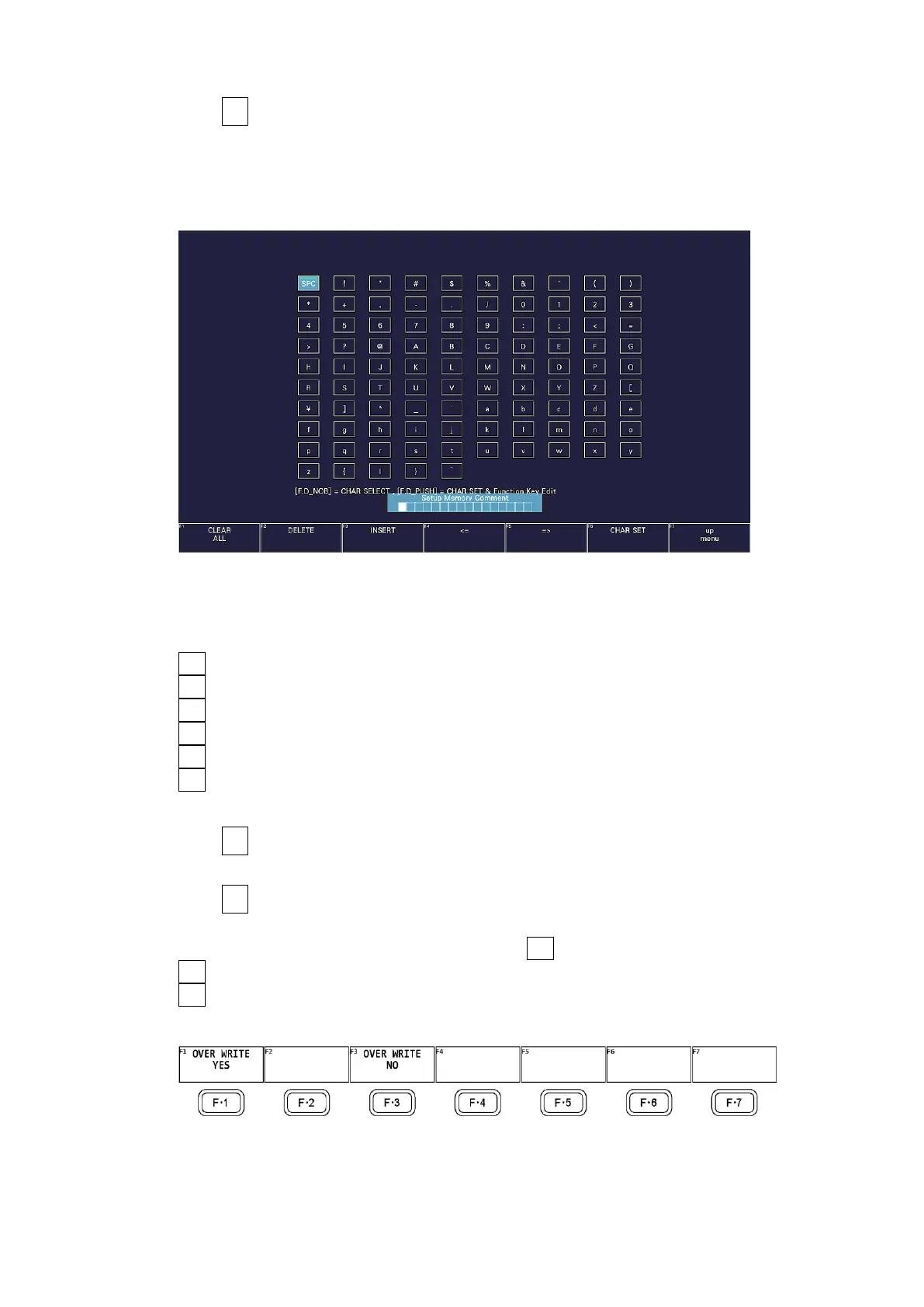
Figure 9-2 Comment input screen
4. Enter a comment of up to 16 characters.
You can use the following keys on the comment input screen.
F•1 CLEAR ALL Deletes all characters
F•2 DELETE Deletes the character at the cursor
F•3 INSERT Inserts the selected character at the cursor position
F•4 <= Moves the cursor to the left
F•5 => Moves the cursor to the right
F•6 CHAR SET Enters the character
Function dial (F•D) Turn to select a character, and press to enter the character.
5. Press F•7 up menu.
6. Turn the function dial (F•D) to select the number of the preset you want to register.
7. Press F•2 STORE.
If a preset has already been stored with the number that you selected, the STORE menu
appears. To overwrite the existing preset, press F•1 OVER WRITE YES. Otherwise, press
F•4 OVER WRITE NO.
F•2 STORE does not appear if Preset Overwrite is set to Disable on the GENERAL tab of
the SYS menu.
Figure 9-3 STORE menu



 To Next Page