7. SYSTEM SETTINGS
124
7. SYSTEM SETTINGS
The SYS menu can be used to configure the instrument and options.
Press SYS, and use the SYS menu.
SYS →
Figure 7-1 SYS menu
7.1 Configuring the I/O Connectors
To configure the I/O connector settings, use F•1 SIGNAL IN OUT on the SYS menu.
7.1.1 Configuring the Input System
Use SDI on the SDI IN SETUP1 tab to configure the input system of SDI INPUT on the rear
panel.
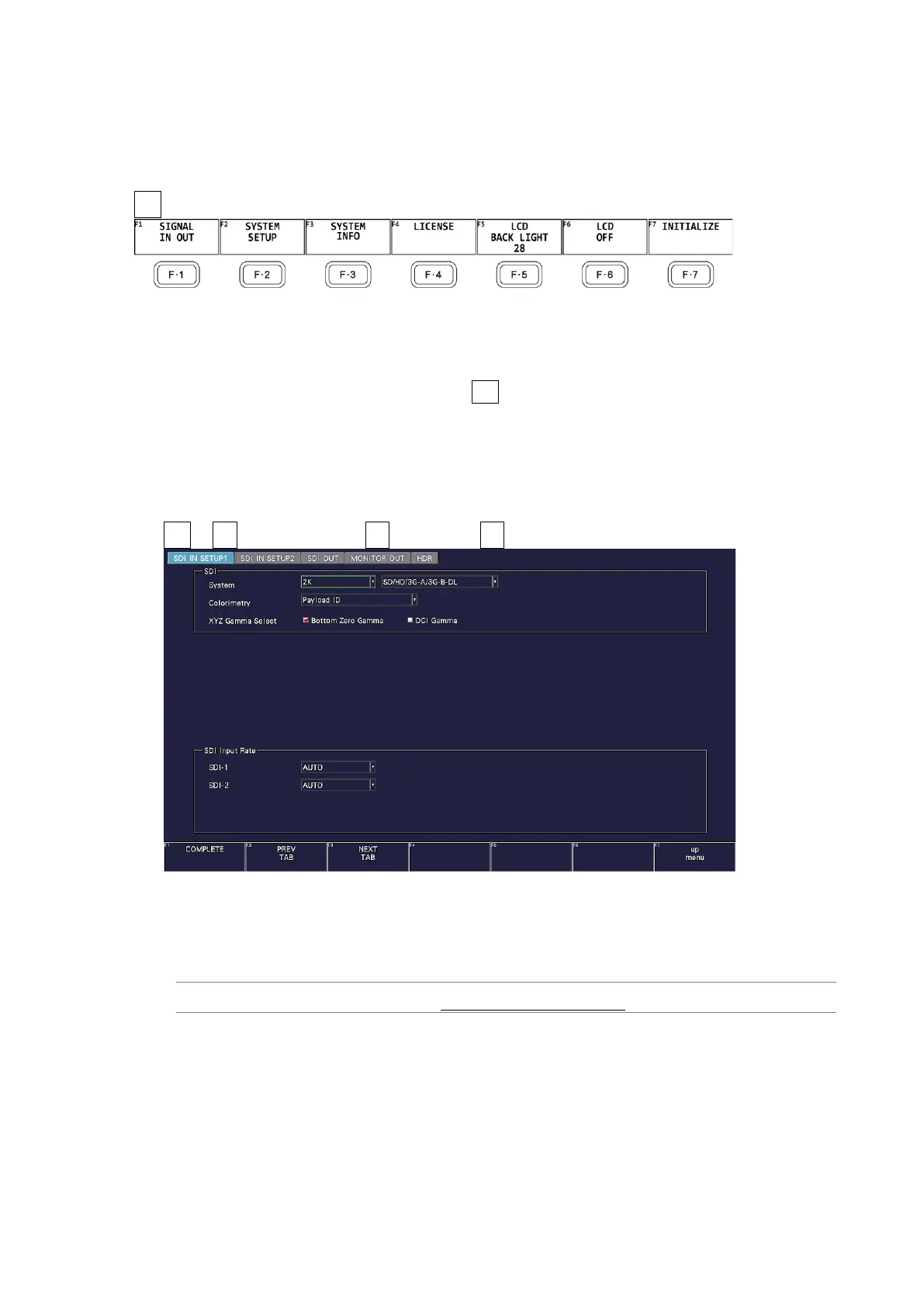
SYS → F•1 SIGNAL IN OUT → F•2 PREV TAB or F•3 NEXT TAB →
Figure 7-2 SDI IN SETUP1 tab
• System
Select the input format.
4K 12G / 4K 6G / 4K 3G Dual Link / 2K SD/HD/3G-A/3G-B-DL



 To Next Page