5. BEFORE YOU BEGIN MEASURING
60
5.2 Turning the Instrument On and Off
• Applying DC Power
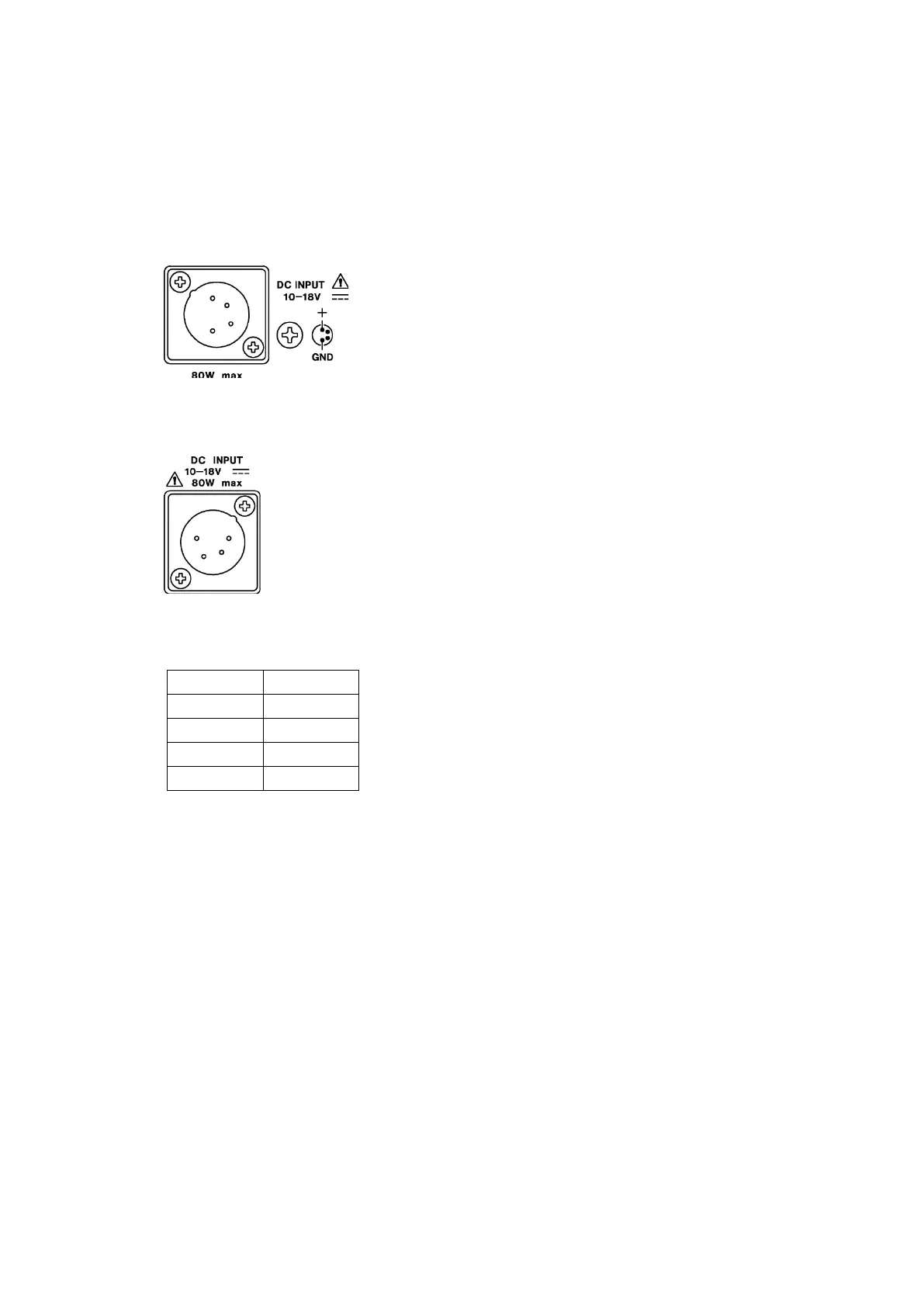
The DC input and its pinout are shown below. Apply +12 V to pin 4.
When power is applied, the internal microcomputer is in standby mode, and some power is
consumed even if the power switch is turned off. If you do not intend to use the instrument
for an extended period of time, disconnect the power supply.
* 60W max. on the LV5350
Figure 5-1 LV5300/LV5300A/LV5350 DC INPUT connector
Figure 5-2 LV7300 DC INPUT connector
Table 5-1 DC INPUT pinout
* Do not connect anything.
• Turning the Power On
To turn on the power, press the power switch. The LED next to the power switch and the
instrument will turn on. When you turn on the power, the instrument starts up with the
same panel settings that were set when it was last turned off.
• Turning the Power Off
To turn off the power, hold down the power switch for at least 2 seconds. The power switch
LED and the instrument turn OFF.



 To Next Page