17. Eye Pattern Display (LV5300/LV5300A/LV7300-SER02)
418
17.9.7 Selecting the Cursor
The X-axis and Y-axis cursors are displayed at the same time, but you can only use the
function dial (F•D) to move one set of cursors at a time. To select which cursors you want to
move, follow the procedure below.
Procedure
EYE → F•4 CURSOR → F•2 XY SEL: X / Y / Tr,Tf
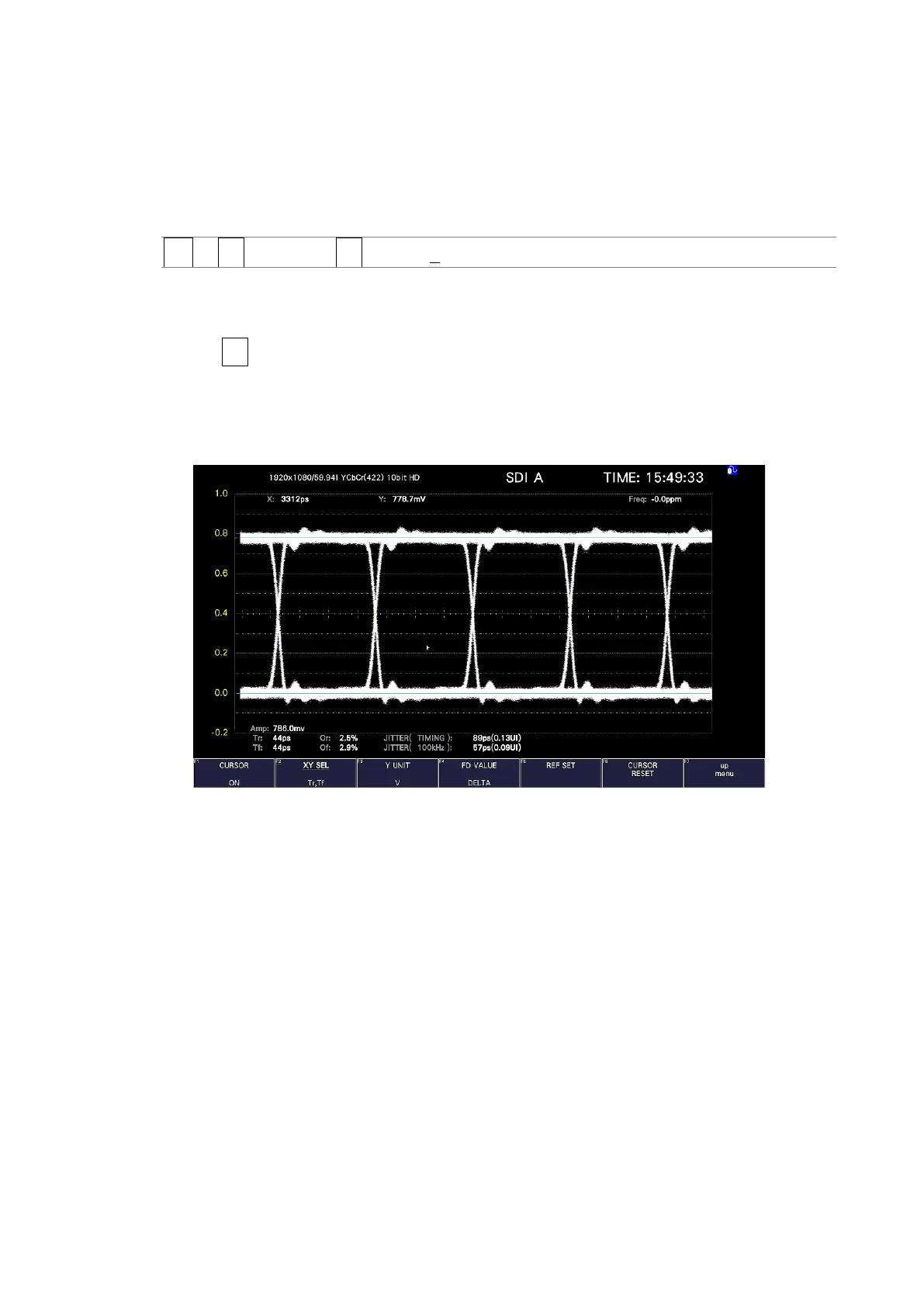
If you select Tr,Tf, you can measure the rise time (Tr) and fall time (Tf). Follow the
procedure below.
1. Set F•2 XY SEL to Tr,Tf.
This selects the Y-axis cursors.
2. Use the function dial (F•D) to align the cursors with the amplitude of the eye pattern.
This is the 100% amplitude position.
Figure 17-22 Tr,Tf measurement (1)



 To Next Page