7. SYSTEM SETTINGS
143
• Screensaver
Select the length of time that must elapse without any key operations for the screen saver
to start.
To clear the screen saver, press any key excluding the power switch, double-click, or
operate the touch panel.
Off / 1 / 5 / 10 / 20 / 30 / 60 [min]
• LCD Auto Off (LV5300/LV5300A/LV5350)
Select the length of time that must elapse after the last key operation before the backlight
is automatically turned off.
To turn it on again, press any key excluding the power switch, double-click, or operate the
touch panel.
Off / 5 / 30 / 60 [min]
• Touch Panel (LV5300/LV5300A/LV5350)
Select whether to enable the touch panel function.
Disable / Enable
• Battery Indicator (SER11/SER12)
When SER11 or SER12 is installed, select whether to show the battery level in the upper
right of the measurement screen.
Off / On
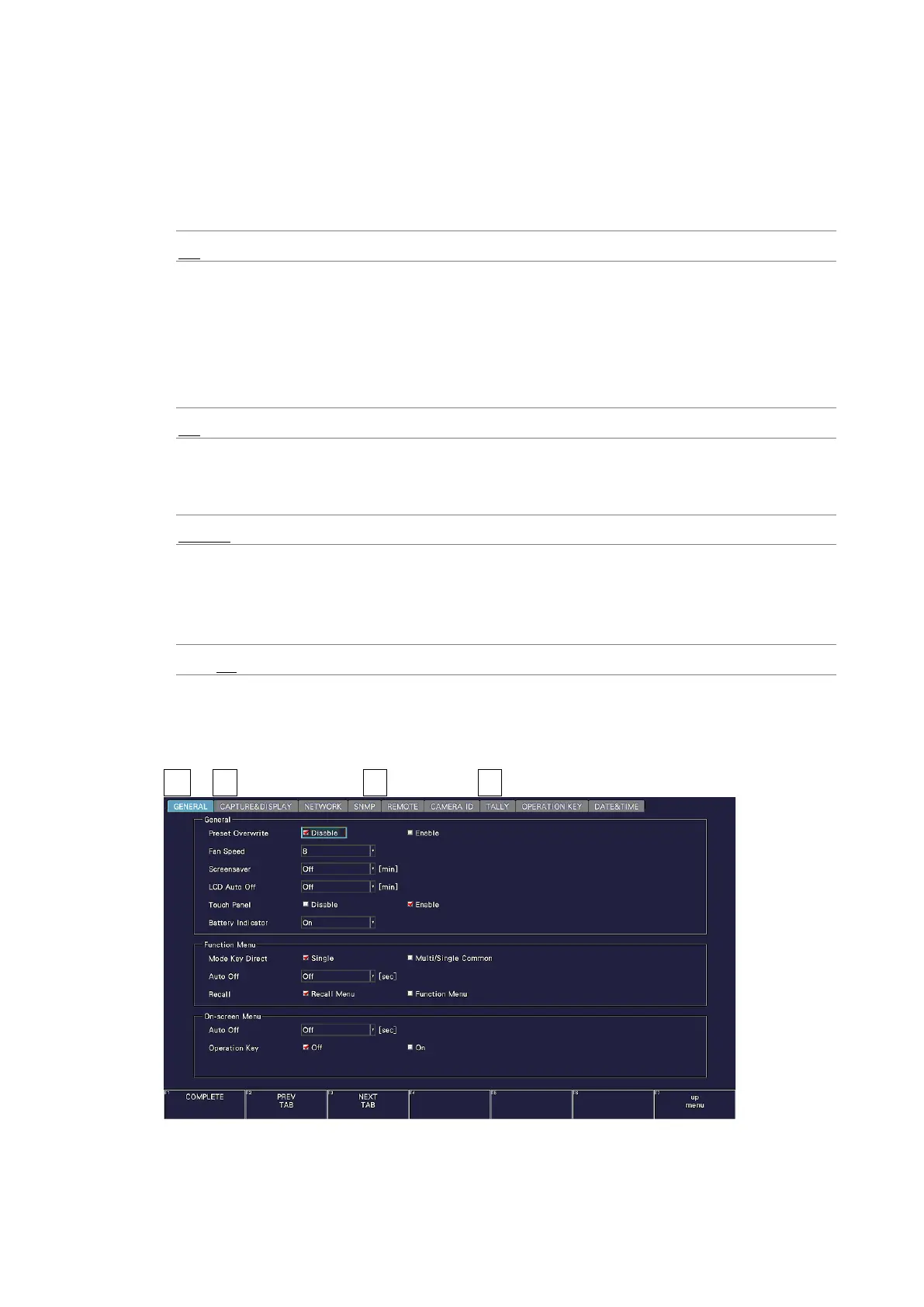
7.2.2 Configuring the Function Menu
Use Function Menu on the GENERAL tab to configure the function menu.
SYS → F•2 SYSTEM SETUP → F•2 PREV TAB or F•3 NEXT TAB →
Figure 7-11 GENERAL tab



 To Next Page