15. Audio Display
328
15.8 Status Display (SER20)
To display the status, set F•1 DISPLAY MODE on the AUDIO menu to STATUS.
To configure the status display settings, press F•3 STATUS SETUP. This setting is available
when F•1 DISPLAY MODE is set to STATUS.
AUDIO → F•1 DISPLAY MODE and select STATUS → F•3 STATUS SETUP →
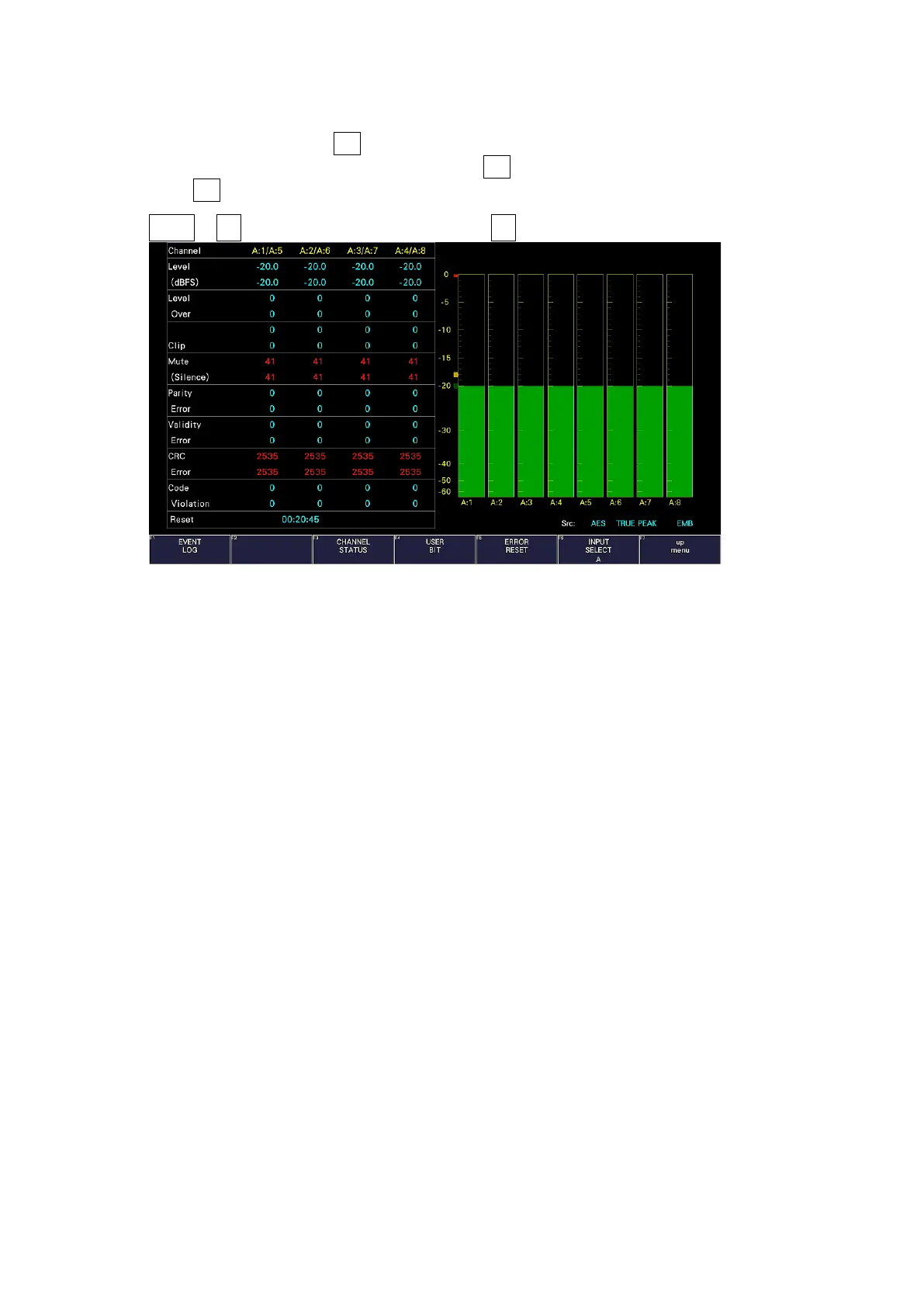
Figure 15-15 Status display
15.8.1 Status Screen Description
On the status display, the levels and the number of detected errors are displayed for the
selected channels (up to 9999). Errors are only detected for the items that have been set to
ON in section 15.3, “Configuring Error Detection Settings.”
• Channel
Displays the channel. Each item below this item is displayed in two lines. The top line
corresponds to the channel to the left of the slash, and the bottom line corresponds to the
channel to the right of the slash.
• Level (dBFS)
Displays the level numerically.
• Level Over
Displays the number of times the level is greater than equal to the OVER dBFS value set in
section 15.5.4, “Setting the Reference Level.”
• Clip
Displays the number of times that a received signal exceeds the maximum signal value for
the number of consecutive samples specified in section 15.3, “Configuring Error Detection
Settings.”



 To Next Page