15. Audio Display
329
• Mute (Silence)
Displays the number of times that a mute signal exceeding the duration specified in
section 15.3, “Configuring Error Detection Settings” is received.
• Parity Error
Counts the number of times that the input signal’s parity bit and the recalculated parity bit
differ.
• Validity Error
Counts the number of times that the input signal’s validity bit is 1.
• CRC Error
Counts the number of times that the CRC of the channel status bits and the calculated
CRC are different.
• Code Violation
Counts the number of times that the state of the input signal’s biphase modulation is
abnormal.
• Reset
Displays the time that has elapsed since AUDIO → F•3 STATUS SETUP → F•5 ERROR
RESET were pressed.
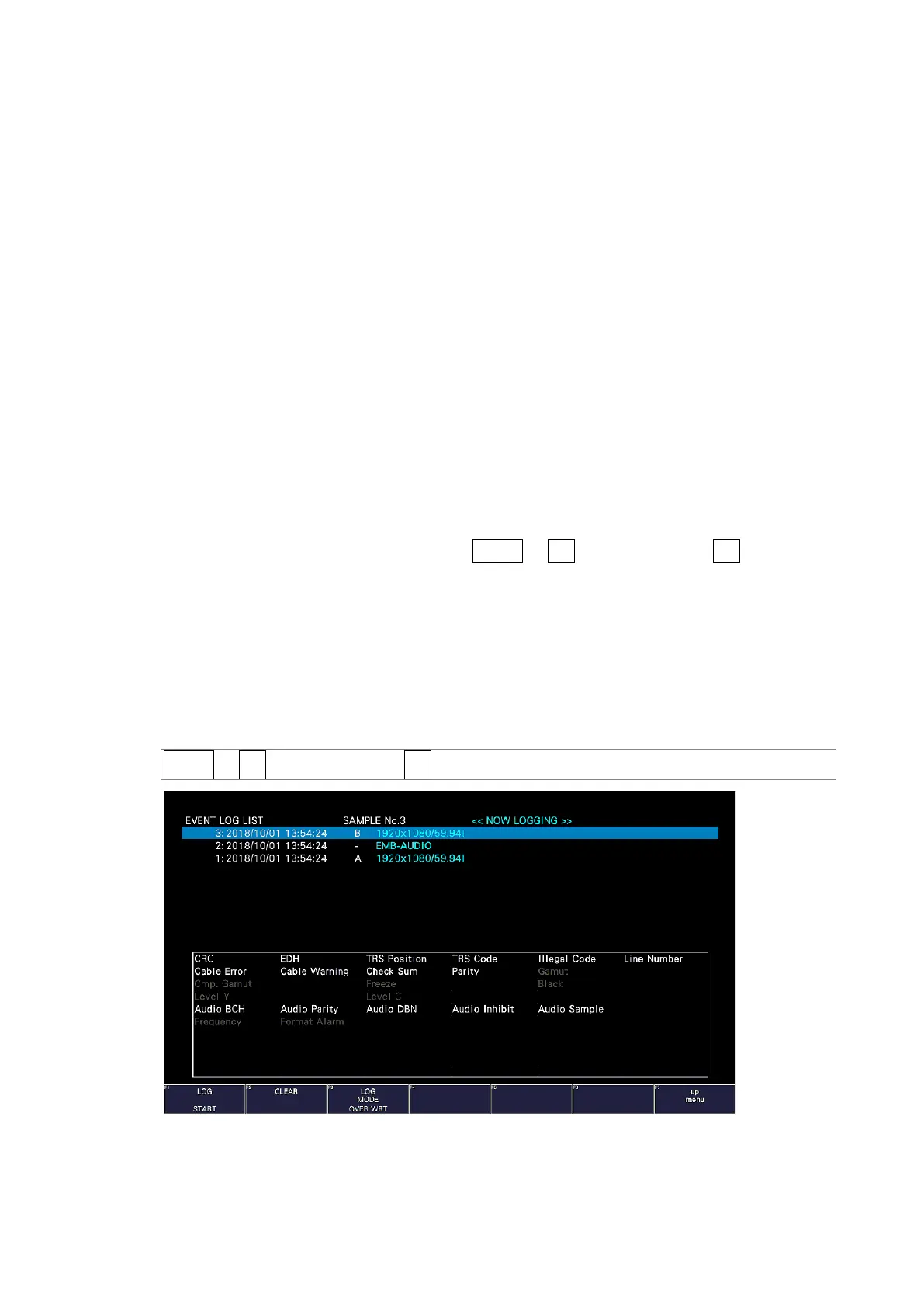
15.8.2 Event Log Display
To view the event log, follow the procedure below.
This screen is the same as the event log screen of the status display. For details, see section
16.4, “Configuring Event Log Settings.”
Procedure
AUDIO → F•3 STATUS SETUP → F•1 EVENT LOG
Figure 15-16 Event log display



 To Next Page