11. VECTOR DISPLAY
228
11.11 Configuring the Color System Settings
To configure the color system settings, press F•7 COLOR SYSTEM on the VECT menu.
VECT → F•7 COLOR SYSTEM →
Figure 11-18 COLOR SYSTEM menu
11.11.1 Selecting the Color Matrix
To select the vector display format, follow the procedure below. The selected display format
is indicated in the lower right of the display.
Procedure
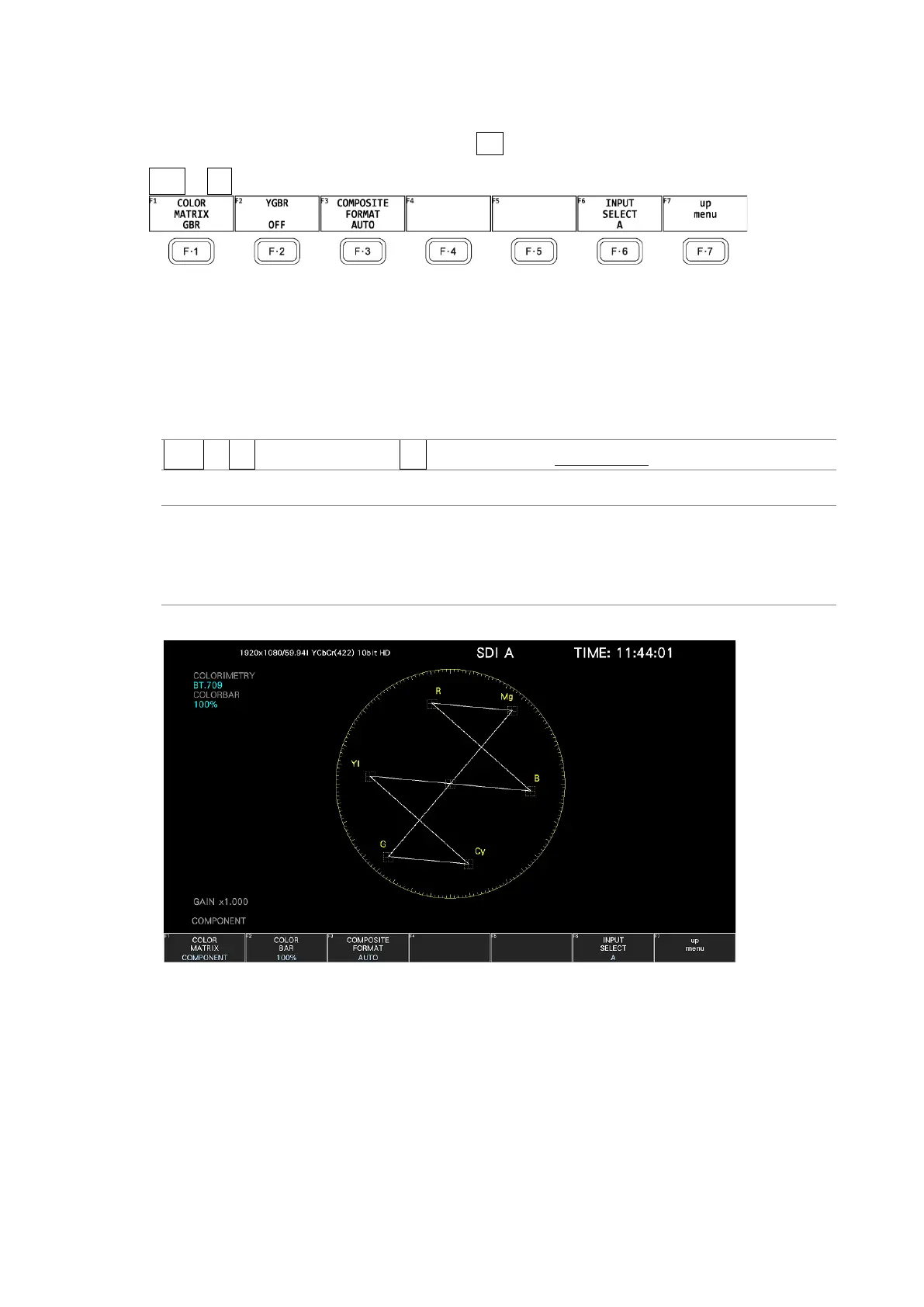
VECT → F•7 COLOR SYSTEM → F•1 COLOR MATRIX: COMPONENT / COMPOSITE
Settings
COMPONENT: The component chrominance signal is displayed on the X and Y axes.
COMPOSITE: The component signal is converted into a pseudo-composite signal, and
the pseudo-composite signal's chrominance signal is displayed on the X
and Y axes.
COLOR MATRIX = COMPONENT



 To Next Page