7. SYSTEM SETTINGS
152
3. Press F•1 MIB FILE COPY.
The enterprise MIB file is saved to USB memory device.
Enterprise MIB file is saved to the following locations.
USB memory device
└ LV5300_USER, LV5350_USER or LV7300_USER
└ MIB
└ lv5300.my, lv5350.my or lv7300.my
When the enterprise MIB file exists in the USB memory device, F•1 OVER WRITE YES
and F•3 OVER WRITE NO appear.
To overwrite, press F•1 OVER WRITE YES. To not overwrite, press F•3 OVER WRITE
NO.
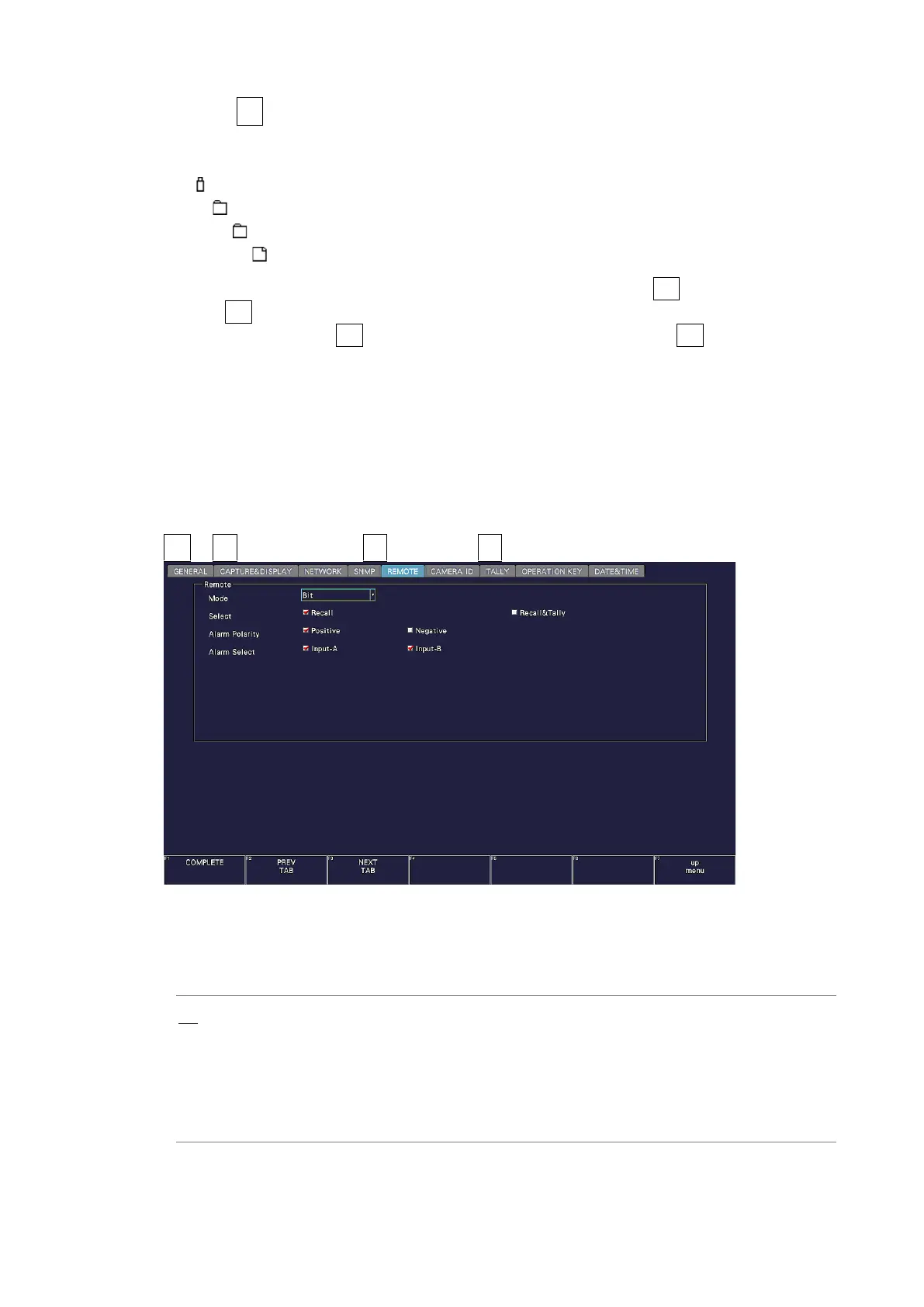
7.2.10 Configuring the Remote Control Settings
Use the REMOTE tab to configure remote control settings.
The settings that you specify here will not be initialized even if you initialize the instrument.
In addition, they are not recorded to presets.
[See also] 10, “REMOTE CONTROL”
SYS → F•2 SYSTEM SETUP → F•2 PREV TAB or F•3 NEXT TAB →
Figure 7-20 REMOTE tab
• Mode
Select the method for loading presets.
Bit: Use pin 2 (/P1) to pin 9 (/P8) to load presets 1 to 8.
Binary: Set pin 2 (/P1) as the least significant bit and pin 7 (/P6) as the most
significant bit, and use binary code to load presets 1 to 60.
Command: Recalls presets (1 to 60), selects channels, outputs alarms, and displays
tallies (1/2).
Tally: Outputs alarms and displays tallies (1/2/EXT). (SER27)



 To Next Page