17. Eye Pattern Display (LV5300/LV5300A/LV7300-SER02)
416
17.9.4 Turning the Peak Hold On and Off
To configure the peak hold settings, press F•3 PEAK HOLD on the EYE menu.
Measurement is possible regardless of whether F•1 EYE/JITTER INTEN/CONFIG → F•2
EYE/JITTER is set to EYE or JITTER.
EYE → F•3 PEAK HOLD →
Figure 17-18 PEAK HOLD menu
To measure the peak values of the timing jitter (T.J) and the jitter (JIT), follow the
procedure below.
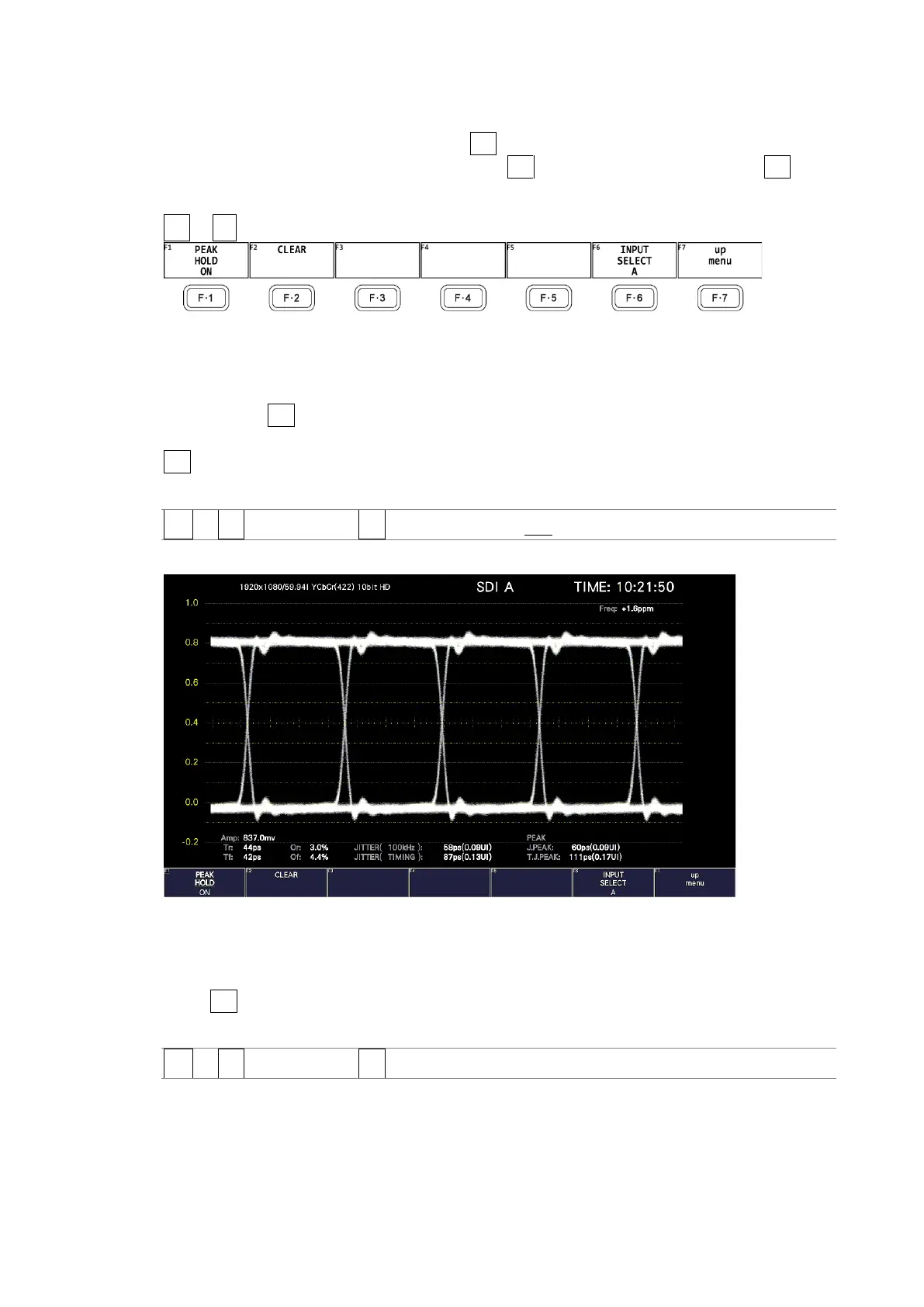
When you set F•1 PEAK HOLD to ON, the peak values T.J.PEAK and J.PEAK are displayed in
the lower part of the screen next to "PEAK." The peak values are retained until you press
F•2 CLEAR. If a peak value exceeds 10.00UI, "OVER" is displayed.
Procedure
EYE → F•3 PEAK HOLD → F•1 PEAK HOLD: ON / OFF
PEAK HOLD = ON
Figure 17-19 Peak hold display
17.9.5 Clearing the Peak Hold
When F•1 PEAK HOLD is set to ON, to clear the peak hold, follow the procedure below.
Procedure
EYE → F•3 PEAK HOLD → F•2 CLEAR



 To Next Page