7. SYSTEM SETTINGS
164
7.4 Installing Software Options
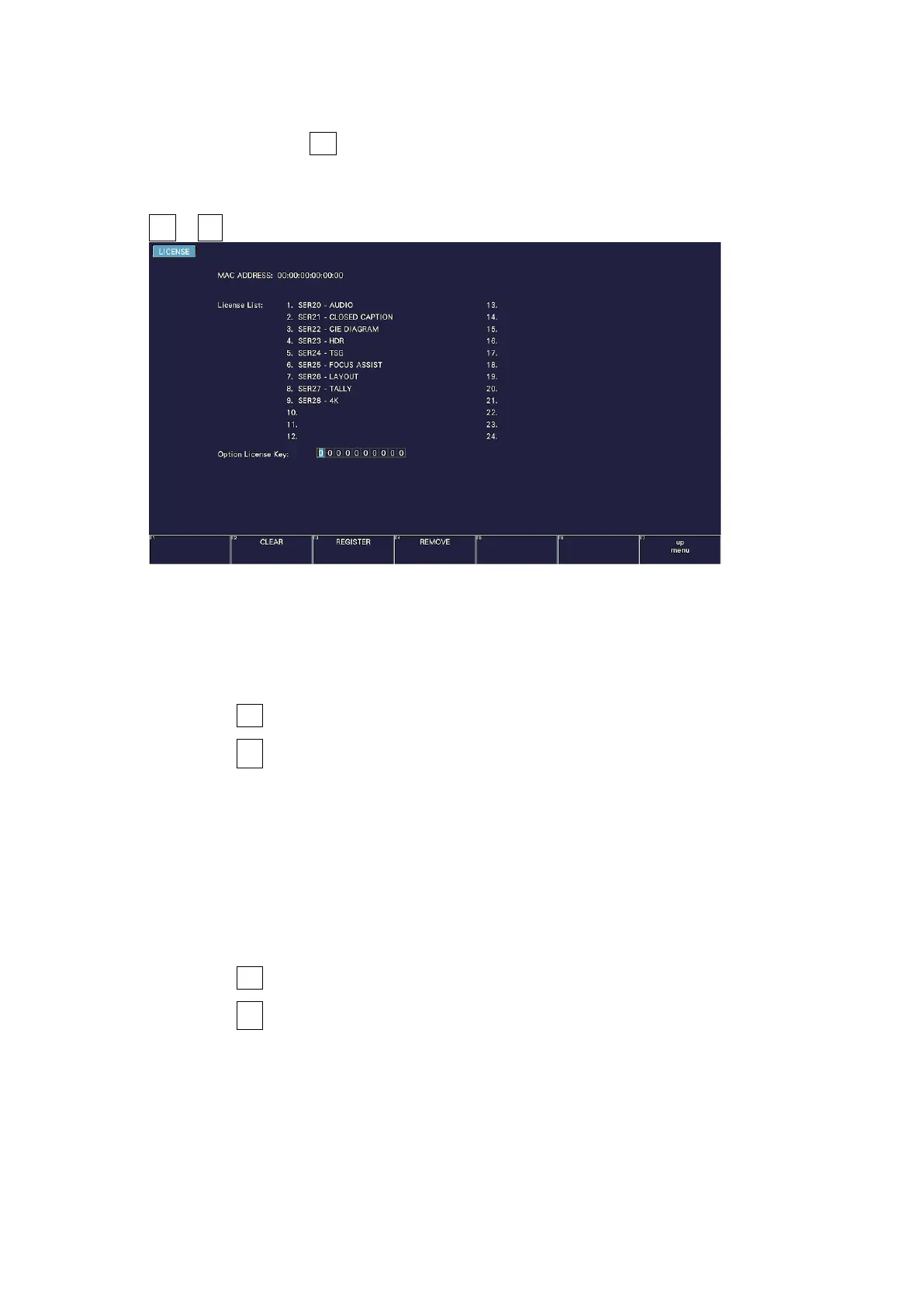
To install options, use F•4 LICENSE on the SYS menu.
You can use this screen to view the MAC address and install options.
[See also] 2.3, “Software Options”
SYS → F•4 LICENSE →
Figure 7-30 LICENSE tab
• Installing an Option
Have your license key ready, and follow the procedure below.
1. Use the function dial (F•D) to enter the license key number.
Press F•2 CLEAR to clear the license key to 0000000000.
2. Press F•3 REGISTER.
“Accepted” appears if the license key has been entered correctly, and the corresponding
option becomes usable. The name of the option that has been installed appears in the
License List.
“Failed” appears if the license key is not correct. Reenter the license key correctly.
• Disabling an Option
Have your license key ready, and follow the procedure below.
1. Use the function dial (F•D) to enter the license key number.
Press F•2 CLEAR to clear the license key to 0000000000.
2. Press F•4 REMOVE.
“Accepted” appears if the license key has been entered correctly, and the corresponding
option is disabled. The name of the option is deleted from the License list.
“Failed” appears if the license key is not correct. Reenter the license key correctly.
3. Restart the instrument.



 To Next Page