7. SYSTEM SETTINGS
154
• Control Select
Set the camera ID from the instrument.
To camera ID is displayed for the LABEL-1, LABEL-2, and IRIS items on the layout.
Local
• Selecting the placement
Select the placement of the camera ID.
LEFT / CENTER / RIGHT
• Setting the label
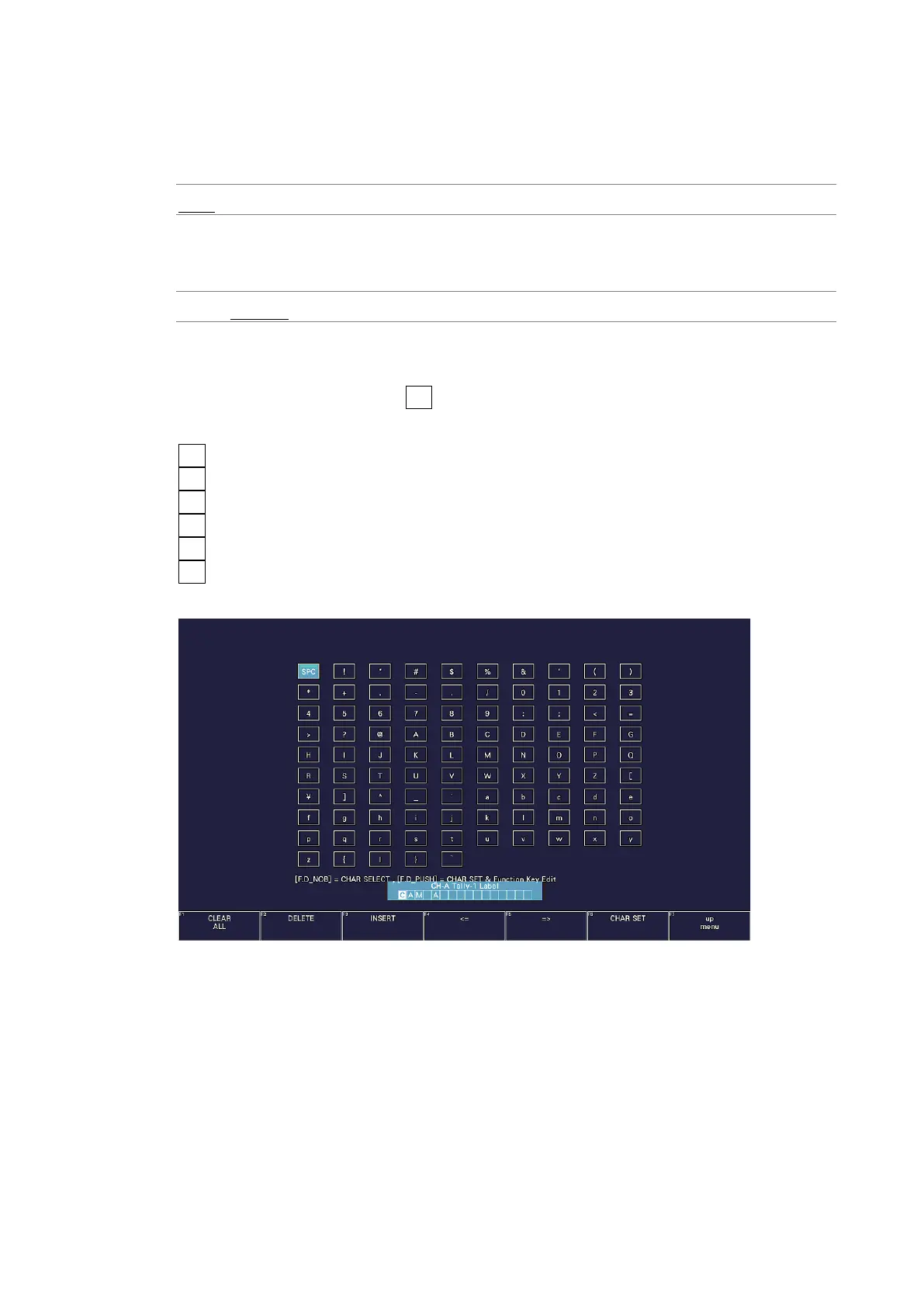
The default camera ID labels are CAM A to CAM D, but you can change them by selecting
their check boxes and pressing F•5 LOCAL LABEL INPUT. Enter up to 16 characters.
You can use the following keys on the camera ID input screen.
F•1 CLEAR ALL Deletes all characters
F•2 DELETE Deletes the character at the cursor
F•3 INSERT Inserts the selected character at the cursor position
F•4 <= Moves the cursor to the left
F•5 => Moves the cursor to the right
F•6 CHAR SET Enters the character
Function dial (F•D) Turn to select a character, and press to enter the character.
Figure 7-22 Camera ID label input screen



 To Next Page