7. SYSTEM SETTINGS
161
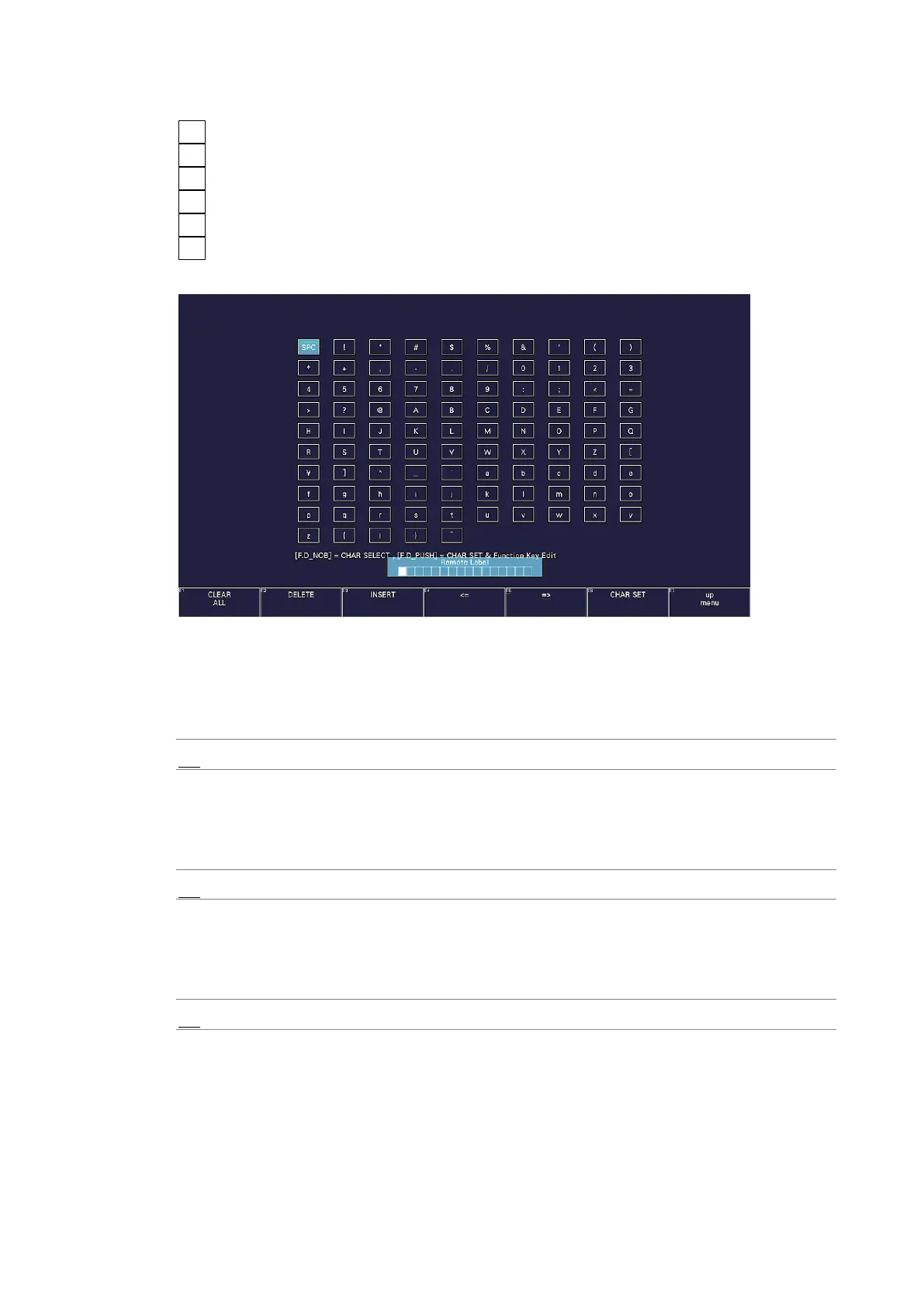
You can use the following keys on the label input screen.
F•1 CLEAR ALL Deletes all characters
F•2 DELETE Deletes the character at the cursor
F•3 INSERT Inserts the selected character at the cursor position
F•4 <= Moves the cursor to the left
F•5 => Moves the cursor to the right
F•6 CHAR SET Enters the character
Function dial (F•D) Turn to select a character, and press to enter the character.
Figure 7-28 Label input screen
• Frame
Turns on and off the frame of the REMOTE LABEL item placed in the layout.
Off / On
• Gray Background
Select whether to display the background of the REMOTE LABEL item placed in the layout
in gray.
Off / On
• Connect Destination
Select whether to send the LV5300/LV5300A’s, LV5350’s and LV7300’s IP address to the
LV7290.
Off / On
• UNIT-1 to 8 IP Address
Set the connection destination LV5300/LV5300A, LV5350 and LV7300 IP addresses.



 To Next Page