8. CAPTURE FEATURE
170
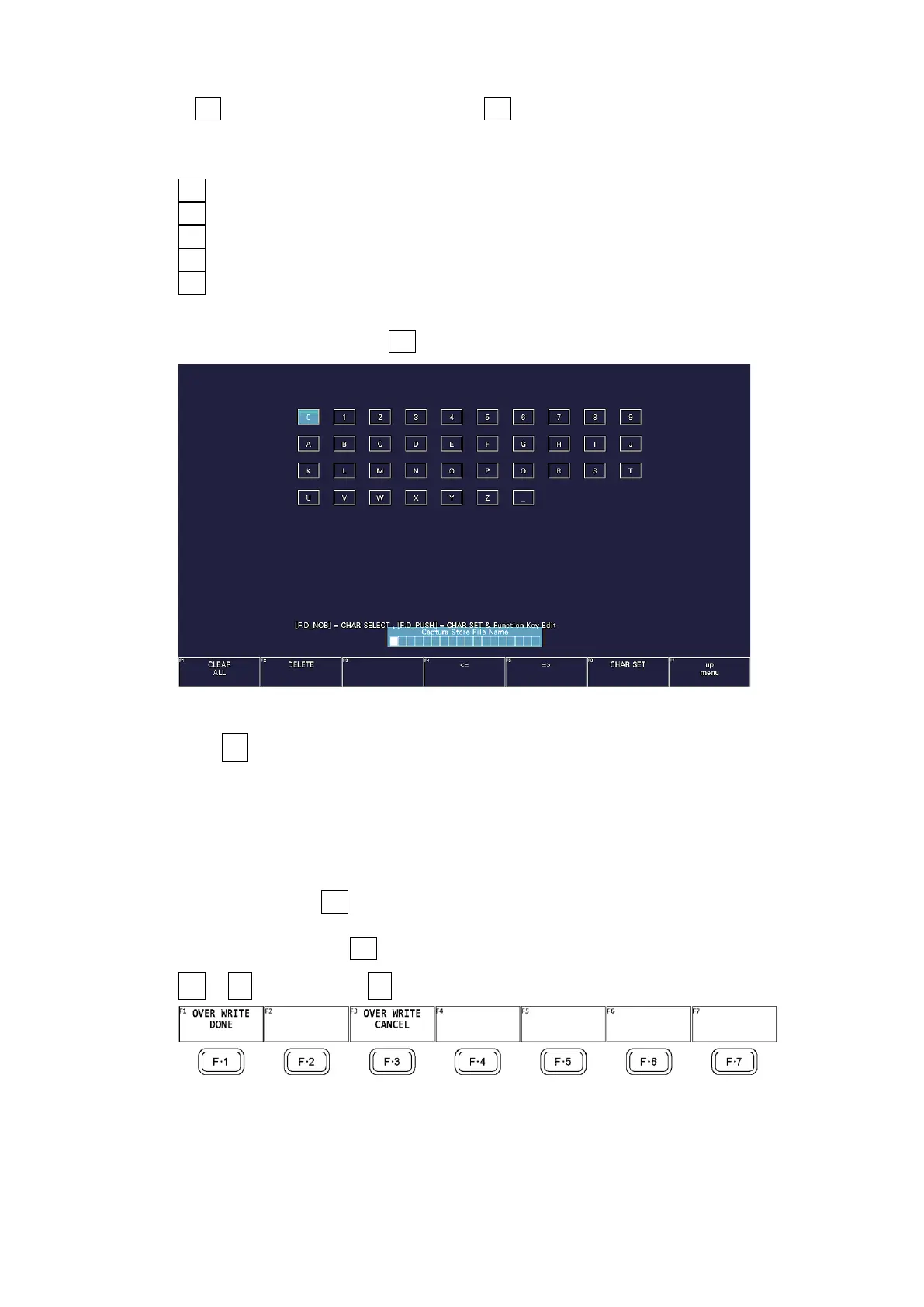
If F•1 AUTO FILENAME is set to off, press F•2 NAME INPUT to enter the file name. Enter
up to 17 characters.
The key operations that you can perform in the file name input display are as follows:
F•1 CLEAR ALL Deletes all characters
F•2 DELETE Deletes the character at the cursor
F•4 <= Moves the cursor to the left
F•5 => Moves the cursor to the right
F•6 CHAR SET Enters the character
Function dial (F•D) Turn to select a character, and press to enter the character.
After entering the file name, F•7 up menu. The CAP menu appears.
Figure 8-2 File name input screen
4. Press F•3 STORE.
When AUTO FILENAME is set to on or if the specified file name does not exist in the USB
memory device when AUTO FILENAME is set to off, the message “Please wait. Saving file”
is displayed on the screen, and the screen capture data is saved to USB memory.
When AUTO FILENAME is set to off and the specified file name exists in the USB memory
device, the STORE menu appears.
To overwrite, press F•1 OVER WRITE DONE. The message “Please wait. Saving file” is
displayed on the screen, and the screen capture data is saved to USB memory.
To not overwrite, press F•3 OVER WRITE CANCEL.
CAP → F•6 USB MEMORY → F•3 STORE
Figure 8-3 STORE menu



 To Next Page