10. Video Signal Waveform Display
192
• Cursors
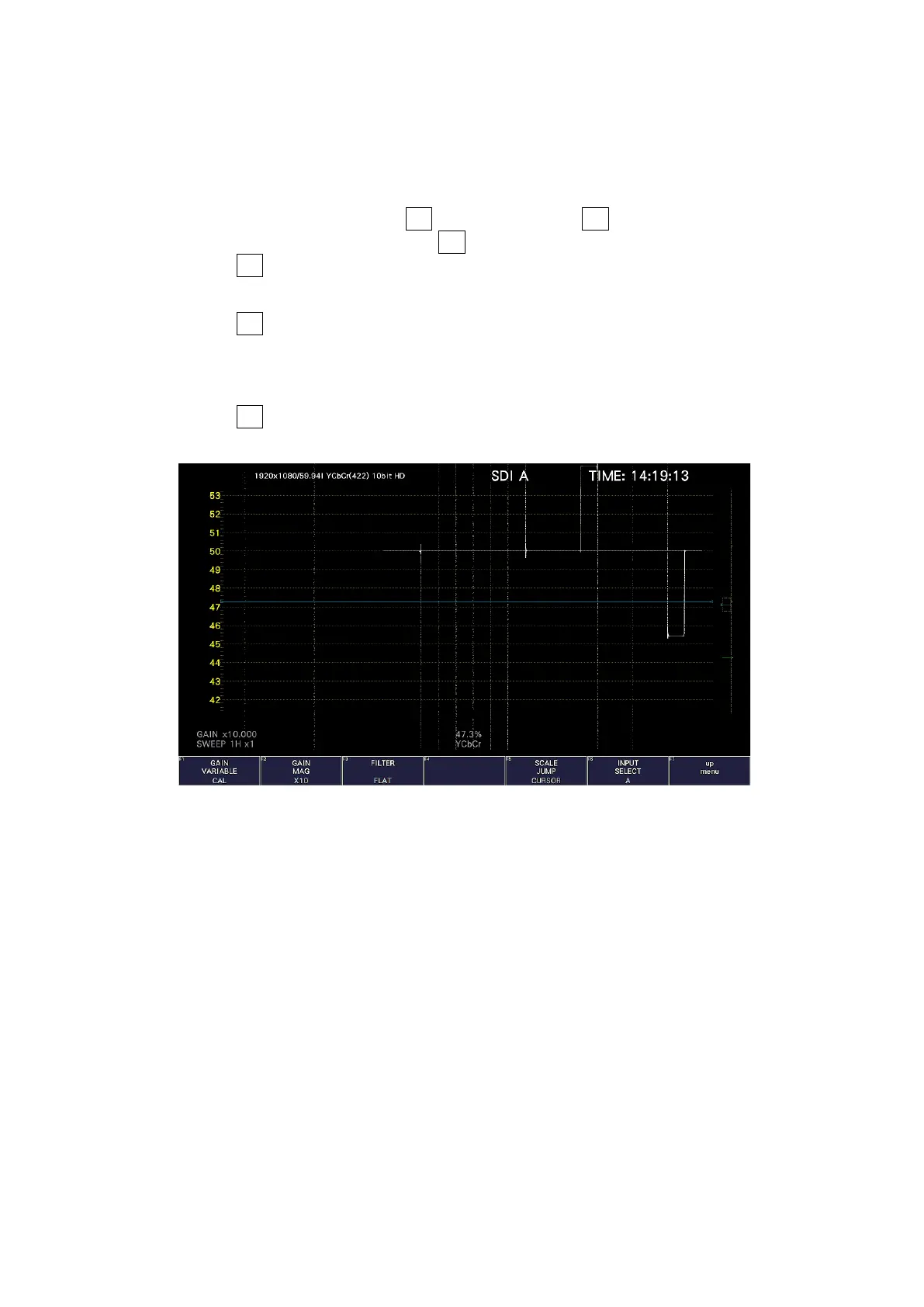
The scale jump function operates based on the Y-axis cursor, and the area near the
currently selected cursor (▼ mark) is expanded. An operation example is shown below.
[Preparation]
1. On the CURSOR menu, set F•1 CURSOR to ON and F•2 XY SEL to Y.
2. On the GAIN/FILTER menu, set F•2 GAIN MAG to X5 or X10.
3. Set F•4 SCALE JUMP to CURSOR.
[Operation]
4. Set F•2 GAIN MAG to X1.
5. Move the Y-axis cursor to the area you want magnified. (You can move the cursor on
the GAIN/FILTER menu. You can switch between REF, DELTA, and TRACK by pressing
the function dial (F•D).)
6. Set F•2 GAIN MAG to X5 or X10 to expand the area near the Y-axis cursor.
SCALE JUMP = CURSOR
Figure 10-14 Setting the scale jump



 To Next Page