16. Status Display
380
• Selecting the Dump Mode
When F•1 DISPLAY is set to DUMP, you can use F•2 DUMP MODE to set the dump mode
to HEX (hexadecimal display) or BINARY (binary display).
• Clearing the Q-Signal Log
When F•1 DISPLAY is set to Q LOG, press F•2 Q LOG CLEAR to clear the Q-signal log.
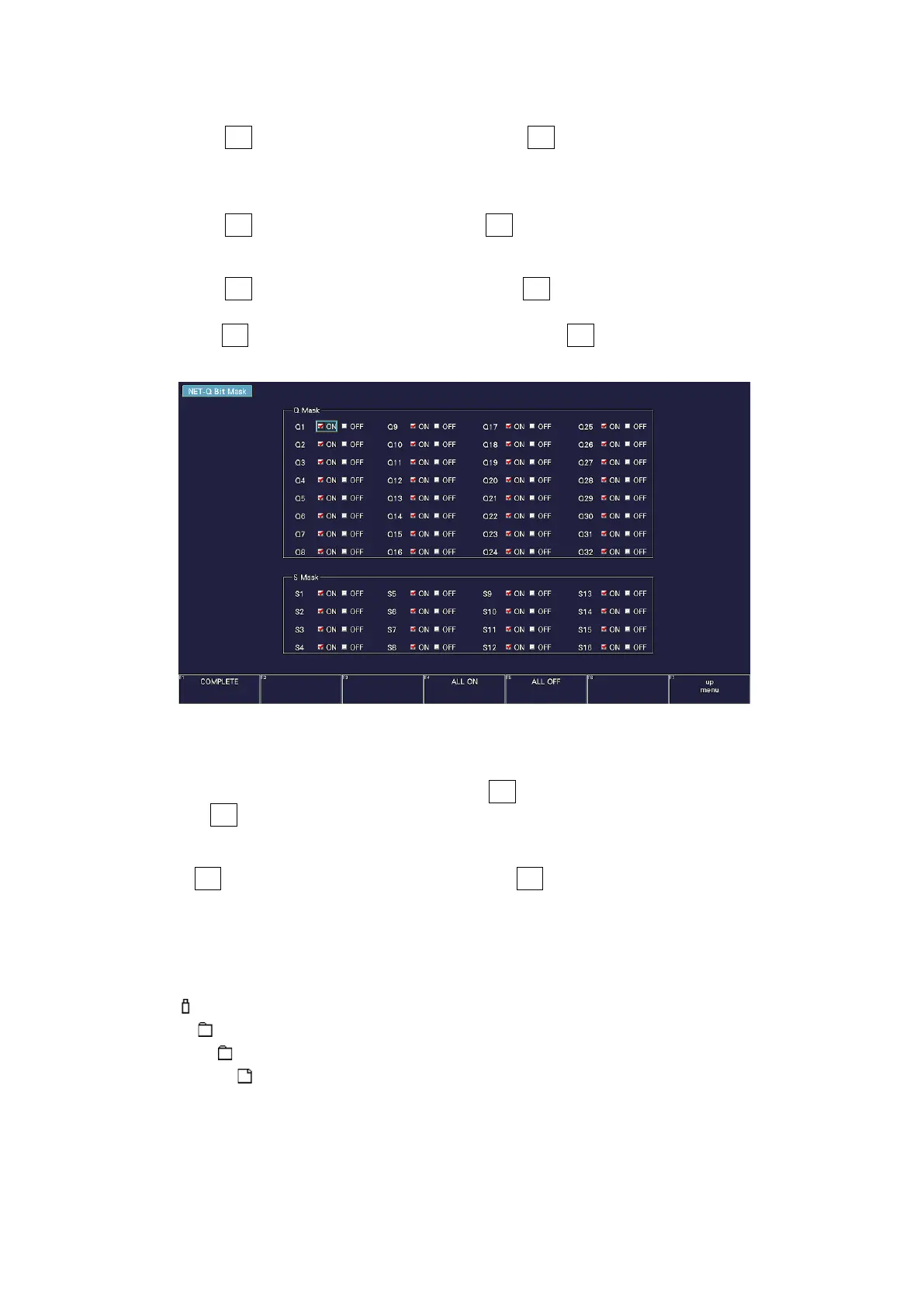
• Setting the Bit Mask
When F•1 DISPLAY is set to TEXT, you can use F•3 BIT MASK to mask the Q and status
signals independently.
Press F•4 ALL ON to select all the check boxes. Press F•5 ALL OFF to clear all the check
boxes.
Figure 16-27 NET-Q Bit Mask tab
• Selecting the Content to Display
You can select the displayed content using F•5 LINK when the input signal is multi link
and F•5 SUB when the input signal is 6G or 12G.
• Saving data to a USB memory device
If F•1 DISPLAY is set to Q LOG, you can press F•6 USB MEMORY to save the Q signal log
to a USB memory device in CSV format. The procedure to follow to save data is the same
as the procedure that was given for the event log. See section 16.4.5, "Saving to a USB
Memory Device."
Q signal logs are saved in the NETQ folder.
USB memory device
└ LV5300_USER, LV5350_USER or LV7300_USER
└ NETQ
└ YYYYMMDDhhmmss.csv



 To Next Page