1. Press MULTI, and set F•1 LAYOUT SELECT to USER 1.
If Mode Key Direct on the GENERAL tab is set to Multi/Single Common, hold MULTI
down for about 2 seconds to display the function menu.
There are six layouts for the multi screen. You can use USER 1 to USER 6 to switch
between the layouts.
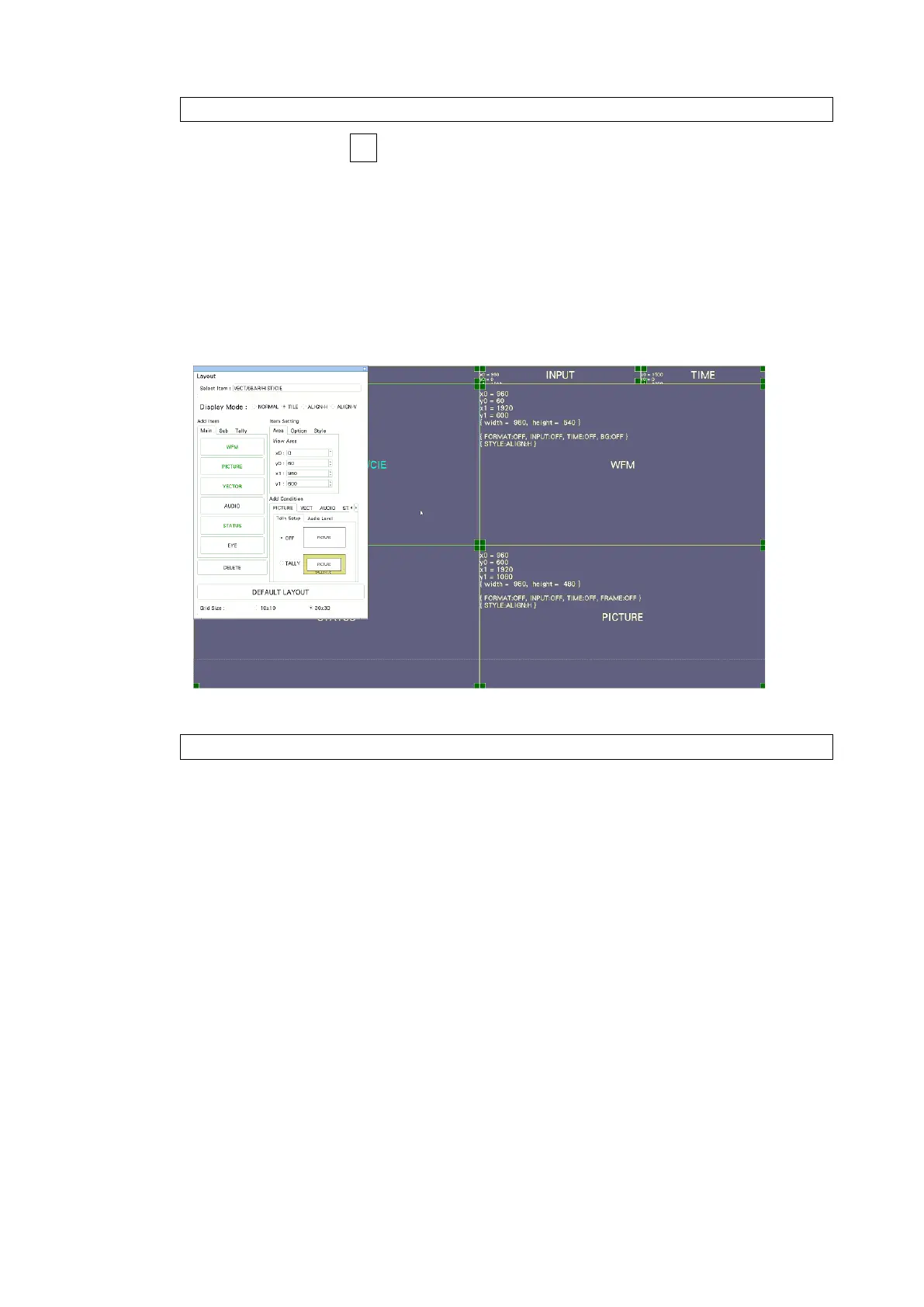
2. Right-click on the measurement screen or click or tap RIGHT CLICK at the upper left of
the screen to select LAYOUT.
The layout screen appears.
Figure 6-41 Layout screen
3. Click or tap the TIME item in the upper right of the screen.
The color of the frame and text changes to light blue, and Select Item in the layout
window displays TIME. This indicates that the TIME item is selected.
4. Click or tap DELETE.
The TIME item is deleted.
5. On the Sub tab, click or tap DATE.
The DATE item appears.



 To Next Page