6. BASIC OPERATION
119
2 Item
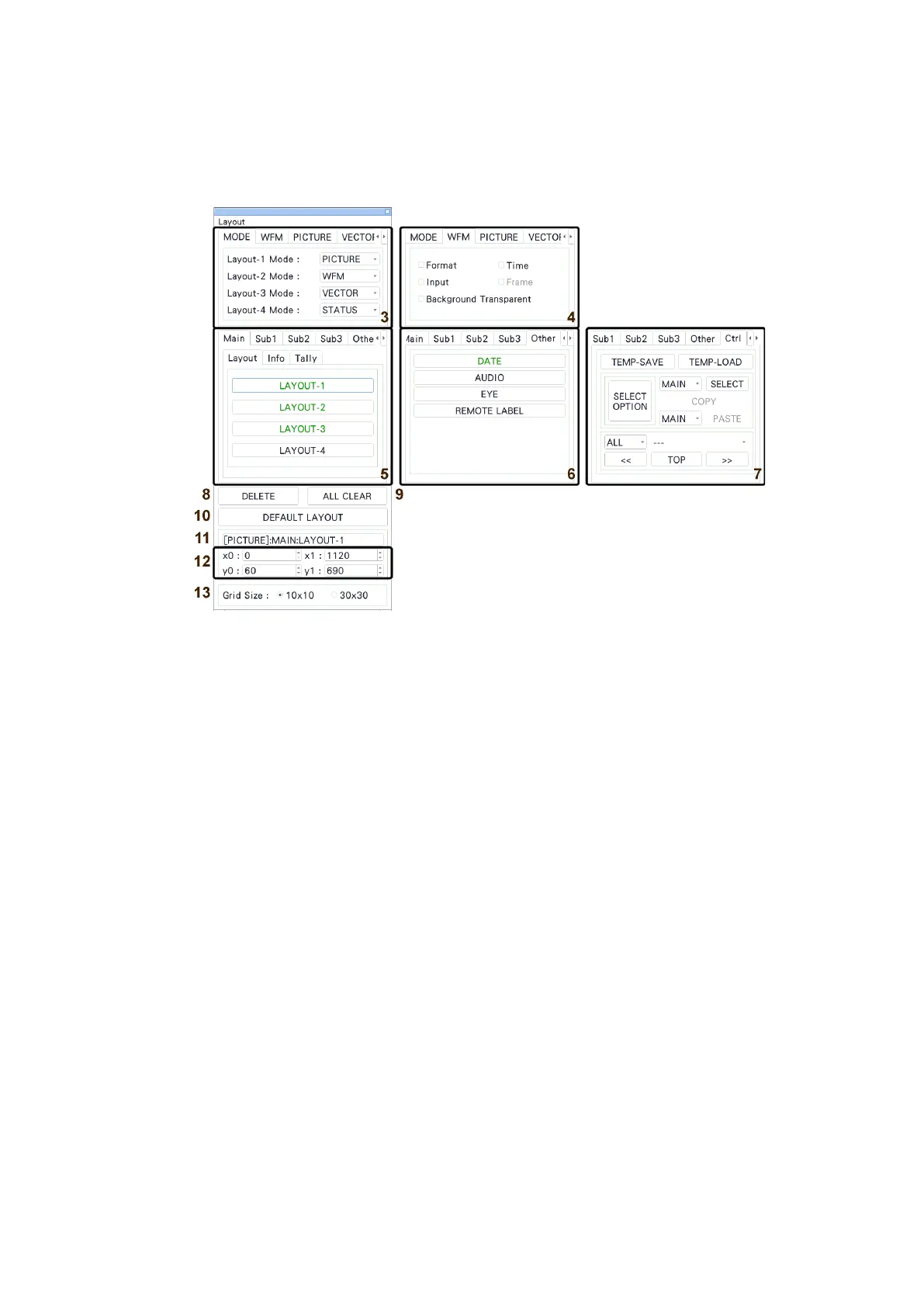
Items arranged on the Main, Sub1 to Sub3, and other tabs are displayed.
The upper-left coordinate, item name, and size are displayed in the frame.
If you select it, the item name color changes from white to light blue.
Figure 6-59 Enhanced layout window
3 MODE
Assign measurement modes to Layout-1 to Layout-4. You can select from the following
measurement modes.
WFM / VECTOR / PICTURE / STATUS
4 WFM / PICTURE / VECTOR / AUDIO / STATUS / EYE
Set the options for each measurement mode.
You can set these items when you arrange an item.
• Format
Turns on and off the format display (e.g., 1920x1080/59.94I YCbCr(422) 10bit HD).
If you set this to ON, you can show and hide it using the GENERAL SETUP tab of the
SYS menu.
It is normally displayed in white, but if the input format is not appropriate, it turns red.
If the specified format is not received, it turns yellow.
• Time
Turns on and off the time display (e.g., TIME: 00:00:00).
If you set this option to ON, you can select the display format using the GENERAL
SETUP tab of the SYS menu.



 To Next Page