16. Status Display
344
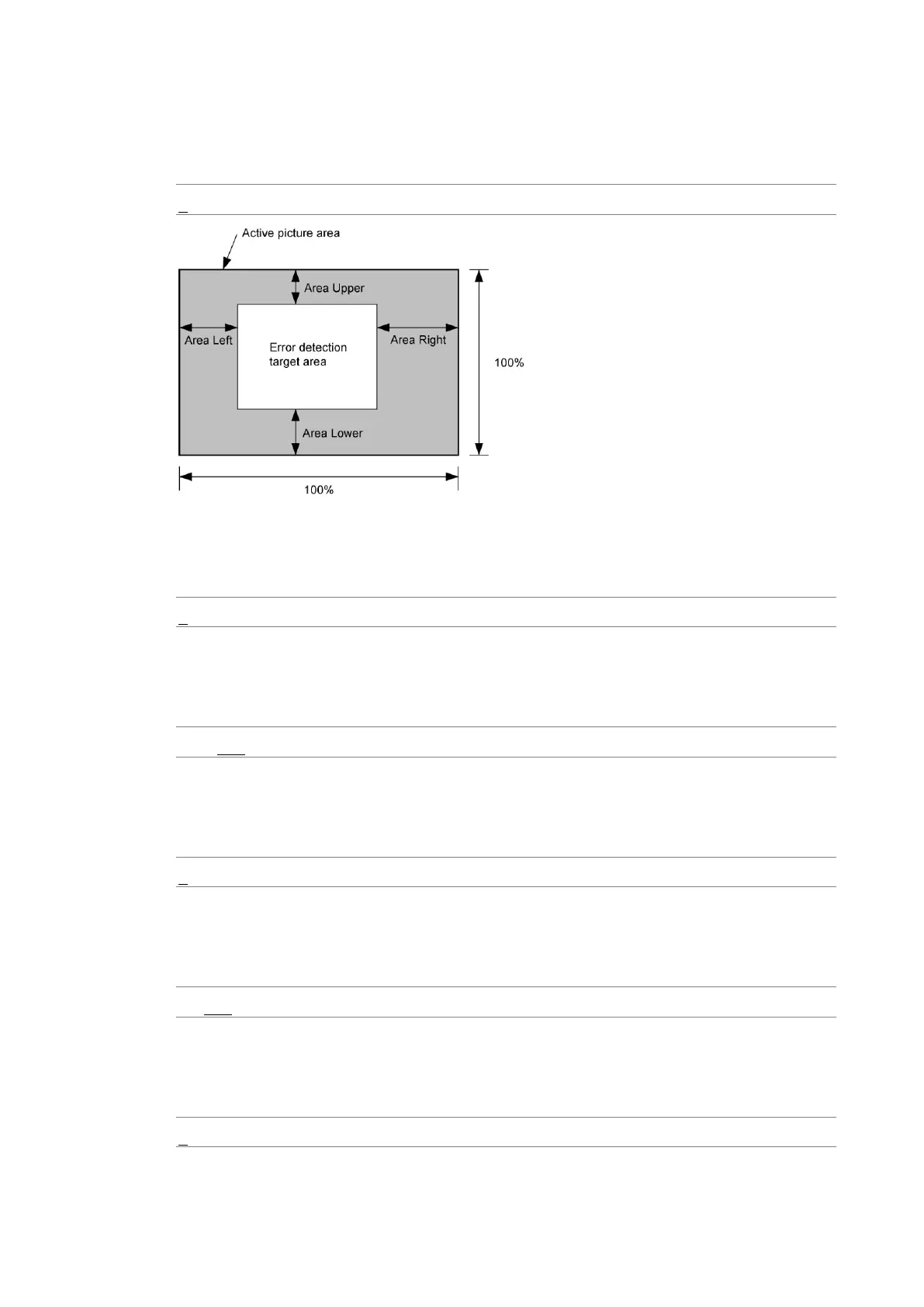
• Area Upper / Area Lower / Area Left / Area Right
Set what percent of each active picture area (the upper, lower, left, and right areas) will
not be subject to error detection.
0 - 100%
• Duration
Set the number of consecutive video frames over which errors must occur to be
recognized as an error.
2 - 300 Frames
• Black Error
Select whether to detect black errors. If you set this to OFF, you cannot configure the
following settings.
ON / OFF
• Level
Set the black error level. Any signals that are less than or equal to the specified value will
be detected as errors.
0 - 100%
• Area
Specify the percentage of the active picture area over which errors must occur to be
recognized as an error.
1 - 100%
• Duration
Set the number of consecutive video frames over which errors must occur to be
recognized as an error.
1 - 300 Frames



 To Next Page