4. PANEL DESCRIPTION
53
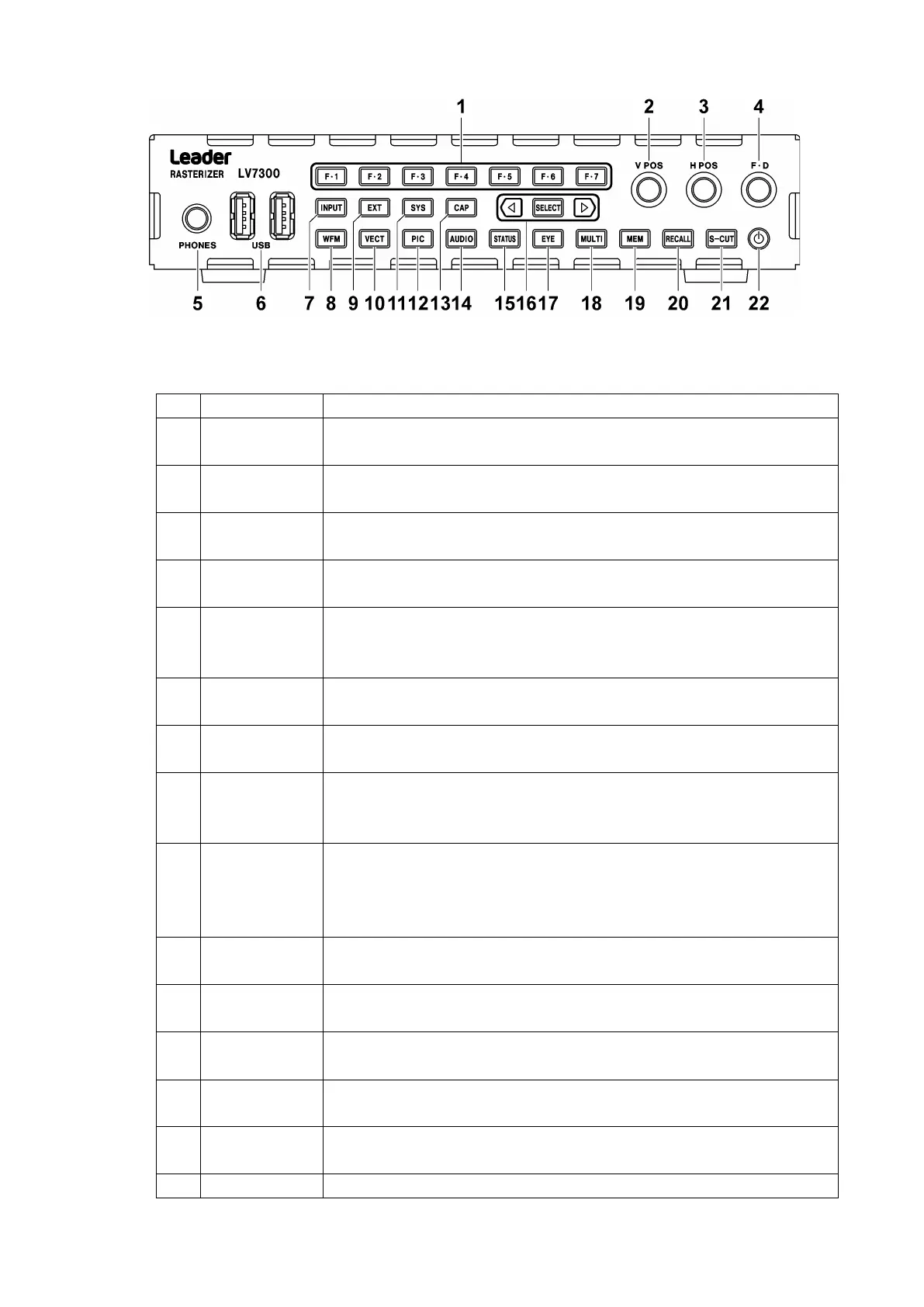
Figure 4-3 LV7300 front panel
Table 4-2 LV7300 front panel description
Carries out the corresponding function menu operation.
[See also] 5.5.2, “Function Menu Operations”
Turn to adjust the vertical position of the video signal waveform or other
item. Press to return to the reference position.
Turn to adjust the horizontal position of the video signal waveform or other
item. Press to return to the reference position.
Turn to specify a numeric value or to move cursors. In most cases, press to
reset the value to its default value.
This is a mini-plug headphone jack. When a pair of headphones are
connected to this jack, the instrument transmits the audio signal embedded
in the SDI signal.
Connect a USB memory device, USB mouse, or touch panel monitor.
[See also] 5.3, “Connecting USB Devices.”
Sets the display channel.
[See also] 6.1, “Setting the Input Signals”
Shows the video signal waveform display. You can change the layout as you
like.
[See also] 10, “Video Signal Waveform Display.”
Switches the sync signal. When the internal sync signal is being used, this
key’s LED turns off. When the external sync signal is being used, this key’s
LED lights.
[See also] 5.4.2, “External Sync Signal Input”
Shows vectors. You can change the layout as you like.
[See also] 11, “VECTOR DISPLAY”
Configures the settings
[See also] 7, “SYSTEM SETTINGS.”
Shows the picture display. You can change the layout as you like.
[See also] 13, “PICTURE DISPLAY”
Captures the screen
[See also] 8, “CAPTURE FEATURE”
Shows the audio display. You can change the layout as you like.
[See also] 14.4.4, “AUDIO DISPLAY”
Shows the status. You can change the layout as you like.



 To Next Page