6. BASIC OPERATION
122
7 Ctrl
Manipulates items such as select, copy, and paste.
• TEMP-SAVE
Temporarily saves the current layout.
Note that the layout that is present when you enter the enhanced layout screen is
automatically saved even if you don’t click TEMP-SAVE.
The saved layout is deleted when you exit from the enhanced layout screen.
• TEMP-LOAD
Loads the layout saved with TEMP-SAVE or the layout that was present when you
entered the enhanced layout screen.
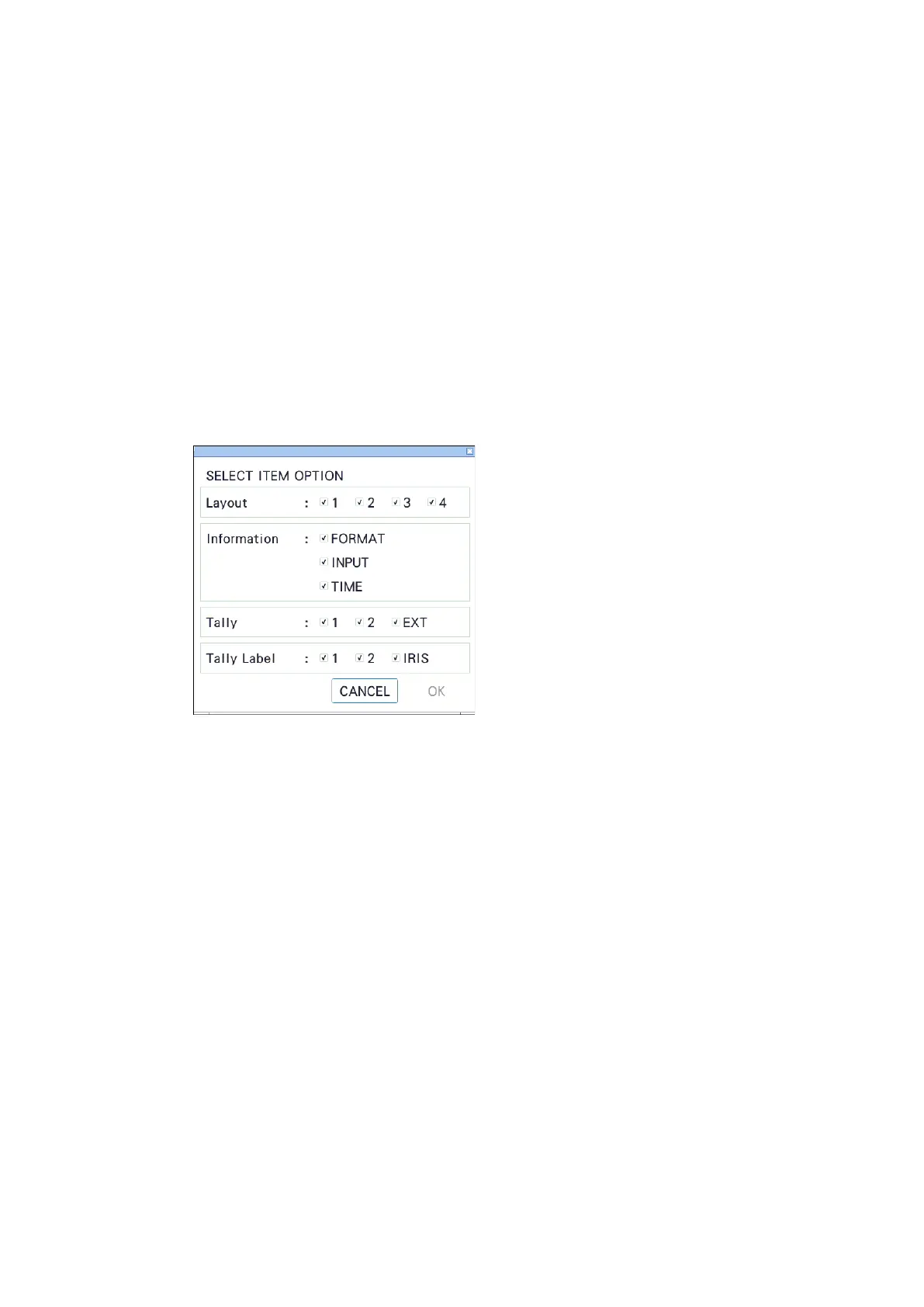
• SELECT OPTION
Selects the target items when you group items with the SELECT function.
• MAIN/SUB1/SUB2/SUB3 - SELECT
Selects the items of the selected channels as a group.
If items are not grouped, SELECT is displayed with black characters.
If items are grouped, SELECT is displayed with green characters, and the selected item
range is displayed in white. Moving by dragging, COPY, and DELETE can be used on
grouped items.
• COPY
Temporarily saves the layout of items grouped with SELECT.
The saved layout is deleted when you exit from the enhanced layout screen or change
the SELECT OPTION.
• MAIN/SUB1/SUB2/SUB3 - PASTE
Pastes the layout saved with COPY to the selected channel.
This is useful such as when you want to make Sub1 to Sub3 the same layout.
If there is a same item as the copied item at the paste destination channel, the position
and size are overwritten.



 To Next Page