P.3.257
Date Code 20151029 Protection Manual SEL-411L Relay
Protection Functions
Over/Underfrequency Elements
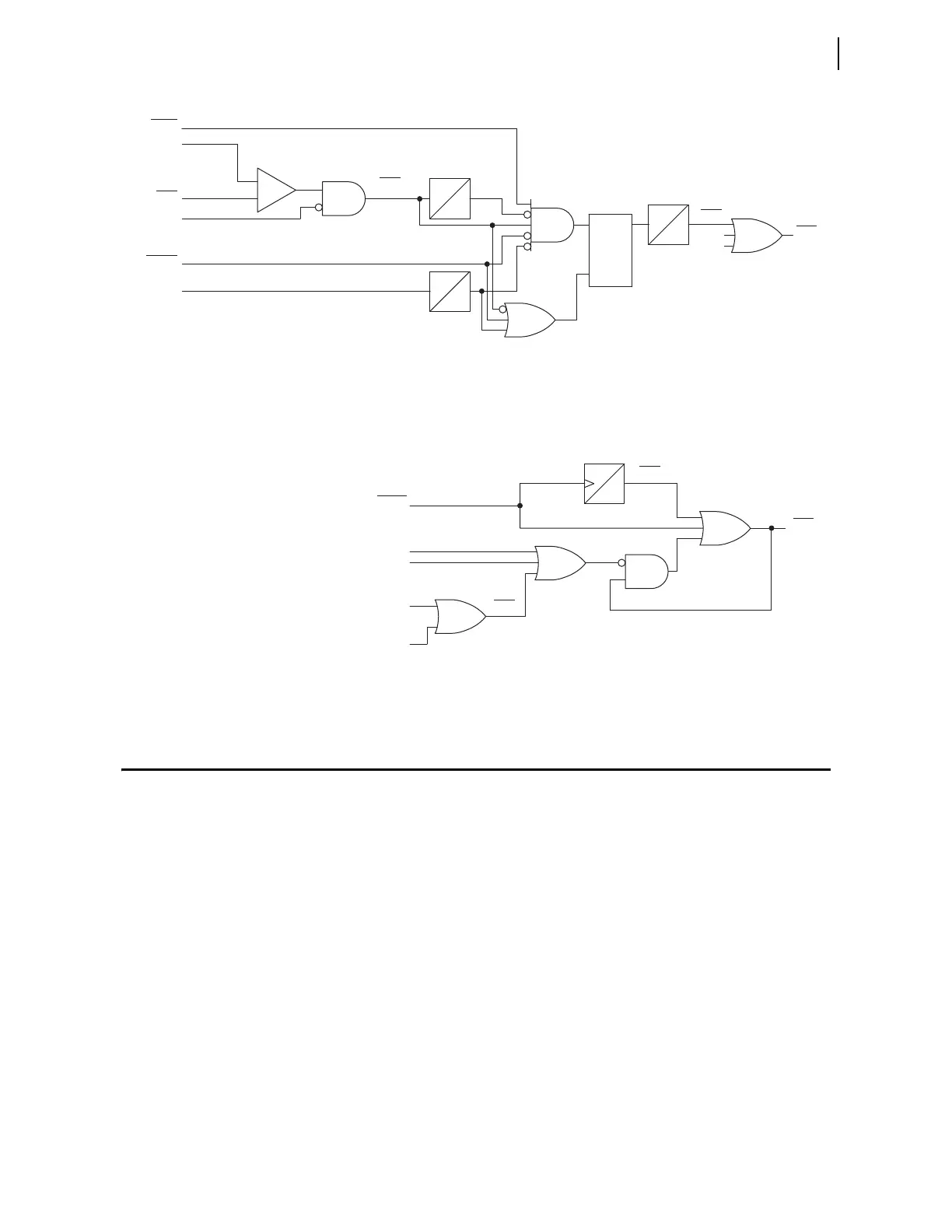
Figure 3.169 Flashover Protection Logic Diagram
Figure 3.170 Circuit Breaker Failure Trip Logic Diagram
Over/Underfrequency Elements
Use the relay frequency elements for abnormal frequency protection.
Figure 3.171 shows the logic for the six levels of over/underfrequency
elements in the relay. The frequency elements use positive-sequence voltage.
Each frequency element can operate as an overfrequency or as an
underfrequency element, depending on its pickup setting. If the element
pickup setting (81DnP, n = 1–6) is less than the nominal system frequency
setting (NFREQ) the element operates as an underfrequency element, picking
up if measured frequency is less than the set point. If the pickup setting is
greater than NFREQ, the element operates as an overfrequency element,
picking up if measured frequency is greater than the set point. All frequency
elements are disabled if any one of the following conditions is true.
➤ The positive-sequence voltage is less than the 81UVSP setting.
➤ No frequency elements are selected (E81 = N).
➤ No primary frequency source is selected (see Figure 3.172).
EFOBFn := Y
50FOAn
52AAn
BLKFOAn
Relay Word bit BLKFOAn asserts if an A-phase
single-pole trip occurs, or if the corresponding
circuit breaker closes.
n = 1 or 2; corresponds to
Circuit Breaker 1 or
Circuit Breaker 2
BnOPHA
50FOn
IABKn
FOBFn
FOAn
FOBn
FOCn
Relay
Word
Bit
Relay
Word
Bit
Relay
Word
Bits
Relay
Word
Bits
5 CYC
0
FOPUn
0
6 CYC
0
SELOGIC
Settings
S
R
Q
—
+
Setting
BFTRIPn
Relay
Word
Bit
TDURTn
Relay
Word
Bit
TRGTR
Relay
Word
Bit
SELOGIC
Settings
TDUR3D
0
TAR R
Serial Port
Command
Target Reset
Front Panel
BFULTRn
BFTRn
RSTTRGT



 To Next Page