P.10.4
SEL-411L Relay Protection Manual Date Code 20151029
Basic Relay Operations
Establishing Communication
➤ The relay operates from 30 to 120 Hz (nominal 50/60 Hz) when
alternating current supplies the POWER input.
Upon connecting power, you will see information on the front-
panel LCD (liquid crystal display) and the ENABLED LED (light-
emitting diode) will illuminate.
For complete information on the relay front panel, see Front-
Panel Operations on page P.7.1.
Establishing Communication
Once you have applied the correct power input successfully, you are ready to
operate the relay. Use the relay front panel and the communications ports to
communicate with the relay.
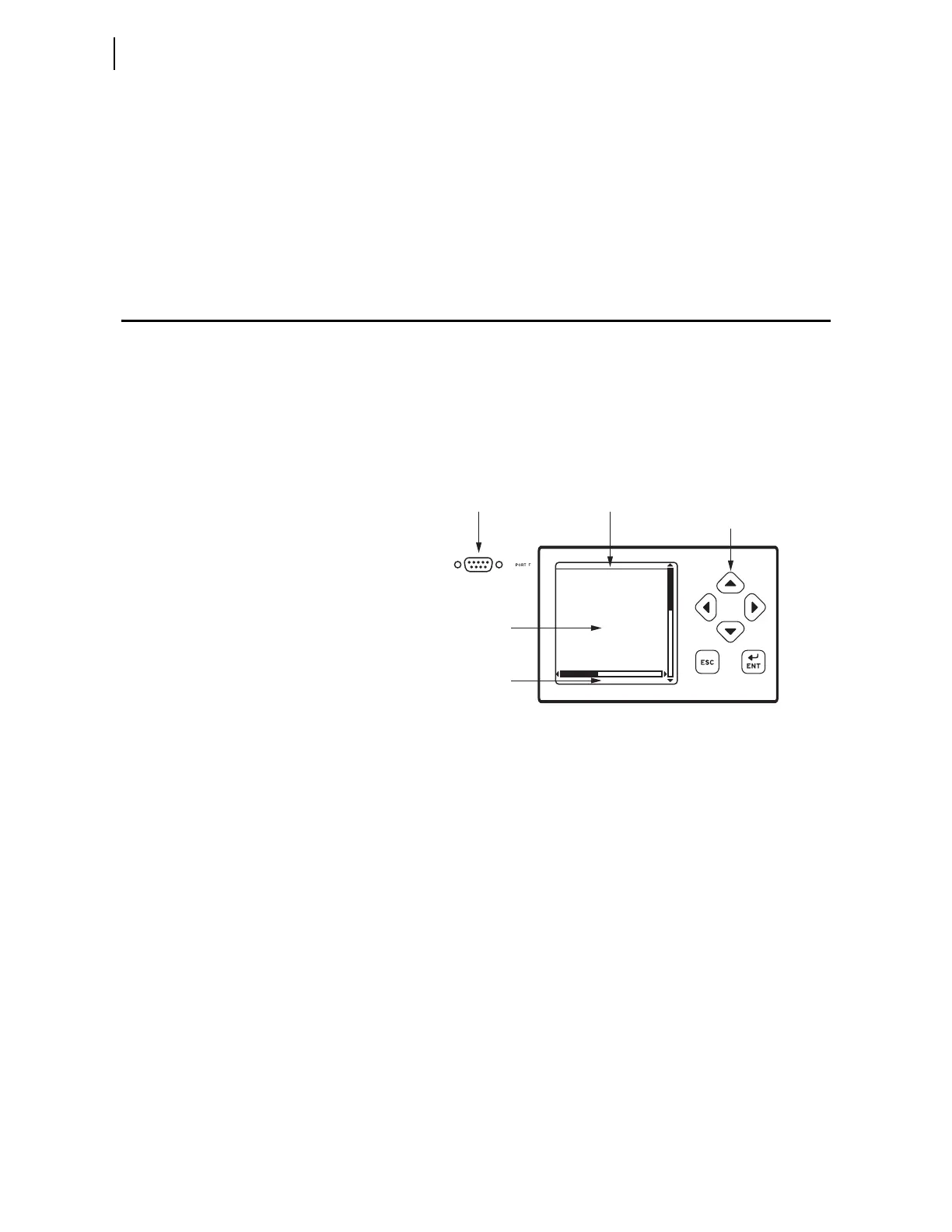
Front-panel control of relay functions involves use of a menu system that you
access through the LCD and the six navigational pushbuttons shown in
Figure 10.3. For complete instructions on using the front-panel menu system,
see Navigating the Menus on page P.7.3.
Figure 10.3 PORT F, LCD Display, and Navigation Pushbuttons
Fast and efficient communication with the relay is available through
communications ports such as PORT F, also shown in Figure 10.3. A design
philosophy for all SEL relays is that an ASCII or open terminal is all that you
need to communicate with the relay. Many off-the-shelf computer programs
provide terminal emulation. These programs are inexpensive and widely
available.
Use the cable connections appropriate for your terminal configuration. See
Section 1: Communications Interfaces in the Communications Manual for
more information on communications ports.
All ASCII commands you send to the relay must terminate with a carriage
return or carriage return/line feed; the terminal emulation program appends
the necessary carriage return when you press Enter>.
You can truncate commands to the first three characters: EVENT 1 <Enter>
becomes EVE 1 <Enter>. Use upper- and lower-case characters without
distinction, except in passwords, which are case sensitive. For a list of ASCII
commands see Section 15: ASCII Command Reference.
Help
When you are using a terminal, you can access built-in relay help for each
ASCII command. Relay help is access-level sensitive; you see only the ASCII
commands for the present access level when you type HELP <Enter>.
Serial Communications Port Title Area Navigation
Pushbuttons
LCD Display Main Area
Message Area



 To Next Page