P.6.6
SEL-411L Relay Protection Manual Date Code 20151029
PC Software
ACSELERATOR QuickSet HMI
ACSELERATOR QuickSet HMI
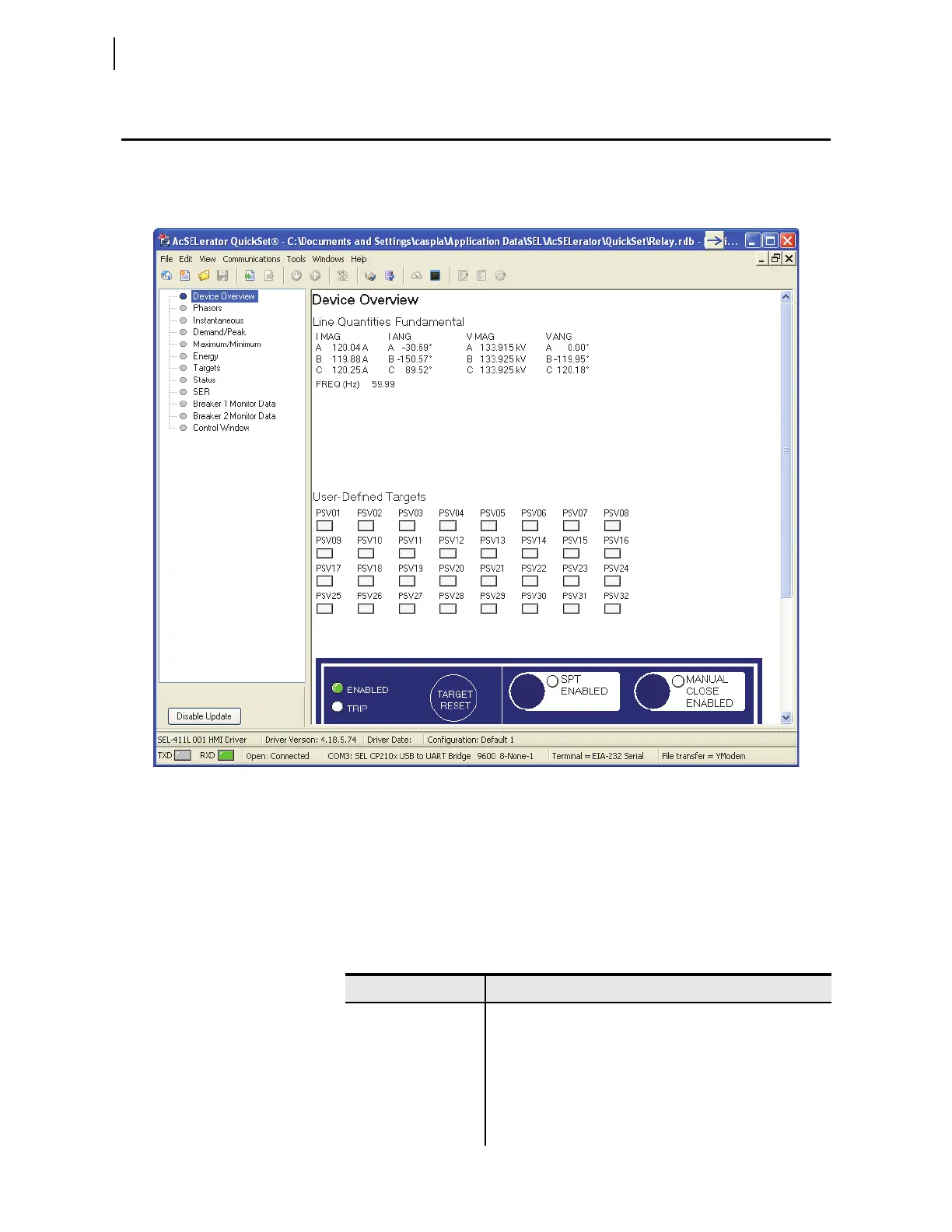
Use the ACSELERATOR QuickSet HMI feature to view real-time relay
information in a graphical format. Use the virtual relay front panel to read
metering and targets (see Figure 6.3).
Figure 6.3 Virtual Relay Front Panel
Open the ACSELERATOR
QuickSet HMI
Select Tools > HMI > HMI in the ACSELERATOR QuickSet menu bar.
ACSELERATOR QuickSet opens the HMI window and downloads the interface
data. The HMI can also be accessed using the Human Machine Interface icon.
ACSELERATOR QuickSet
HMI Features
Table 6.4 lists the functions in the HMI tree view and a brief explanation of
each function.
Ta b l e 6 . 4 ACSELERATOR QuickSet HMI Tree View Functions (Sheet 1 of 2)
Function Description
Device Overview View general metering, selected targets, control input, control
outputs, and the virtual front panel.
Phasors A graphical and textual representation of phase and sequence
voltages and currents.
Instantaneous A table of instantaneous voltages, currents, powers, and
frequency.
Synchrophasor A table of synchrophasor data.



 To Next Page