P.6.10
SEL-411L Relay Protection Manual Date Code 20151029
PC Software
ACSELERATOR QuickSet Settings
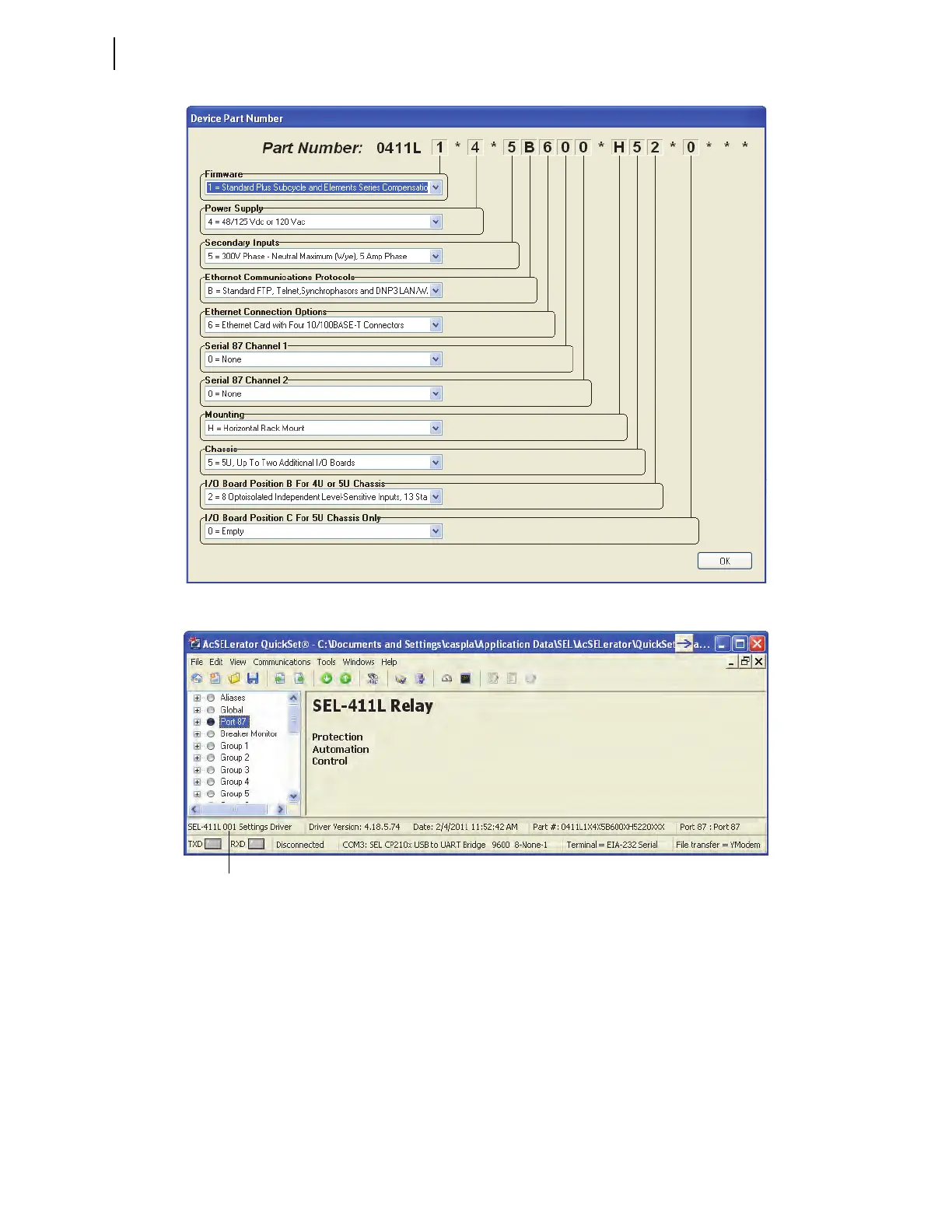
Figure 6.6 Setting the Part Number
Figure 6.7 Settings Driver
File > Open
The Open menu item opens existing relay settings from the active database
folder (see Figure 6.8).
ACSELERATOR QuickSet displays the Select Settings
to Open window and prompts for a device to load into the Settings Editor.
The Show settings with design templates and Show settings without design
templates check boxes allow settings with or without SEL-5031 Design
Templates to be included in or excluded from the Select Settings to Open
window.
Relay Settings Driver Version Number



 To Next Page